Microsoft 365
-
Microsoft 365 Excel: Update Cell
Updates cell data at the specified position in an Excel sheet.
-

Microsoft 365 Excel: Get Cell Value
Gets cell data at the specified position in an Excel sheet.
-
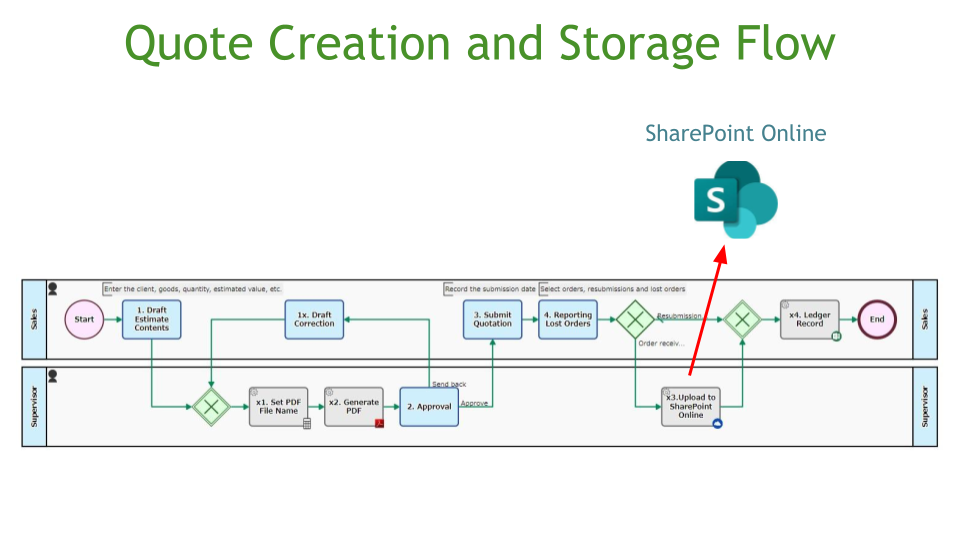
Quote Creation and Storage Flow, SharePoint Online Save
A quotation PDF file is generated with the drafted content. After the quotation is submitted, the quotation PDF file is…
-
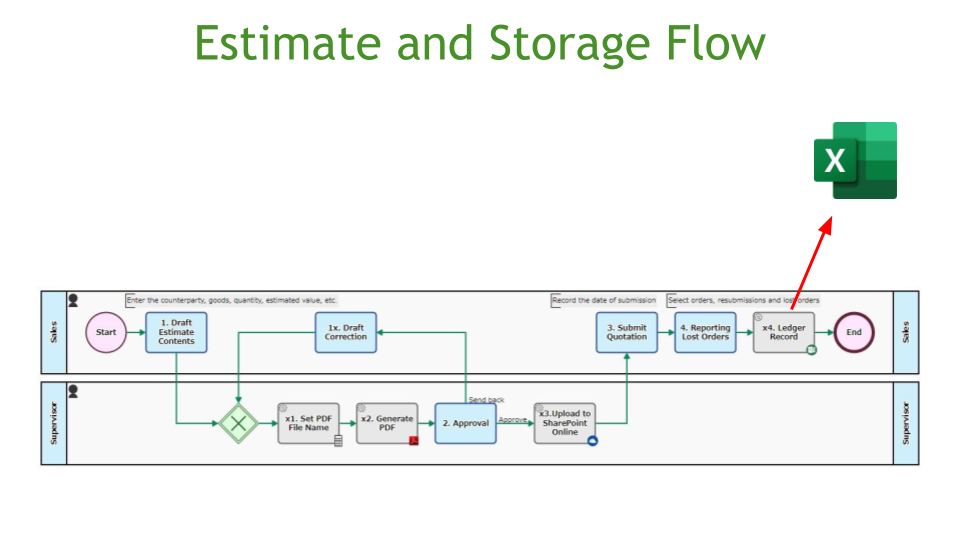
Estimate Storage Flow, Excel Online Ledger Update
A quotation PDF file is generated with the drafted content and uploaded to SharePoint Online. After the order has been…
-

Travel Request App, Teams Chat Notification
This is the app to apply for and approve business travel. During the application process, the address to be visited…
-
Inquiry Management App, SharePoint Online List Storage
This is a centrally managed app for handling inquiries from web forms and phone calls. The system accepts queries from…
-
Internal Training Application App
This process manages applications for participation in in-house training programs. Once the application is received, the applicant is automatically added…
-
Internal Training Management App
This process manages the master for internal training programs. The Outlook calendar events and Questetra master required by the application…
-
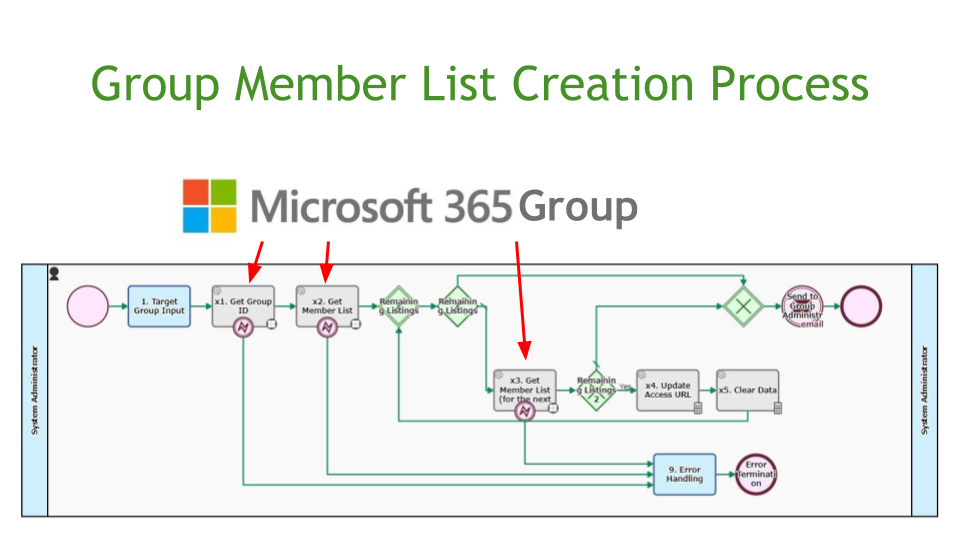
Group Member List Creation App
This process automatically creates a list of Microsoft365 group members and emails it to designated users. If you want to…
-
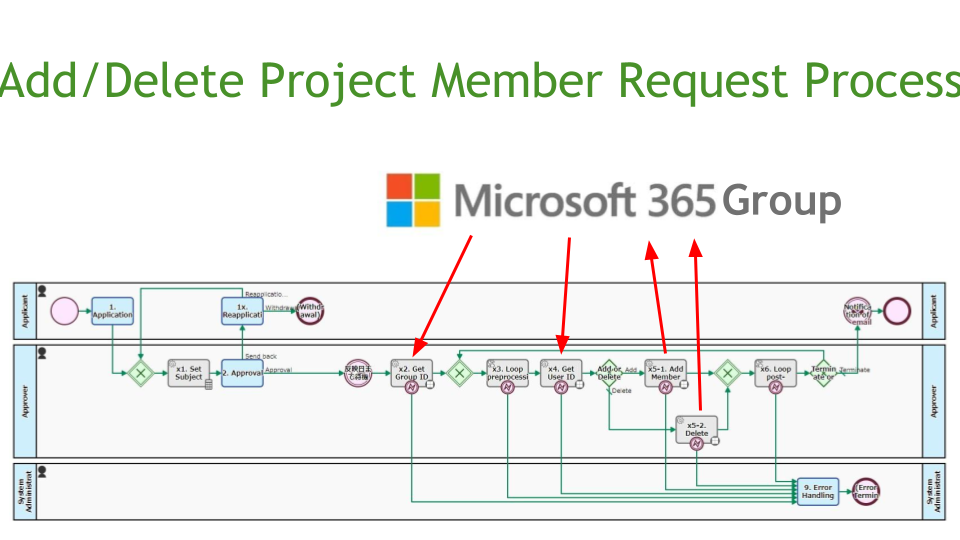
Add/Delete Project Member Request Process
This is the process to request the addition or deletion of a project member. After approval, the request is automatically…
-

Microsoft 365 Outlook: Add Attendees to Calendar Event
Add attendees to an event in the Outlook Calendar. Specify the target by event ID. Specify attendees by email address.…
-

Microsoft 365 Outlook: Post Attachment to Calendar Event
Posts an Attachment to an Outlook Calendar event (1 file only, up to 2.9MB).
-

Microsoft365: Get Group Member List
Retrieves a list of members of a Microsoft365 group. Up to 999 lists can be retrieved.
-

Microsoft365: Get User ID
Obtains a Microsoft365 user ID by specifying an email address.
-

Microsoft365: Get List (for Paging)
Retrieves a certain listing on the next page in Microsoft365. The acquired data is appended to a String-type multi-line Data…
-

Microsoft365: Delete Group Member
Removes the specified user from membership in the Microsoft365 group.
-

Microsoft365: Add Group Member
Adds the specified user as a member of the Microsoft365 group.
-

Microsoft365: Get Group ID
Gets a Microsoft365 group ID by specifying the display name.
-

Microsoft Teams Chat Message Post (API)
Posts a message to Microsoft Teams Chat using the API (Microsoft Graph REST API).
-
Microsoft 365 Excel: Delete Row Range
Deletes data in specified rows of an Excel sheet. You can specify a range of columns to be deleted.
-
Microsoft 365 Excel: Update Row
Updates Rows of an Excel sheet. The update range can be specified up to 15 columns.