

Overview
Transmits an HTTP request to the destination specified in Access URL. Also capable of saving the received response to a Data Item.
Configs: Common
- Step Name
- Note
Configs: Network Settings
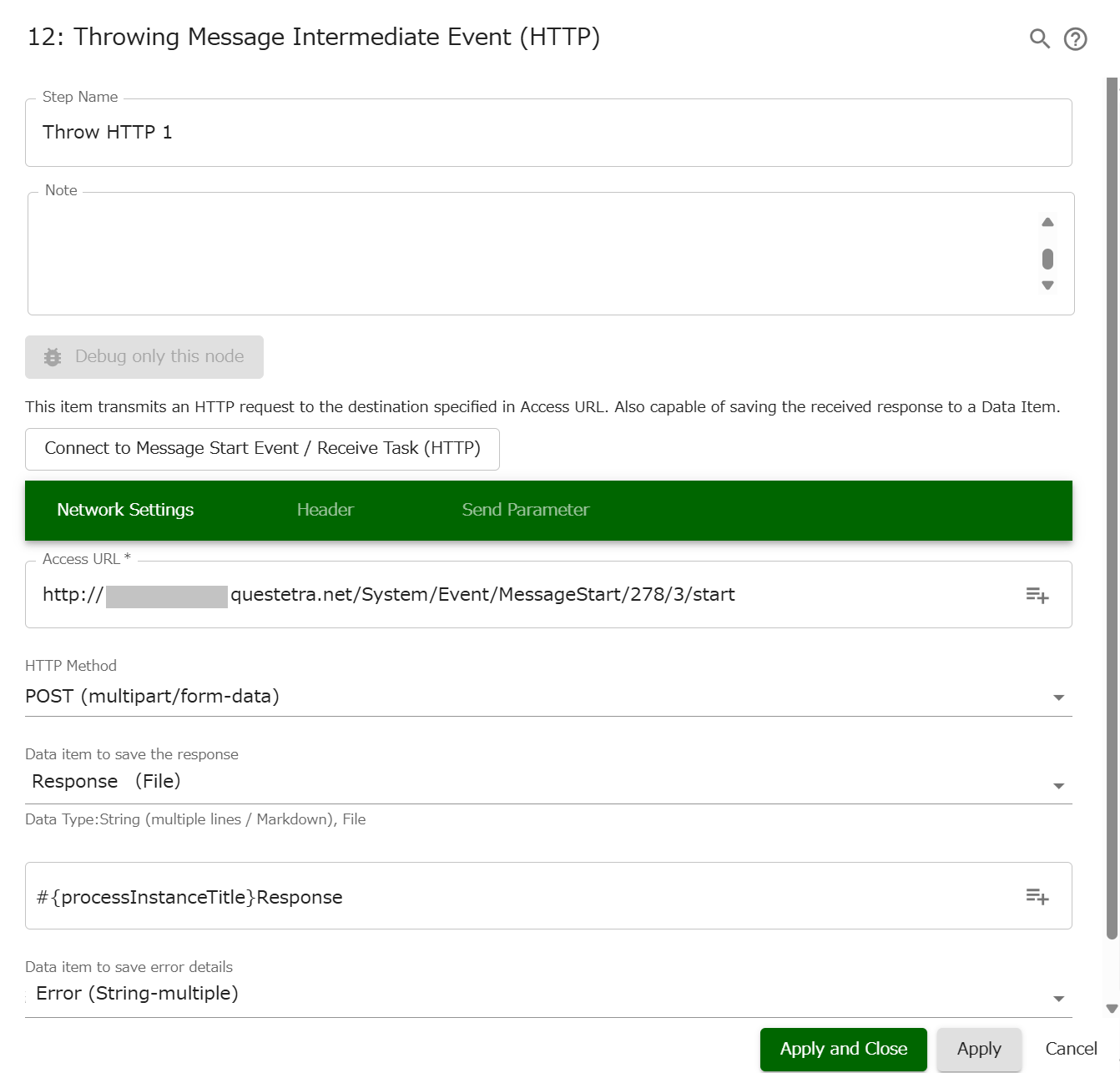
- Access URL *#{EL}
- Insert reference…
- Title
- Case Start User
- Case Start Organization
- Case ID
- Case Start Datetime
- Case Sequence Number
- App ID
- App Name
- (Data Items)
- System Variable: Application Root
- Insert reference…
- HTTP Method
- GET
- POST (application/x-www-form-urlencoded)
- POST (multipart/form-data)
- POST (Specify Request Body)
- Data item to send as request body (String multiple lines / String Markdown / File) *
- (Data Items)
- Content-Type of Request body *
- (Data Items)
- Data item to send as request body (String multiple lines / String Markdown / File) *
- PUT (Specify Request Body)
- Data item to send as request body (String multiple lines / String Markdown / File) *
- (Data Items)
- Content-Type of Request body *
- (Data Items)
- Data item to send as request body (String multiple lines / String Markdown / File) *
- PATCH (Specify Request Body)
- Data item to send as request body (String multiple lines / String Markdown / File) *
- (Data Items)
- Content-Type of Request body *
- (Data Items)
- Data item to send as request body (String multiple lines / String Markdown / File) *
- DELETE
- Data item to save the response (String multiple lines / String Markdown / File)
- Not Save
- (Data Items)
- (In case File-type is chosen) Saving file name *#{EL}
- Insert reference…
- Title
- Case Start User
- Case Start Organization
- Case ID
- Case Start Datetime
- Case Sequence Number
- App ID
- App Name
- (Data Items)
- System Variable: Application Root
- Insert reference…
- (In case File-type is chosen) Saving file name *#{EL}
- Data item to save error details (String multiple lines)
- Not Save
- (Data Items)
Configs: Header
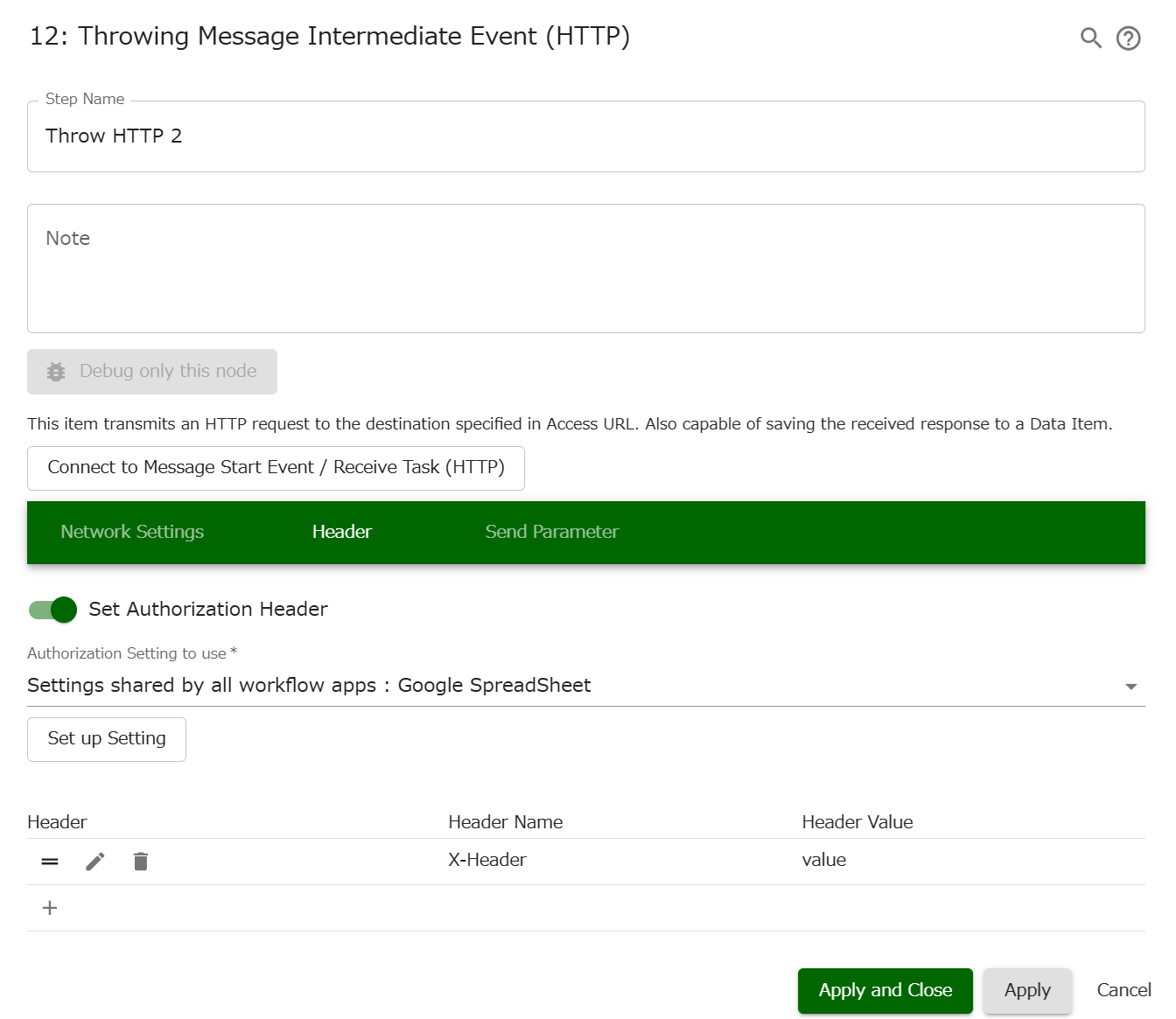
- Authorization Header *
- Not use
- Use
- Authorization Settings to use *
- [Set from here]
- Header
- (move)
- (edit)
- Header Name
- Header Value
- (remove)
- (specified Header Name)
- (specified Header Value)
Configs: Send Parameter
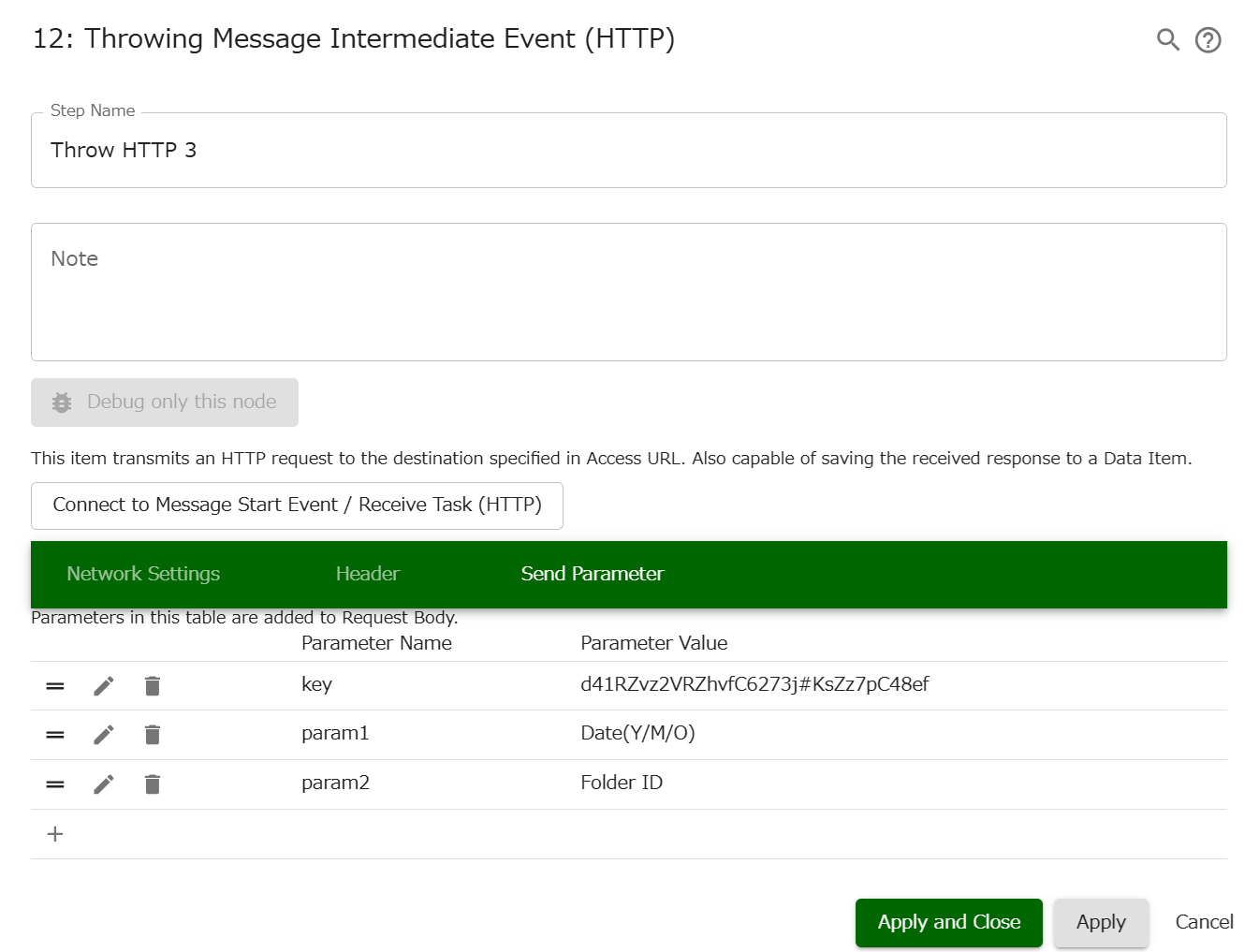
- Send Parameter
- (move)
- (edit)
- Parameter Name
- Parameter Value
- Fixed Value
- Case ID
- Title
- (Data Items)
- (remove)
- (specified Parameter Name)
- (specified Parameter Value)
Capture
Notes
- It is possible to embed business data in Access URL and Saving file name
- You can also specify App Configuration Variables as values in Access URL or Send Parameter
- App Configuration Variables can also be specified in Header Name, Header Value, Parameter Name, and Saving file name
- For HTTPS communication, only requests to the well-known port (443) are allowed
- If the connection destination (request destination) is [Message Start Event (HTTP)] or [Receive Task (HTTP)], by clicking [Connect to Message Start Event / Receive Task (HTTP)] you can view information such as URL and parameters
- Connect to an event on the same server
- Connect to an event on an outside server
- Data item to save error details will be empty when processing completes normally
- Processing is considered to have completed normally only when the HTTP status code of the response is in the 200 range
- For any other status code or if the communication itself fails, it is treated as an error, and the error details are saved to this Data Item. An error notification email is also sent
- In “HTTP Method”, if (Specify Request Body) is selected (POST, PUT, PATCH), the following limit applies:
- Content-Type of request body: 200 characters
- If a File-type is selected in “Data item to save the response”, the following limit applies:
- Saving file name: 200 characters
- Send Parameter has the following limits:
- Parameter Name: 100 characters
- Fixed Value: 1,000 characters
- Header has the following limits and constraints:
- Number of headers: 10
- Header Name: 100 characters
- Header Value: 1,000 characters
- Duplicate header names cannot be specified (case-insensitive)
- Only ASCII printable characters can be specified in Header Value. Leading and trailing whitespace is not allowed
- For the header names that can be specified, see R2253: Custom HTTP Header
- [Service Task (Start Child Case)] is more suitable for connecting to a [Message Start Event (HTTP)] in apps on the same workflow platform
- A Questetra-Pid header and a Questetra-Debug header are automatically added to the outgoing request
- The value of Questetra-Pid is the Case ID of the sending Case
- The value of Questetra-Debug is “true” when executed in a debug Case or via [Debug only this step]; it is “false” for normal Cases
- If the destination is a [Message Start Event (HTTP)], the Case will be started as a debug Case
- It is also possible to explicitly specify the value of the Questetra-Debug header in the [Header] tab of the properties
See also


