-
●
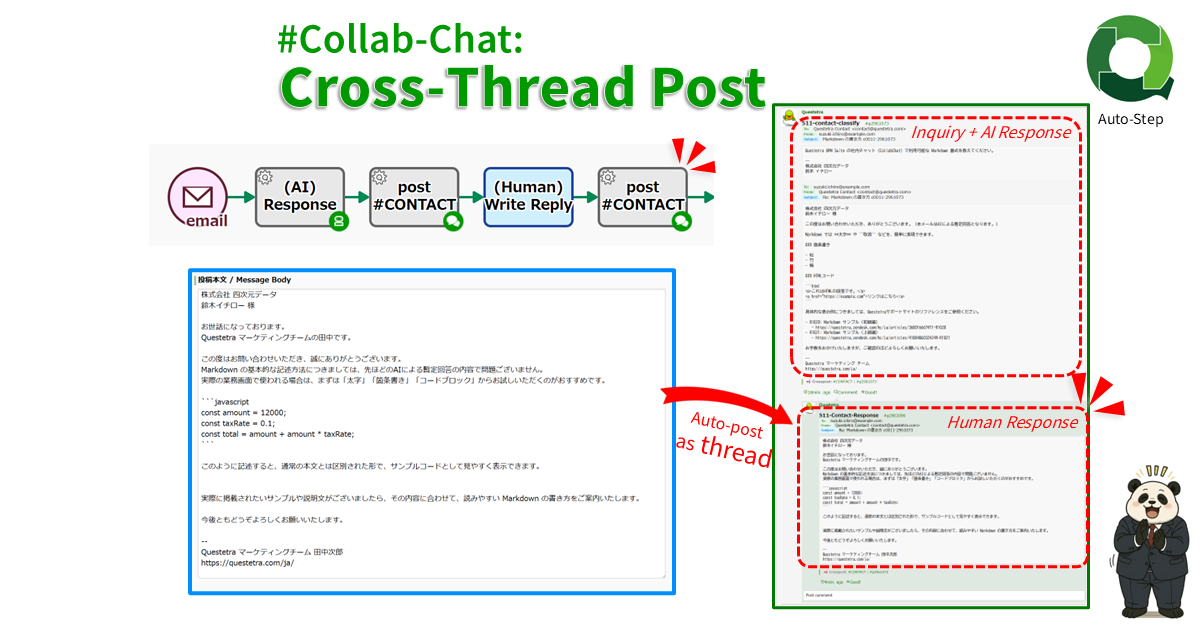
#Collab-Chat: Cross-Thread Post
Cross-posts text to multiple Collab Chat threads in Questetra BPM Suite. Specify an organization, app, or case channel by ID, such as “g12”, “m12”, or “p123”; specify a user-created channel by name, such as “general”.
-
●
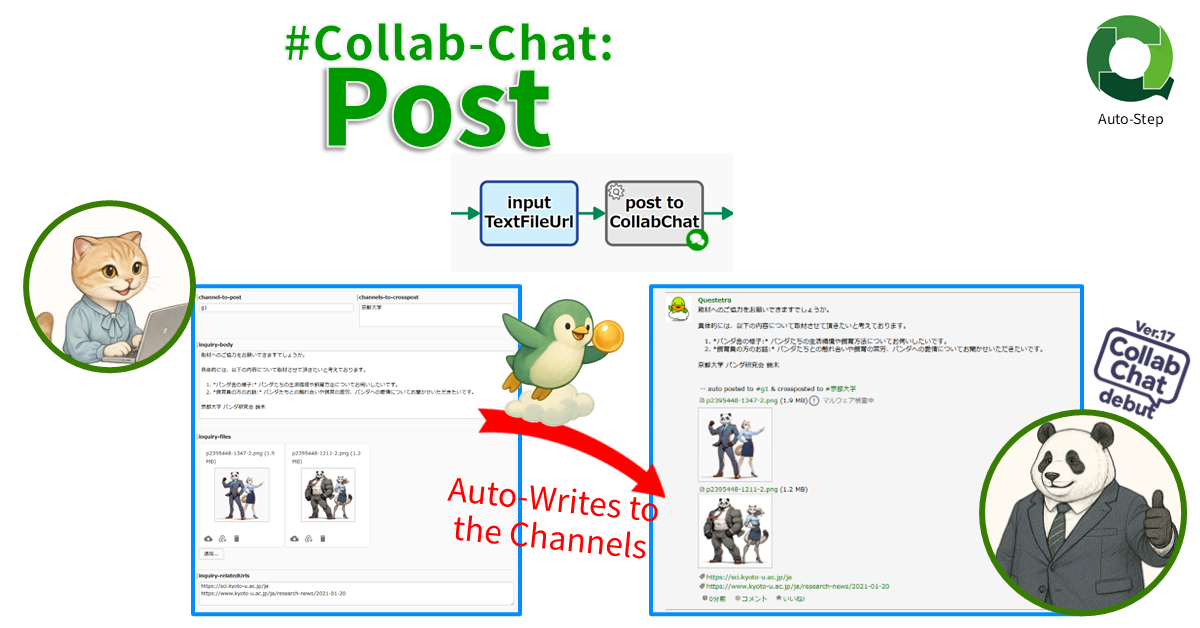
#Collab-Chat: Post
Posts any text to CollabChat in the Questetra Platform by specifying the channel. To post to an organization channel or a process channel, specify the ID (eg. “g12” or “p123”), and to a user-created channel, the channel name (eg. “general”).
-
●
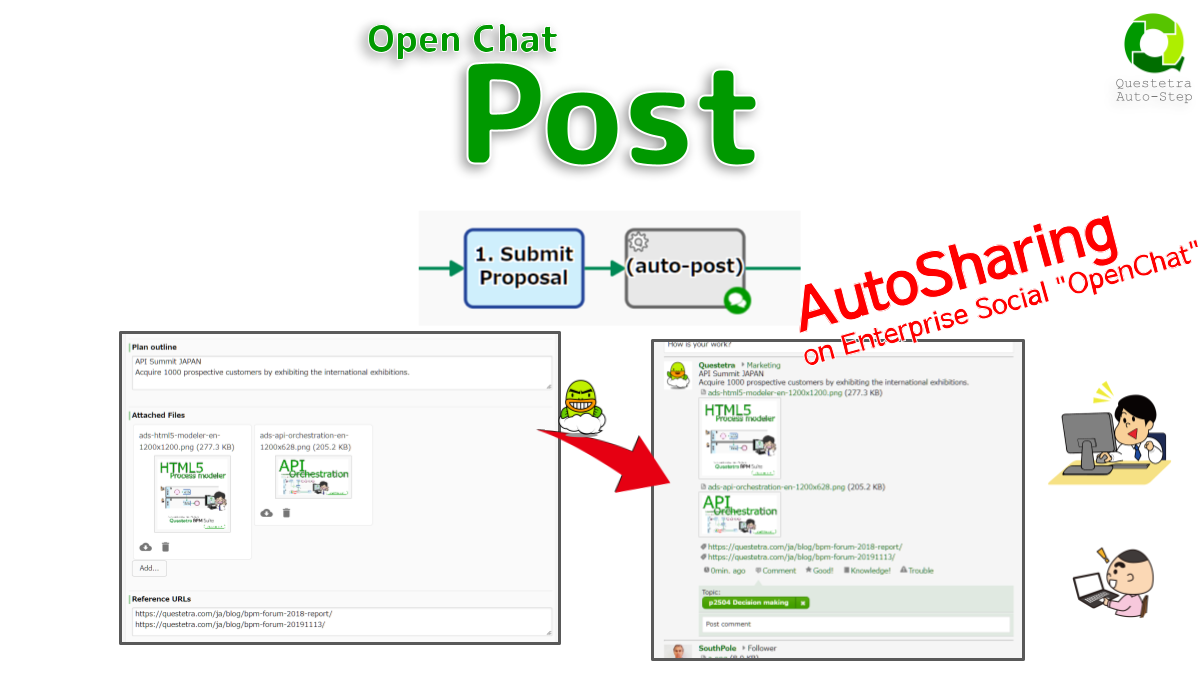
#Open-Chat: Post
Posts the text to OpenChat in the Workflow Platform. Since the ProcessID hashtag (topic) like “#p123” is automatically added, it will be displayed on the timeline of the process participants. Note that all users can browse with searching.
-
●
Open Chat, Post
Posts to Open Chat (Enterprise Social in Questetra BPMS) with PID like “#p123” from the workflow engine standpoint. Posts will only be displayed on the participant timelines. Note that any BPMS user can search in their timeline, unlike Workflow Data.
Workflow Apps: Add-ons
-
#Collab-Chat: Cross-Thread Post
Cross-posts text to multiple Collab Chat threads in Questetra BPM Suite. Specify an organization, app, or case channel by ID, such as “g12”, “m12”, or “p123”; specify a…
-
#Collab-Chat: Post
Posts any text to CollabChat in the Questetra Platform by specifying the channel. To post to an organization channel or a process channel, specify the ID (eg. “g12″…
-
#Open-Chat: Post
Posts the text to OpenChat in the Workflow Platform. Since the ProcessID hashtag (topic) like “#p123” is automatically added, it will be displayed on the timeline of the…
-
Open Chat, Post
Posts to Open Chat (Enterprise Social in Questetra BPMS) with PID like “#p123” from the workflow engine standpoint. Posts will only be displayed on the participant timelines. Note…