-
●

Microsoft365: Delete Group Member
Removes the specified user from membership in the Microsoft365 group.
-
●
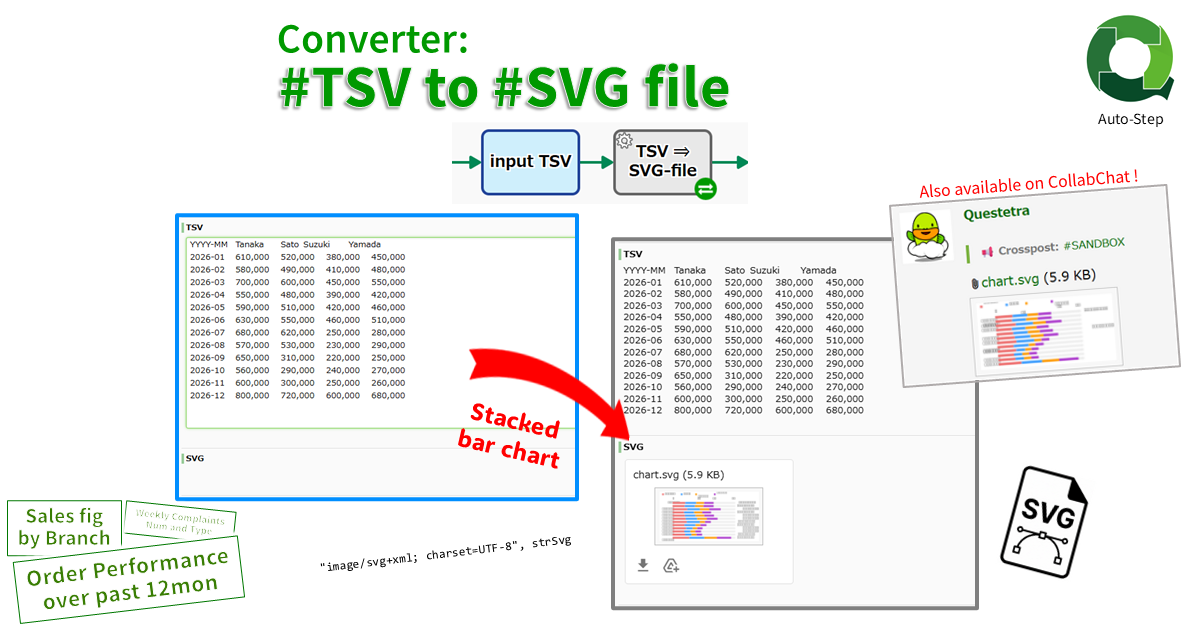
Converter: #TSV String to #SVG File
Converts a numeric TSV string into a stacked bar chart SVG file. The first TSV column is used as the aggregation unit, such as “YYYYMM”, and the first row as data series, such as “Sales Representative”…
-
●
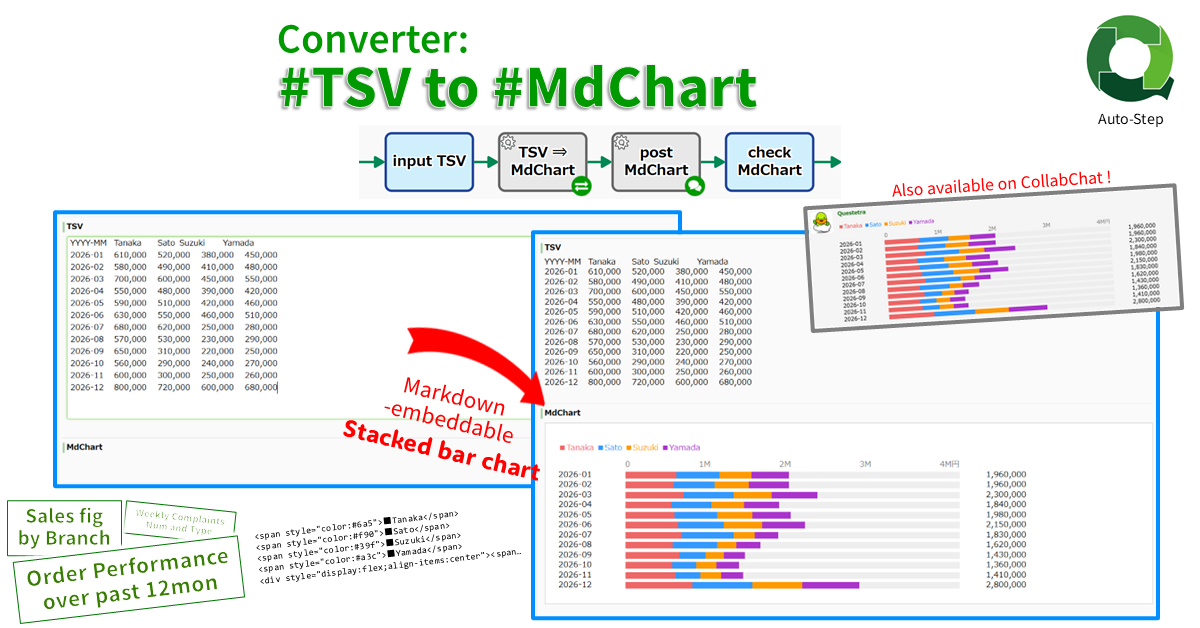
Converter: #TSV String to #MdChart String
Converts a numeric TSV string into a Markdown-embeddable stacked bar chart (MdChart). The first TSV column is used as the aggregation unit, such as “YYYYMM”, and the first row as data series, such as “Sales Representative”…
-
●
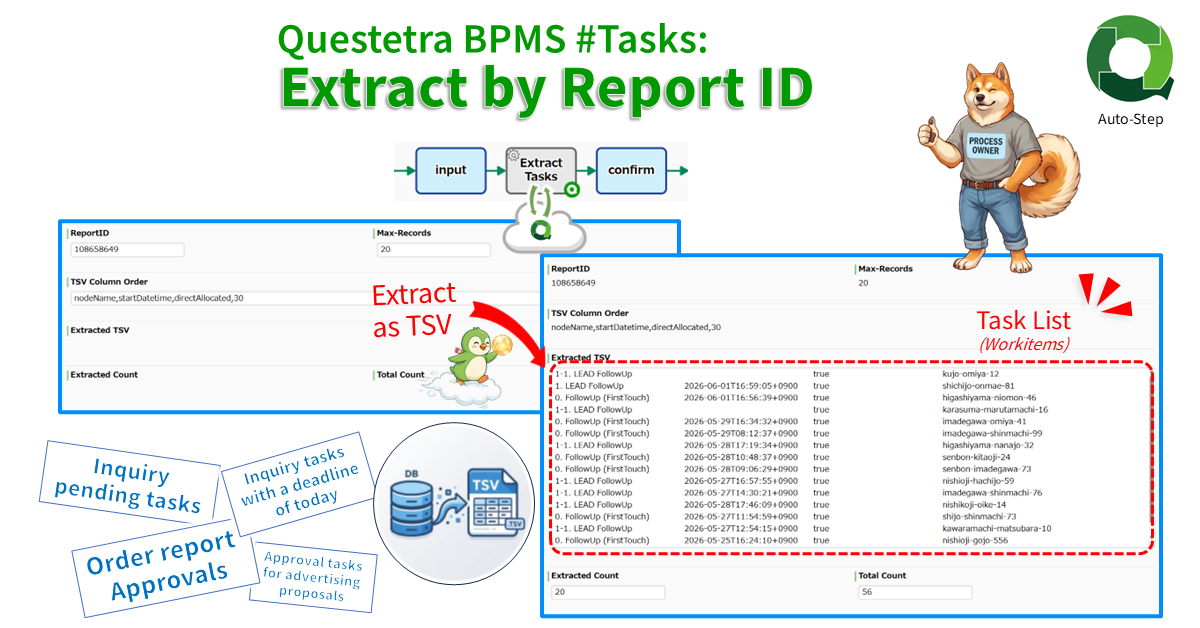
Questetra BPMS #Tasks: Extract by Report ID
Extracts task (workitem) data via API in TSV format. The data is extracted using the ReportID of the filtered list configured in the Web UI and stored in TSV format. The order of the data columns…
-
●

Microsoft365 List Get (for paging)
Retrieves a certain listing on the next page in Microsoft365. The acquired data is appended to a String-type multi-line Data Item. (When acquiring a list, there is a limit to the number of items that can…
-
●
-
●
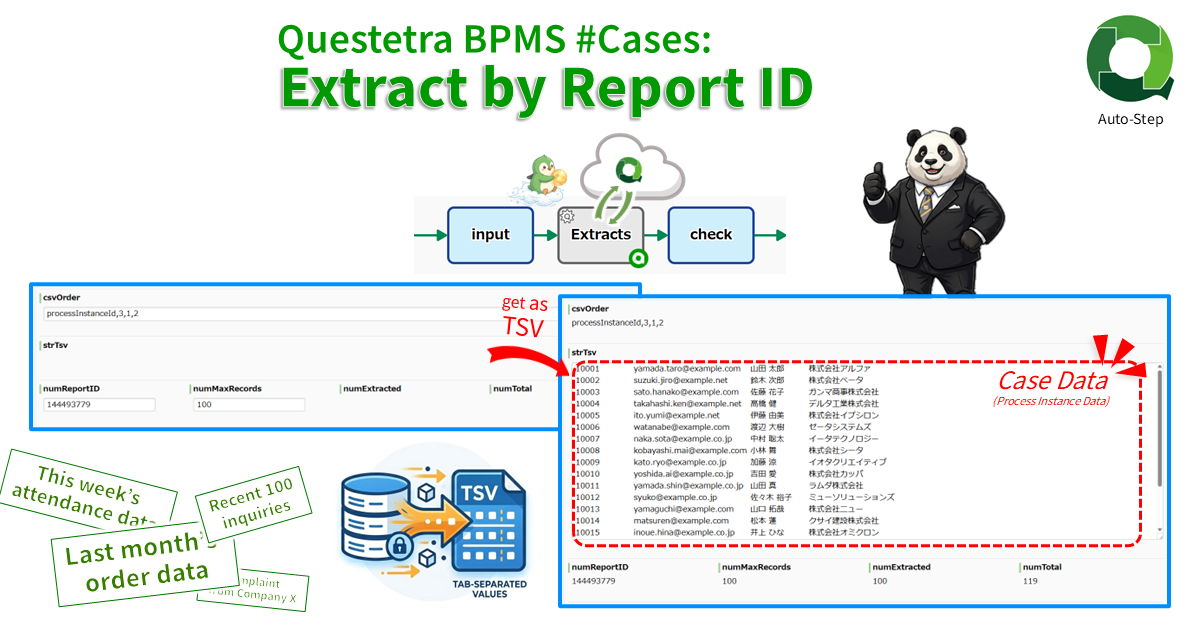
Questetra BPMS #Cases: Extract by Report ID
Extracts case data via API in TSV format. The data is extracted using the ReportID of the filtered list configured in the Web UI and stored in TSV format. The order of the data columns is…
-
●

Outlook Calendar Event Insert
Inserts an event in the Outlook Calendar. A maximum of three participants can be specified.
-
●
-
●

Microsoft 365 Outlook: Post Attachment to Calendar Event
Post a Attachment to Outlook Calendar Event(1 file only, up to 2.9MB).
-
●
-
●
-
●
Microsoft 365 Excel: Delete Row Range
Deletes rows in the specified range. Existing cells will be shifted upward.
-
●
-
●

Microsoft 365 Excel: Multiple Cell Values, Update
Update multiple cells data at the specified position in a sheet.
-
●

Microsoft 365 Excel: Multiple Cell Values, Bulk Update (Range Specification)
Bulk update cells data at the specified range in a sheet. (Values containing line breaks cannot be specified)
-
●
Google Sheets: Spreadsheets Cells Value, Bulk Update (range)
Bulk update cells data at the specified range in a sheet. (Values containing line breaks cannot be specified)
-
●
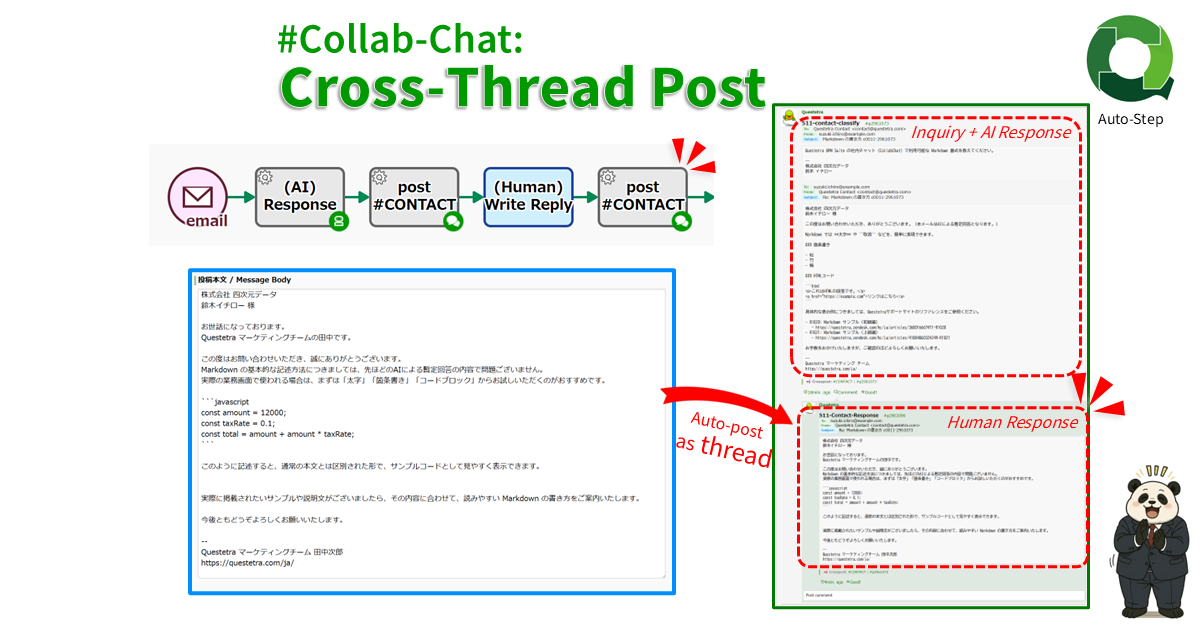
#Collab-Chat: Cross-Thread Post
Cross-posts text to multiple Collab Chat threads in Questetra BPM Suite. Specify an organization, app, or case channel by ID, such as “g12”, “m12”, or “p123”; specify a user-created channel by name, such as “general”.
-
●
-
●

Slack: Chat, Post Block
Posts a message in block format. A table data can be attached as needed. It is also possible to change to an ephemeral message that is displayed only to a specific user.
-
●
Google Sheets: Two ValueRanges, Xlookup Reference
Converts string B to string C by referring to the two spreadsheet areas. Searches lookup_string in range B, and if there is an exact match it returns the corresponding string in range C. If there is…
Add-ons
-
Microsoft365: Delete Group Member
Removes the specified user from membership in the Microsoft365 group.
-
Converter: #TSV String to #SVG File
Converts a numeric TSV string into a stacked bar chart SVG file. The first TSV column is used as the…
-
Converter: #TSV String to #MdChart String
Converts a numeric TSV string into a Markdown-embeddable stacked bar chart (MdChart). The first TSV column is used as the…
-
Questetra BPMS #Tasks: Extract by Report ID
Extracts task (workitem) data via API in TSV format. The data is extracted using the ReportID of the filtered list…
-
Microsoft365 List Get (for paging)
Retrieves a certain listing on the next page in Microsoft365. The acquired data is appended to a String-type multi-line Data…
-
Microsoft365: Get User ID
Obtains a Microsoft365 user ID by specifying an email address.
-
Questetra BPMS #Cases: Extract by Report ID
Extracts case data via API in TSV format. The data is extracted using the ReportID of the filtered list configured…
-
Outlook Calendar Event Insert
Inserts an event in the Outlook Calendar. A maximum of three participants can be specified.
-

Microsoft 365 Excel: Get Cell Value
Get cell data at the specified position in a sheet.
-
Microsoft 365 Outlook: Post Attachment to Calendar Event
Post a Attachment to Outlook Calendar Event(1 file only, up to 2.9MB).
-
Microsoft 365 Excel: Update Cell
Update cell data at the specified position in a sheet.
-
Microsoft 365 Excel: Get Row
Get data in a specified row from a sheet.
-
Microsoft 365 Excel: Delete Row Range
Deletes rows in the specified range. Existing cells will be shifted upward.
-
Microsoft 365 Excel: Update Row
Update data in a specified row of a sheet.
-
Microsoft 365 Excel: Multiple Cell Values, Update
Update multiple cells data at the specified position in a sheet.
-
Microsoft 365 Excel: Multiple Cell Values, Bulk Update (Range Specification)
Bulk update cells data at the specified range in a sheet. (Values containing line breaks cannot be specified)
-
Google Sheets: Spreadsheets Cells Value, Bulk Update (range)
Bulk update cells data at the specified range in a sheet. (Values containing line breaks cannot be specified)
-
#Collab-Chat: Cross-Thread Post
Cross-posts text to multiple Collab Chat threads in Questetra BPM Suite. Specify an organization, app, or case channel by ID,…
-

Google Slides #Pages: Get all Ids
Stores page object ids of the specified slide.
-
Slack: Chat, Post Block
Posts a message in block format. A table data can be attached as needed. It is also possible to change…
-
Google Sheets: Two ValueRanges, Xlookup Reference
Converts string B to string C by referring to the two spreadsheet areas. Searches lookup_string in range B, and if…