-
Multiline String: Get Number of Lines
Gets the number of lines of text. The number of lines that do not count the trailing newline codes can also be stored.
-

Image-Charts: QR Code, Create
Creates a QR Code using the Image-Chart QRCode web service generation. It is possible to encode any string data to the QR code. The QR Code image will…
-
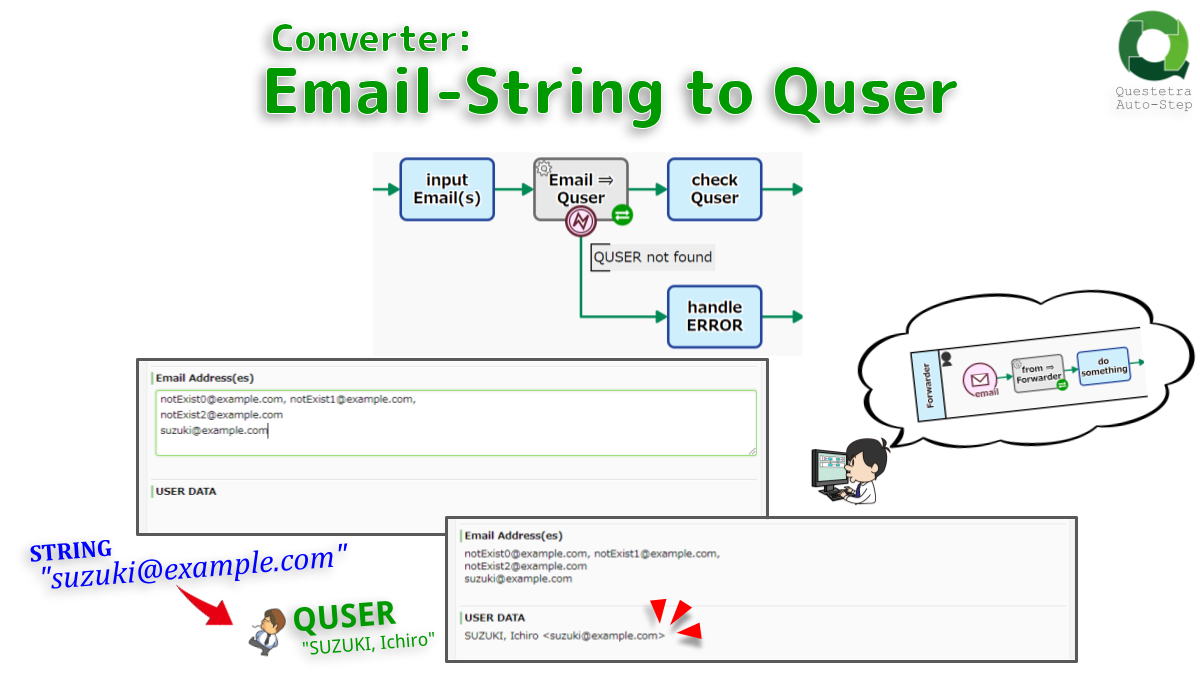
Converter: Email-String to Quser
Converts an Email string to USER data. If the address is not registered as a user address, an error will occur (USER not updated). If multiple addresses are…
-

OpenAI #Chat: Start
Starts a conversation with the OpenAI API (ChatGPT). The MODEL used is “gpt-4” by default (configurable). A response (COMPLETION) to an instruction question (PROMPT) is automatically obtained.
-

OpenAI: Chat, Start
Starts a conversation with the OpenAI API (ChatGPT). The model ID used is “gpt-3.5-turbo”. A response (COMPLETION) to an instruction question (PROMPT) is automatically obtained.
-
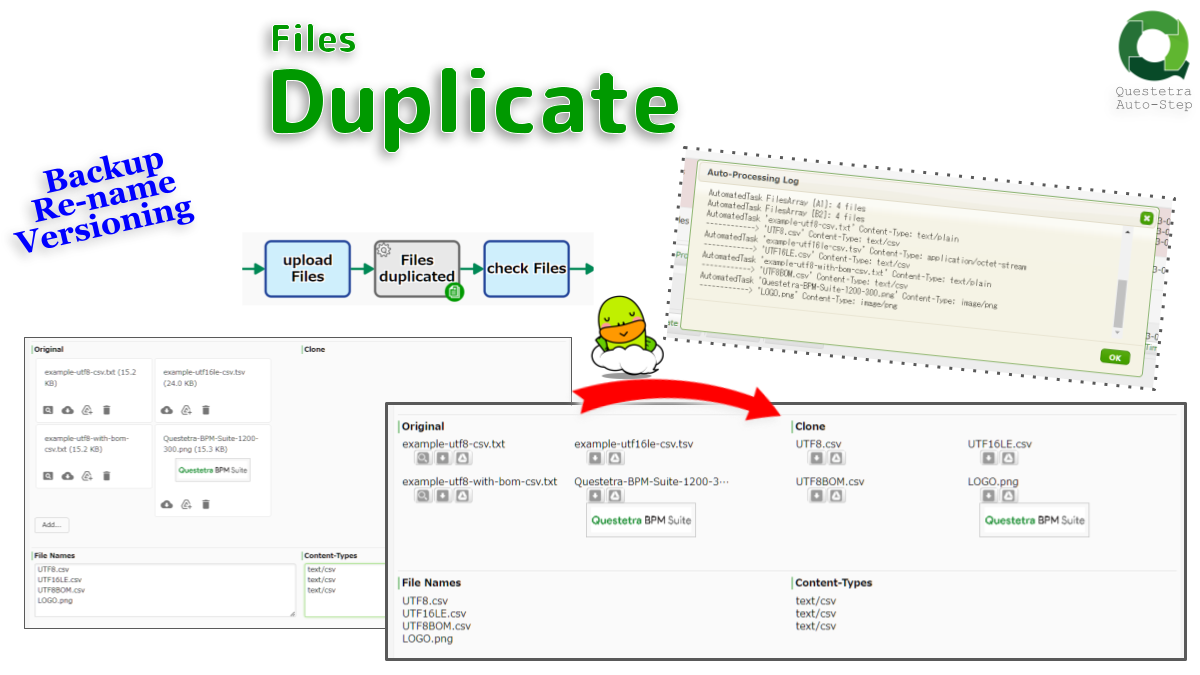
Files, Duplicate
Duplicates File-type data. All files stored in Data Item A1 (Original Files) will be copied over to Data Item B1 (Clone Files). Also possible to change the file…
-

Multiline String, Remove Duplicate Lines
Extracts and deletes all duplicate rows. In forward order mode, the first row is retained; in reverse order mode, the last row is retained. Note that “ABC” and…
-

Two Datetimes, Calculate Duration
Calculates the duration between Datetime-A and Datetime-B; like elapsed days (e.g. “1.38 d”), hours (e.g. “33.33 h”), minutes (e.g. “2000.00 min”) and/or time (e.g. “33:20”). A minus sign…
-
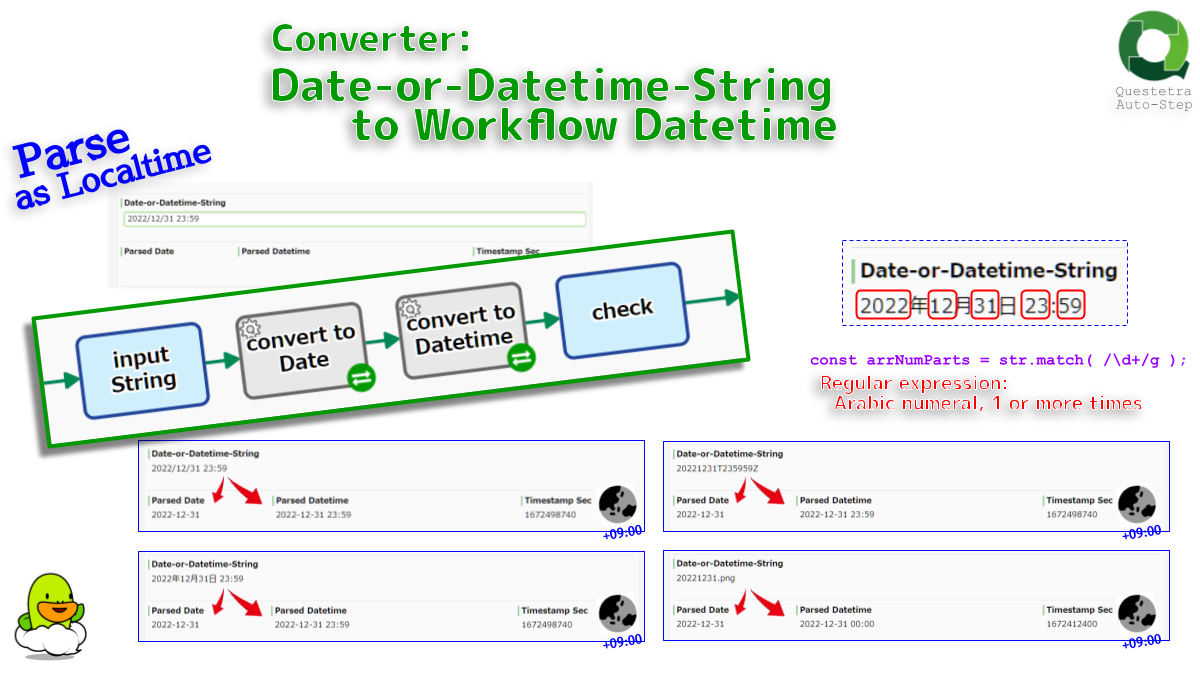
Converter: Date-or-Datetime-String to Workflow Datetime
Converts strings such as “2022-12-31” or “2022-12-31 00:00” to Datetime (or Date) data. Also supports strings like “2022/12/31” and “19700101”. Any string is evaluated as local time. The…
-
Files Duplicate From Multi Items
Duplicates File-type data to other File-type Data Items. All files stored in File-type Data Item A is copied over to File-type Data Item B
-

String, Batch Replace to LowerCase
Replaces uppercase letters in the text with corresponding lowercase letters. An input of “ABC”, “Abc”, “abc” will all be output as “abc”. It is used to store case-insensitive…
-
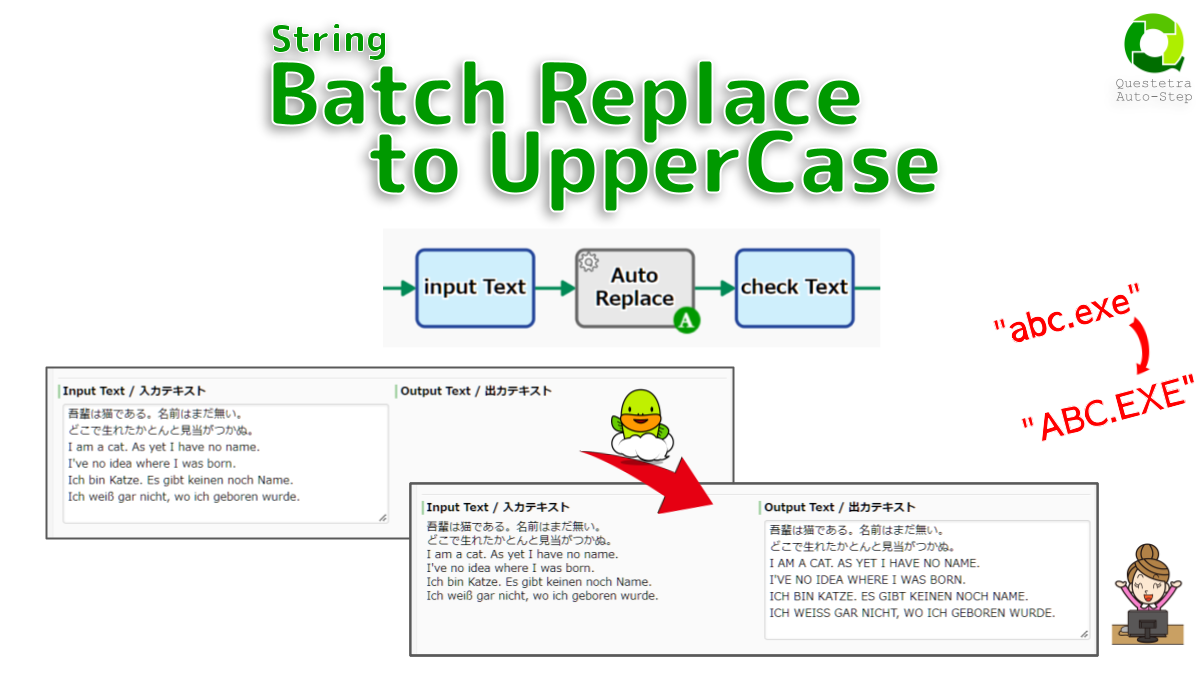
String, Batch Replace to UpperCase
Replaces lowercase letters in the text with corresponding uppercase letters. An input of “ABC”, “Abc”, “abc” will all be output as “ABC”. It is used to store case-insensitive…
-
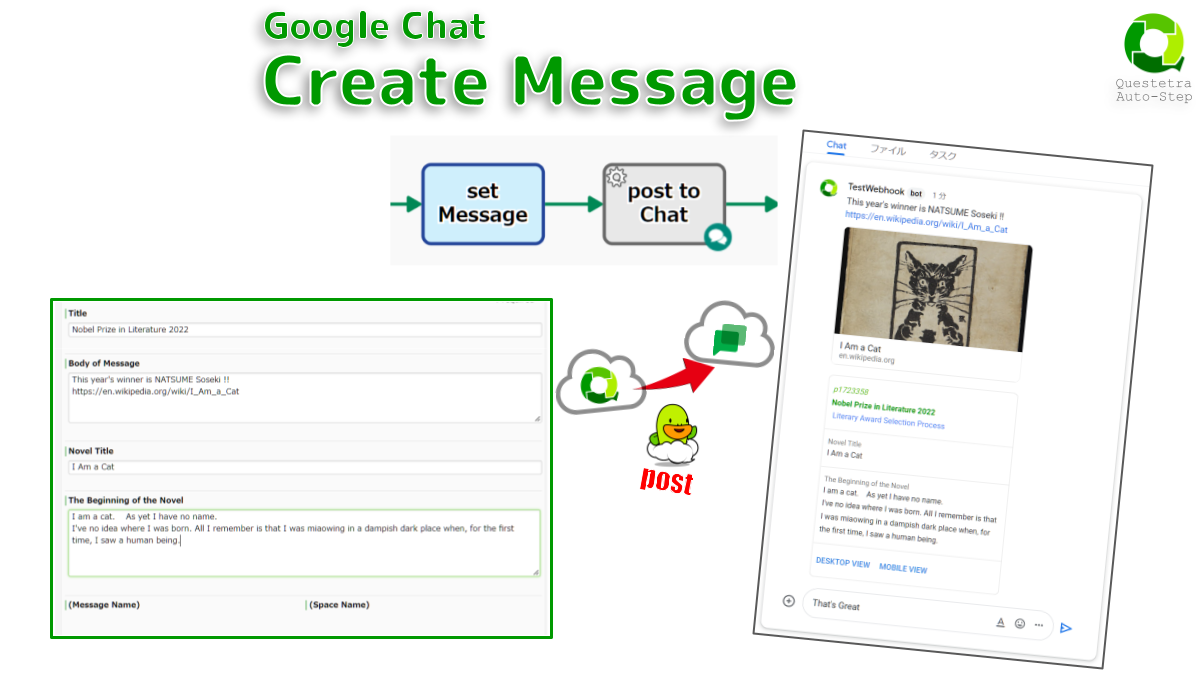
Google Chat #Space: Create Message
Posts a message in a Google Chat Space. Bold decoration (with asterisks) and Inline-code decoration (with backticks) are also applied as they are. It is also possible to…
-
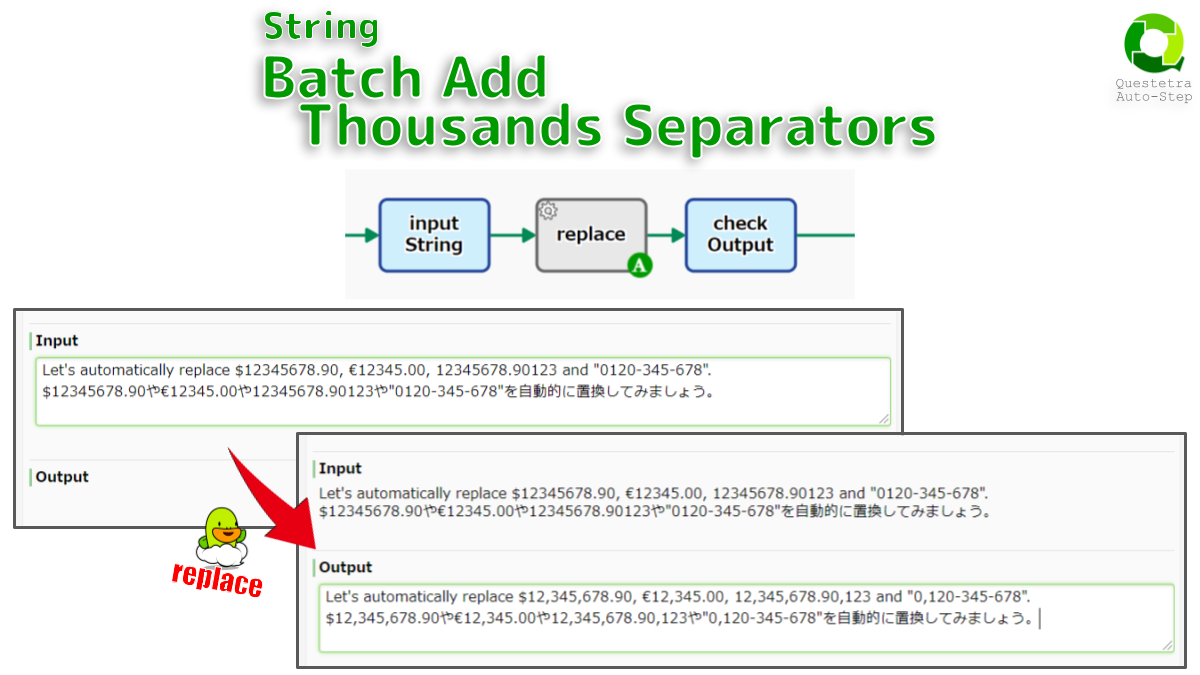
String, Batch Add Thousands Separators
Detects numbers with more than three digits in the text and adds thousand separators to each number. A comma, dot, or space can be specified as the digit…
-

Singleline String, Set Nth Line of Multiline
Extracts one line of a multi-line string and sets that line in single-line String-type Data Item. The Line ID mut be an integer starting with zero. If the…
-

Singleline String, Set One Line from Multiline Randomly
Extracts one line randomly from the multi-line string and sets that line in singleline string data. For example, it can be used to test sales copy or to…
-
Singleline String, Set One Line from Multiline using Round-Robin
Extracts one line from the multi-line string in order using a round robin method and sets that line in single-line string data. For example, it can be used…
-
TSV String, Sum Numeric Column
Sums the values in the numeric column in the TSV. If the numeric field contains commas, they will be removed and then parsed. If you need to add…
-

Multiline String, Search by Text
Searches a multiple-line string with any search text. Only lines that exactly matches the search text are output.
-
Select-type Data Item, Auto Assignment (el-enabled)
The selection result is set to a Select-type Data Item by an arbitrary string. EL expressions can also be used for strings.
-
#Date: Get Weekend Sunday
Gets weekend Sundays of any date. If Sunday is specified, that day itself will be returned. If you want to get “Monday of the next week” or “Tuesday…