-
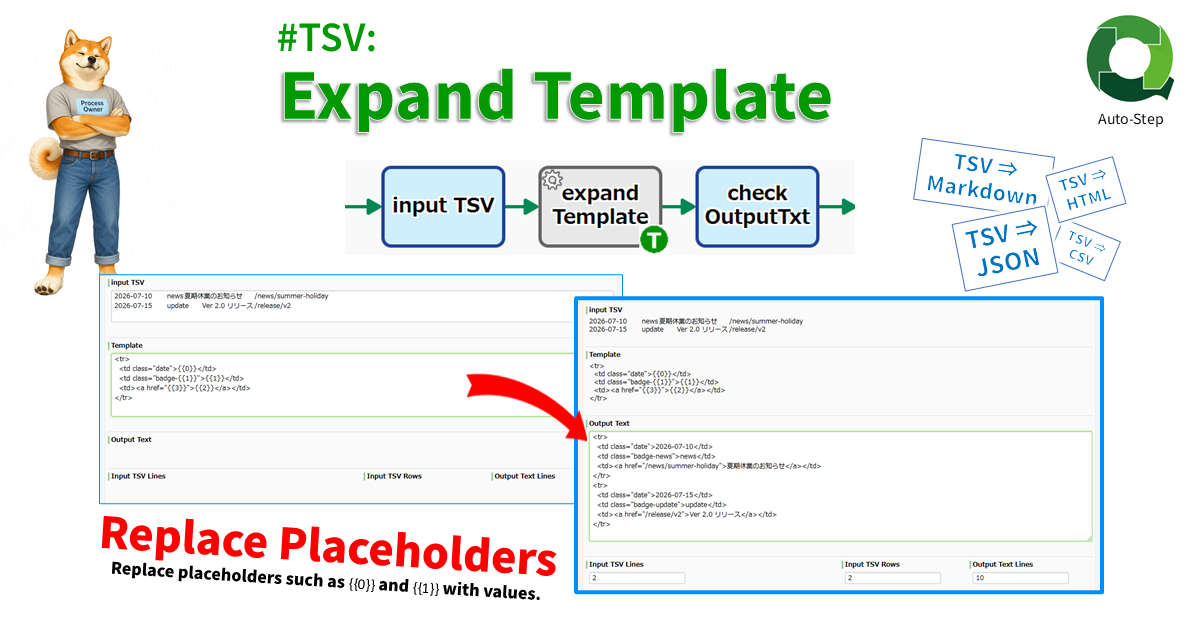
#TSV: Expand Template
Generates text from a template containing placeholders (e.g. “{{0}}”, “{{1}}”, …). The template is applied to each row in the TSV, making it useful for batch-generating Markdown, HTML,…
-

Date #TSV: Create Pivot by Quarter
Creates quarterly pivot tables (count, sum, avg) by parsing a date column as Y-axis and another column as X-axis from the input TSV string. Date column need not…
-

Date #TSV: Create Pivot by Month
Creates monthly pivot tables (count, sum, avg) by parsing a date column as Y-axis and another column as X-axis from the input TSV string. Date column need not…
-

Converter: #CSV String to #TSV String
Converts a CSV string to a TSV string. Line breaks and tab characters within cells enclosed in double quotes are replaced with half-width spaces. Excel-style double-quote escaping (consecutive…
-
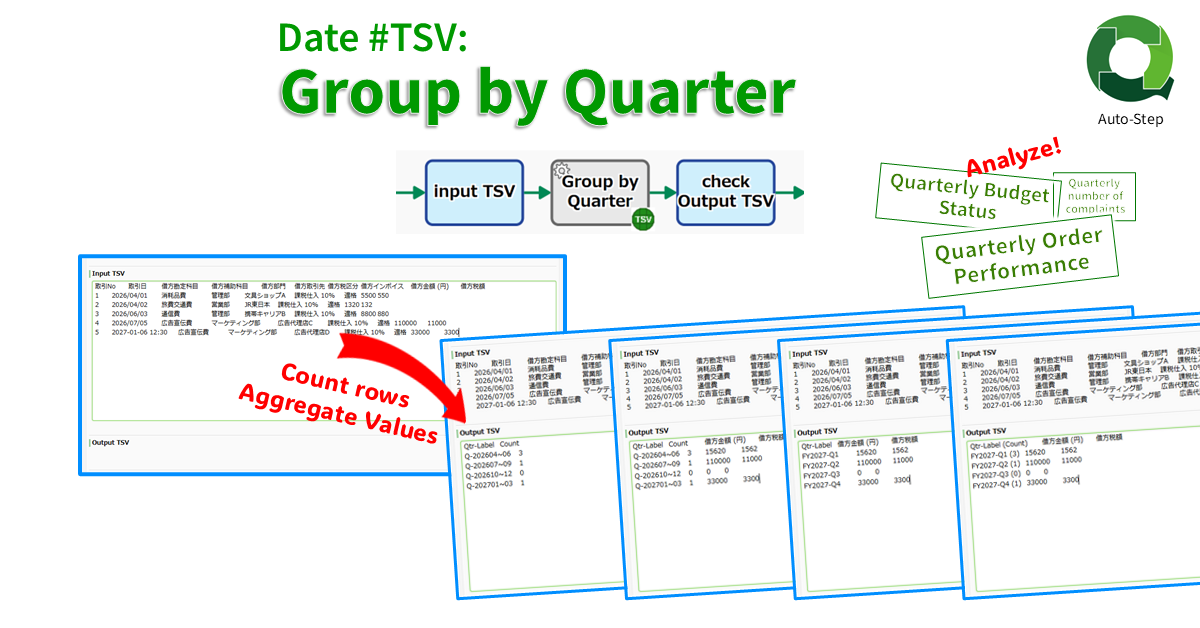
Date #TSV: Group by Quarter
Counts TSV rows by quarter from a date column and outputs a 2-col TSV (“Q-202604~06″,”3”). If numeric columns exist, quarterly totals are also summarized (“Q-202604~06″,”3″,”12000″,”1200”). Date column need…
-
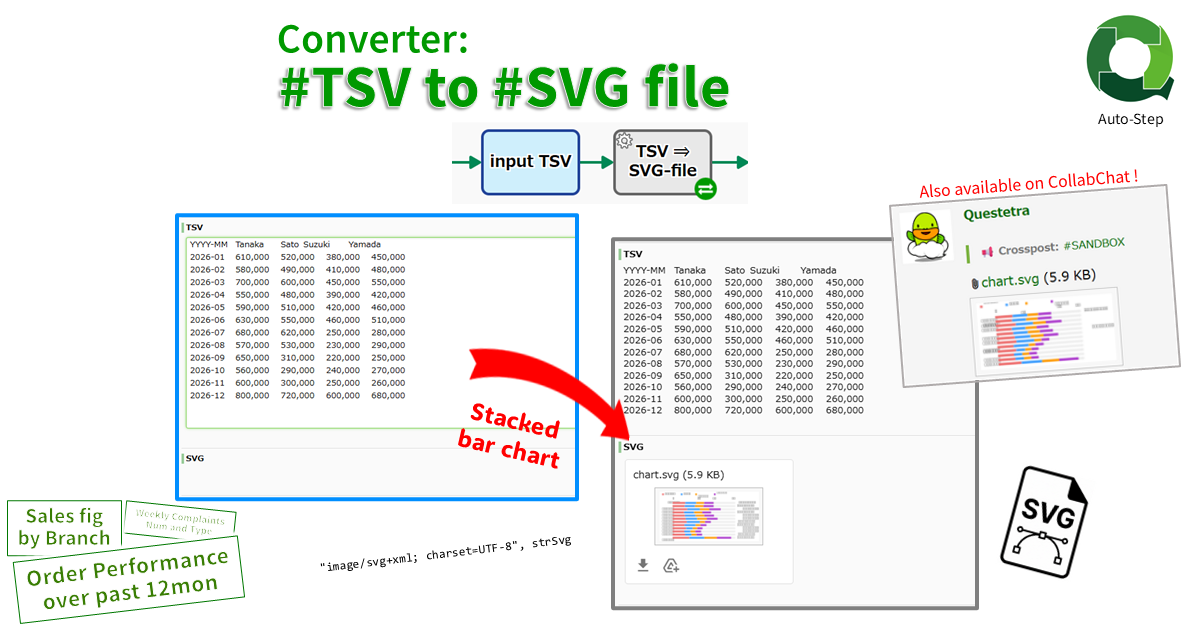
Converter: #TSV String to #SVG File
Converts a numeric TSV string into a stacked bar chart SVG file. The first TSV column is used as the aggregation unit, such as “YYYYMM”, and the first…
-
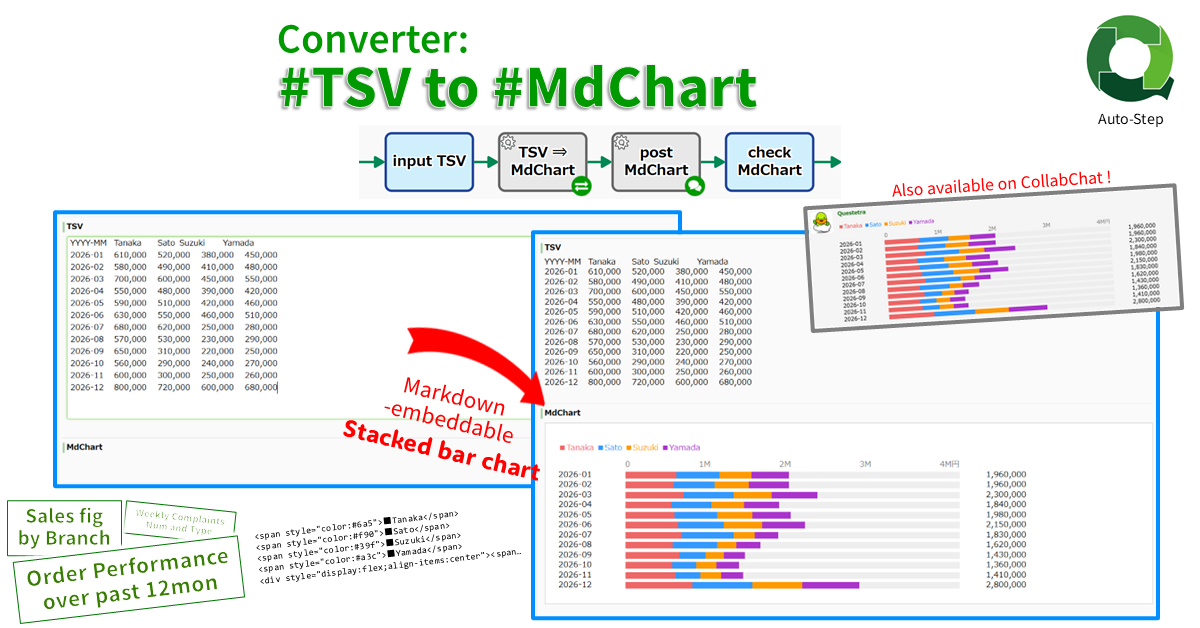
Converter: #TSV String to #MdChart String
Converts a numeric TSV string into a Markdown-embeddable stacked bar chart (MdChart). The first TSV column is used as the aggregation unit, such as “YYYYMM”, and the first…
-
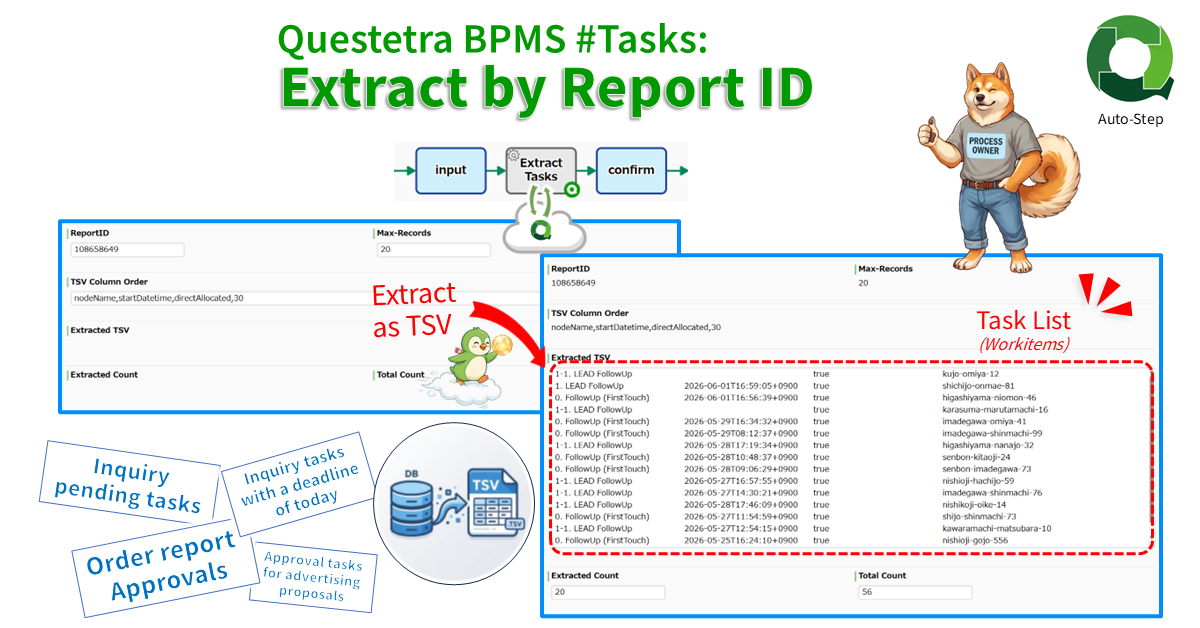
Questetra BPMS #Tasks: Extract by Report ID
Extracts task (workitem) data via API in TSV format. The data is extracted using the ReportID of the filtered list configured in the Web UI and stored in…
-
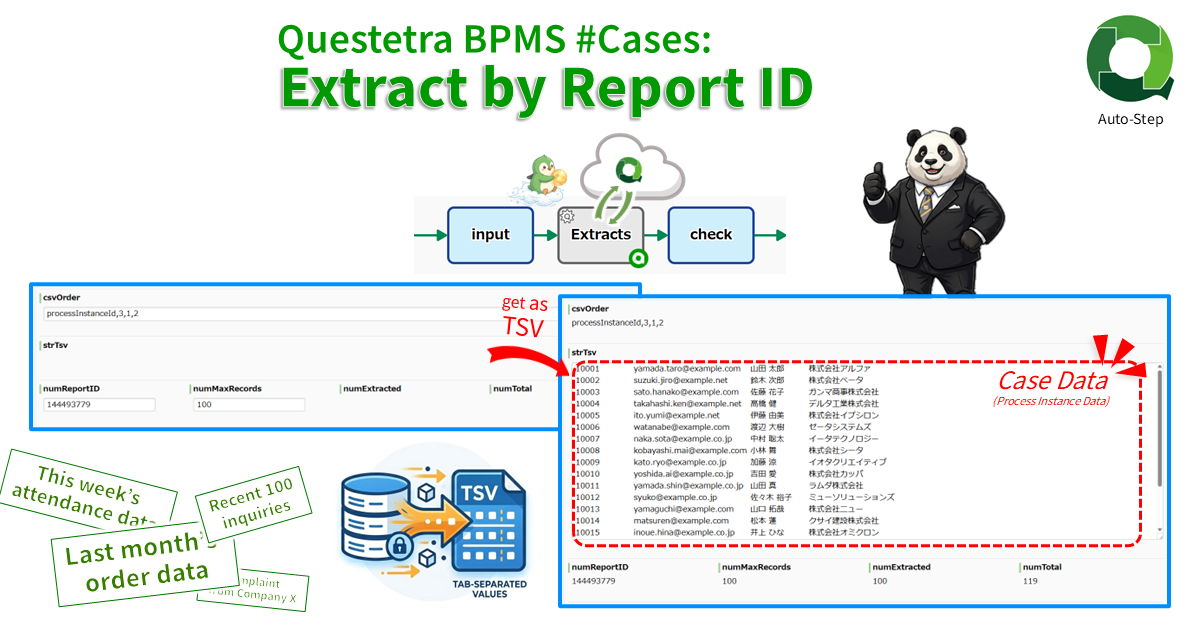
Questetra BPMS #Cases: Extract by Report ID
Extracts case data via API in TSV format. The data is extracted using the ReportID of the filtered list configured in the Web UI and stored in TSV…
-

Questetra BPMS #Process: Batch Extract by Filter as TSV
Extracts process data that match the specified saved filter. Stores the extracted data list as a TSV string. The filter is specified by ReportID which must be saved…
-
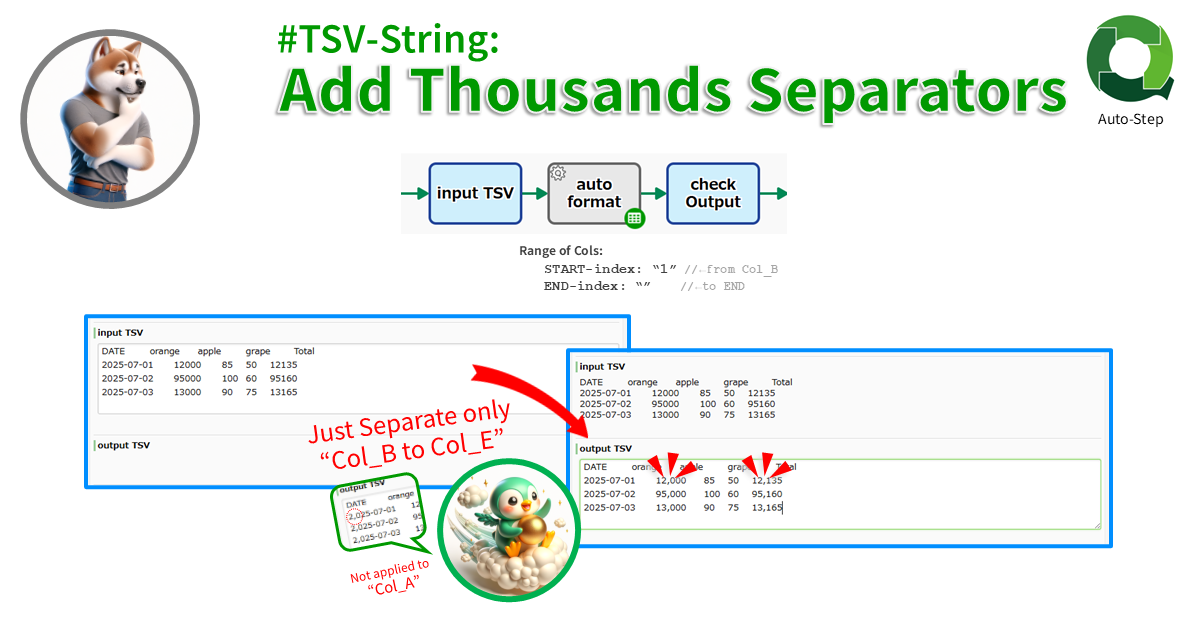
#TSV-String: Add Thousands Separators
Formats the specified range of columns from START index to END index of the TSV (END not included). The index starts from “0”. Negative index counts back from…
-
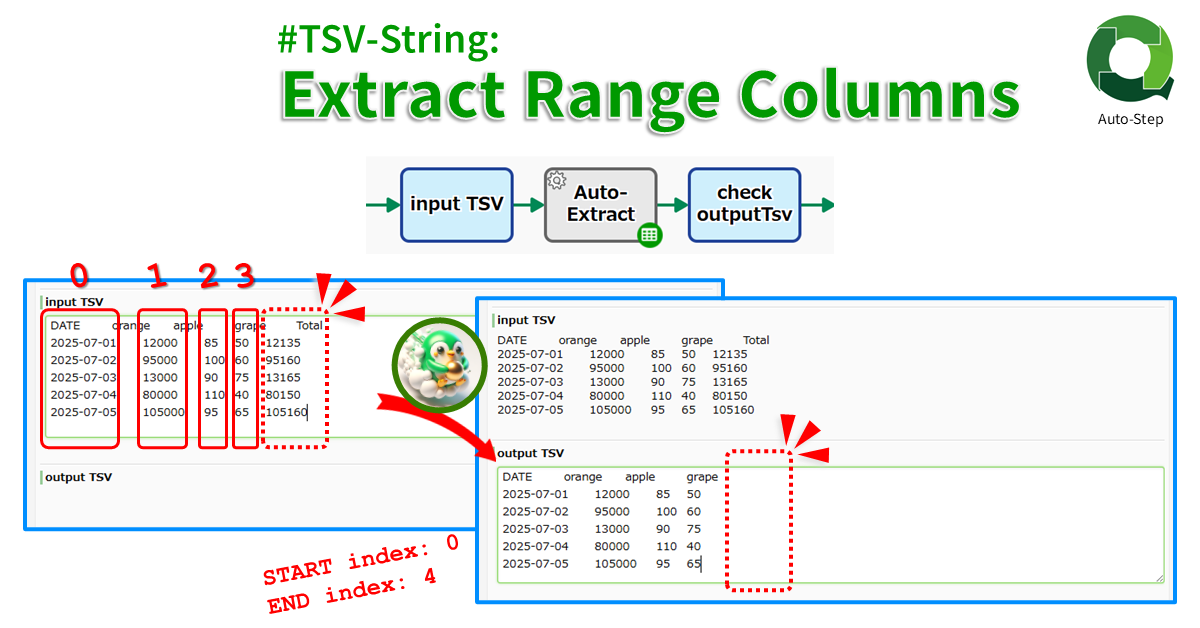
#TSV-String: Extract Range Columns
Extracts the specified range of columns from START index to END index of the TSV (END not included). The index starts from “0”. Negative index counts back from…
-
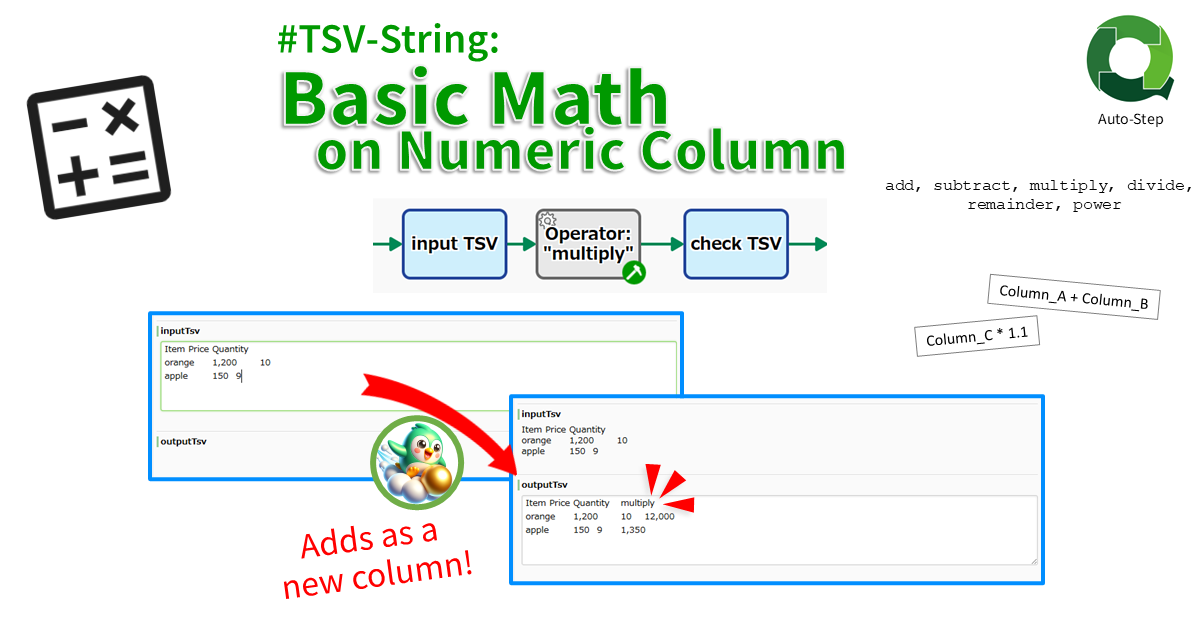
#TSV-String: Basic Math on Numeric Strings
Adds the calc result as a new column. The result of binary calculations such as “adding column A and column B” or “multiplying column C by 1.1” are…
-
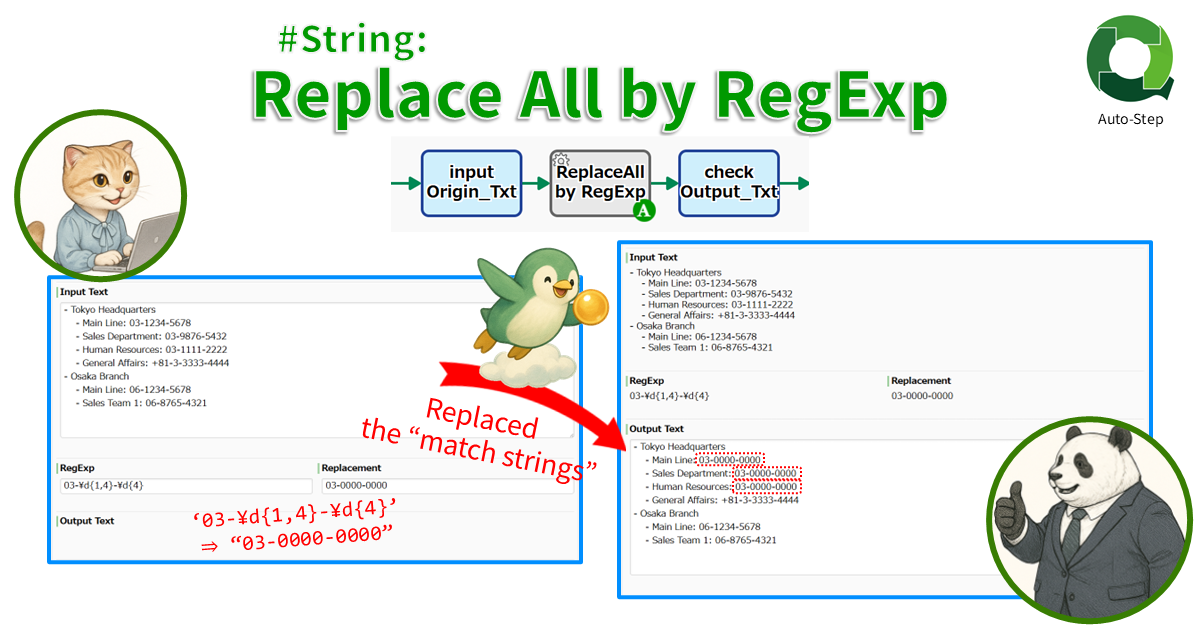
#String: Replace All by RegExp
Replaces all strings that match the regular expression. For example, all Phone Numbers ‘\d{3}-\d{3}-\d{4}’ in a text string can be replaced with “999-999-9999”.
-
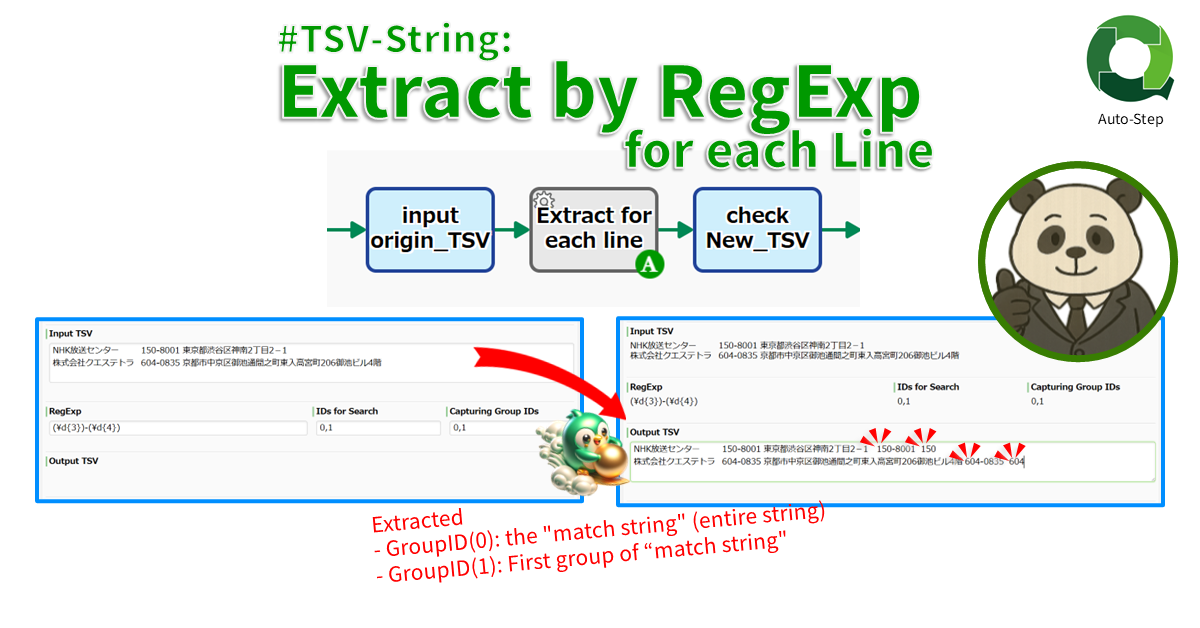
#TSV-String: Extract by RegExp for each Line
Extracts a string that match the RegExp for each line. If set an “Email String”, the email address in the specified cell will be added as a new…
-
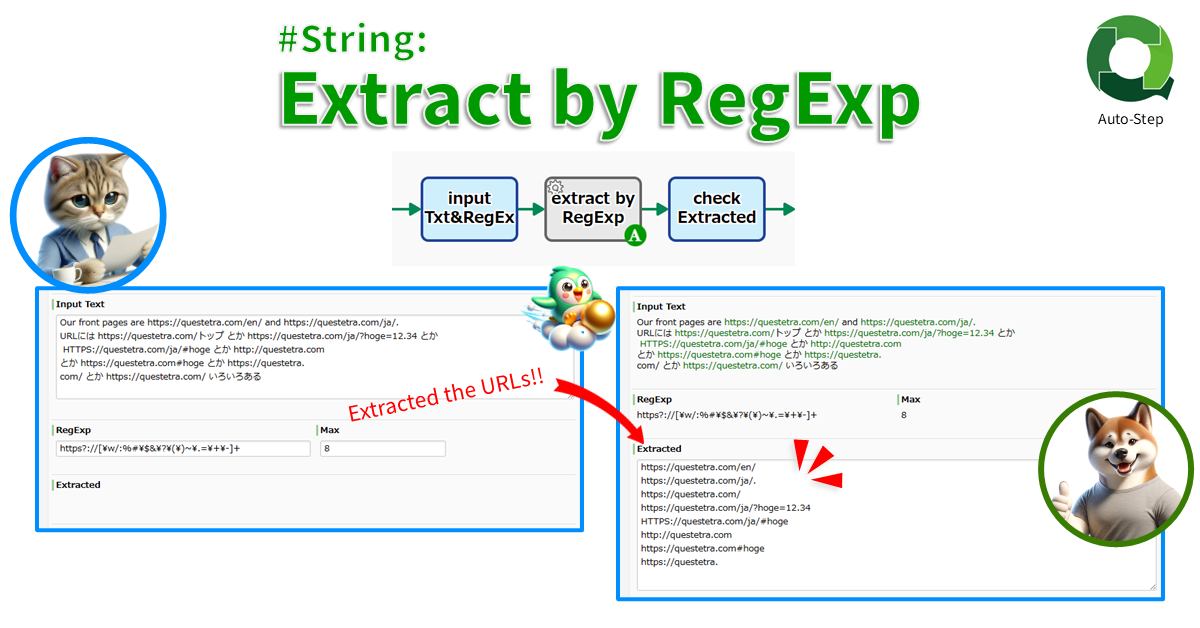
#String: Extract by RegExp
Extracts all strings that match the regular expression. For example, if set “URL regular expression”, all URLs in the text will be extracted.
-
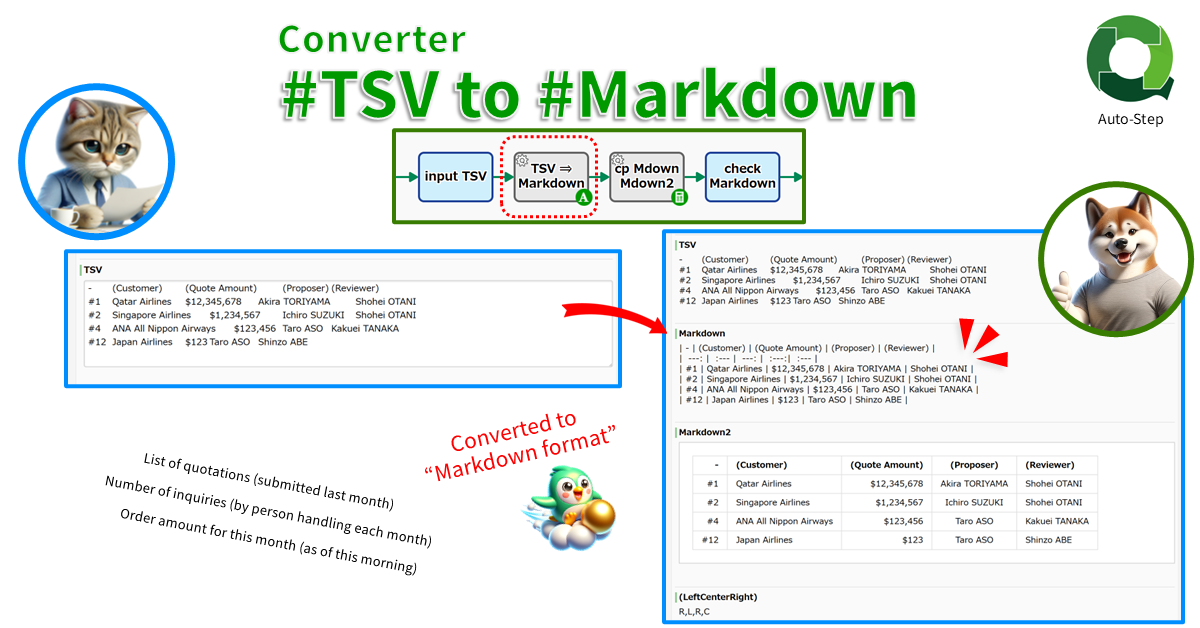
Converter: #TSV String to #Markdown String
Converts a TSV string to a Markdown string. The first line of the TSV is recognized as a header line, and the second and subsequent lines are recognized…
-

TSV String: Extract Cells
Extracts the values of specified cells in A1 notation. The extracted string can be stored not only in the STRING type data but also in the NUMERIC type,…
-

Update CSV Data
CSV/TSV data entered as String-type (multiple lines) is treated as an RDB table, and the data is manipulated by queries (SQL). The results of the query are saved…
-

Converter (TSV File to Table type data)
This item overwrites the value of a Table type data item with a contents of an Excel compatible CSV file (TSV UTF-16 LE with BOM) stored in a…
-
Converter (Table type data to Excel-CSV File)
This item stores the values in a Table type data item into a File type data item as an Excel compatible CSV. The file is added and does…