-
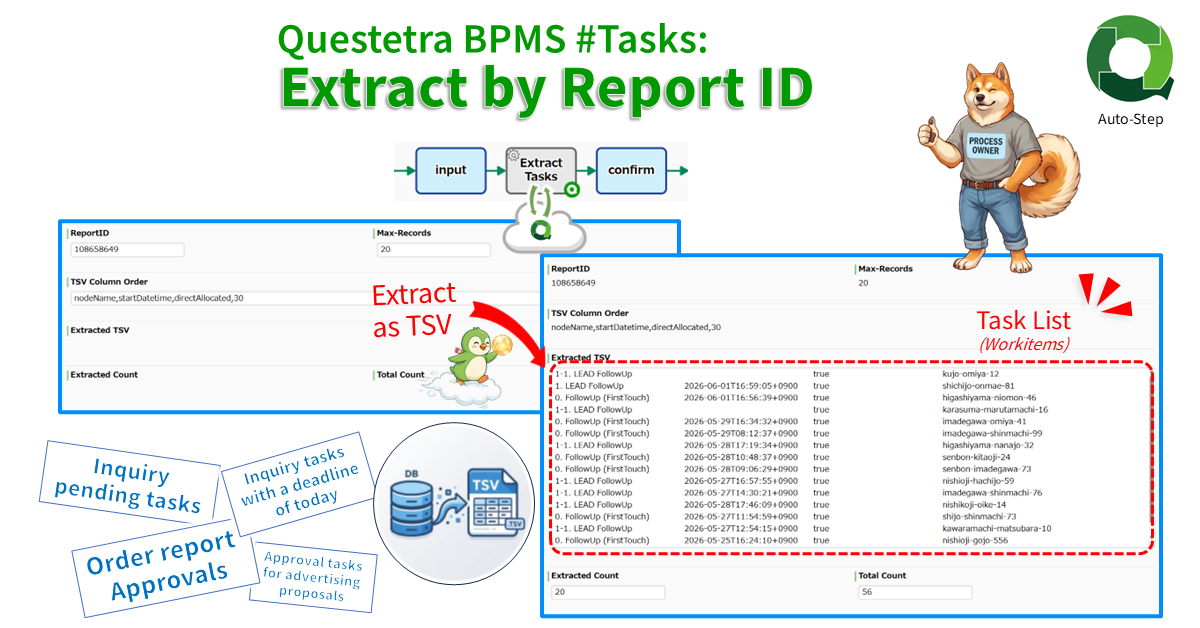
Questetra BPMS #Tasks: Extract by Report ID
Extracts task (workitem) data via API in TSV format. The data is extracted using the ReportID of the filtered list configured in the Web UI and stored in…
-
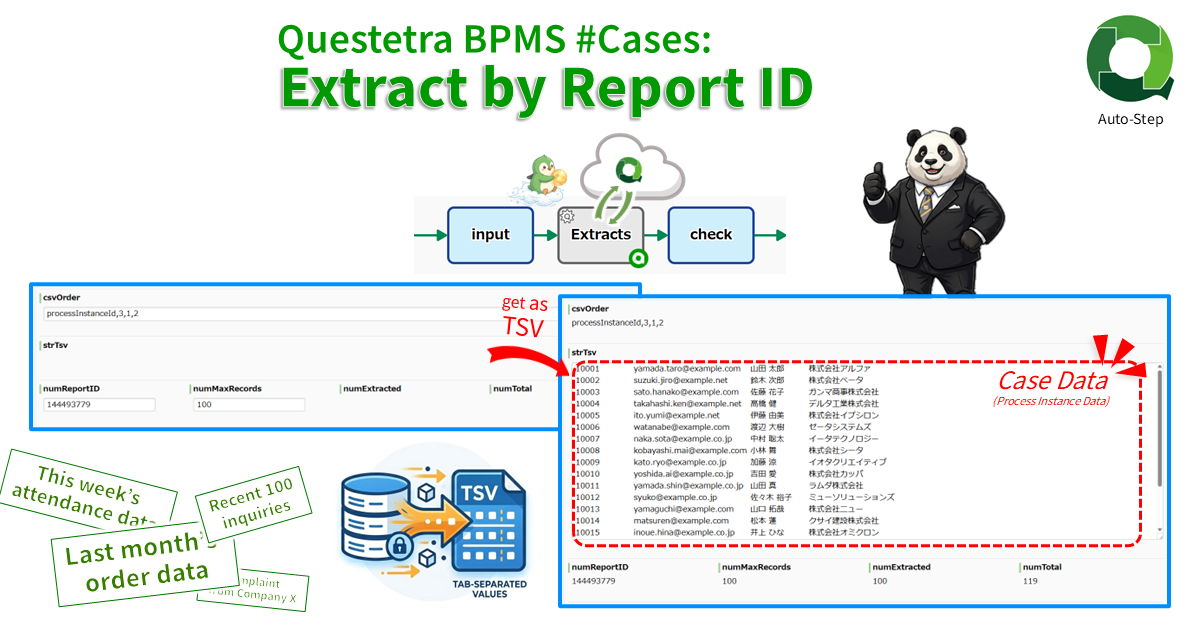
Questetra BPMS #Cases: Extract by Report ID
Extracts case data via API in TSV format. The data is extracted using the ReportID of the filtered list configured in the Web UI and stored in TSV…
-
Questetra BPMS #Process: Batch Extract by Filter as TSV
Extracts process data that match the specified saved filter. Stores the extracted data list as a TSV string. The filter is specified by ReportID which must be saved…
-

Anti-Social Check App, Slack Post
This workflow automatically posts review requests to Slack. At the time of application, a person in charge of checking is designated. The work request is automatically posted to…
-
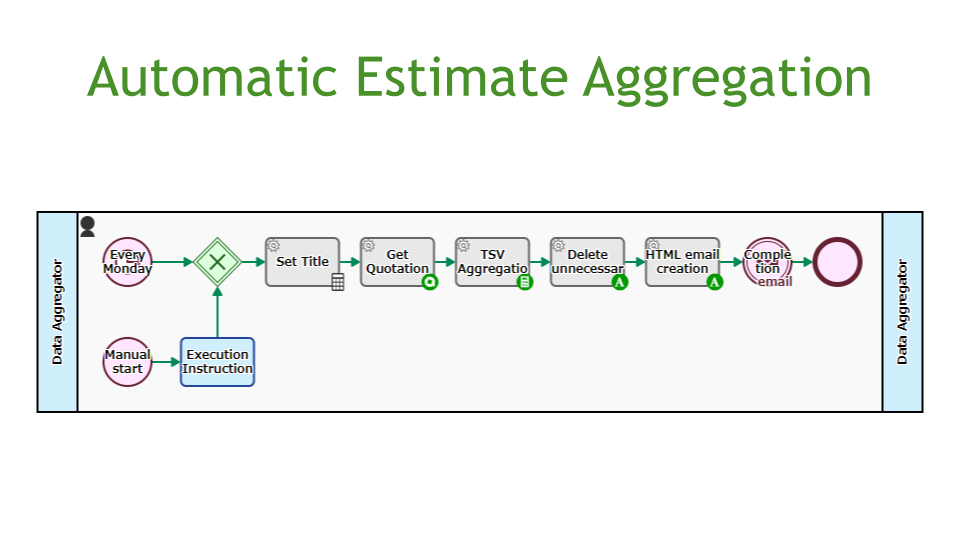
Automatic Estimate Aggregation
Retrieves data from the Quotation Process and sends an email with a list of the total number and value of quotes issued in the last week. This is…
-
Recurring Payment App, Stripe Payment
This workflow accepts subscription applications online. The customer makes a provisional application online using the trial version ID as a key. After the provisional subscription, the customer enters…
-
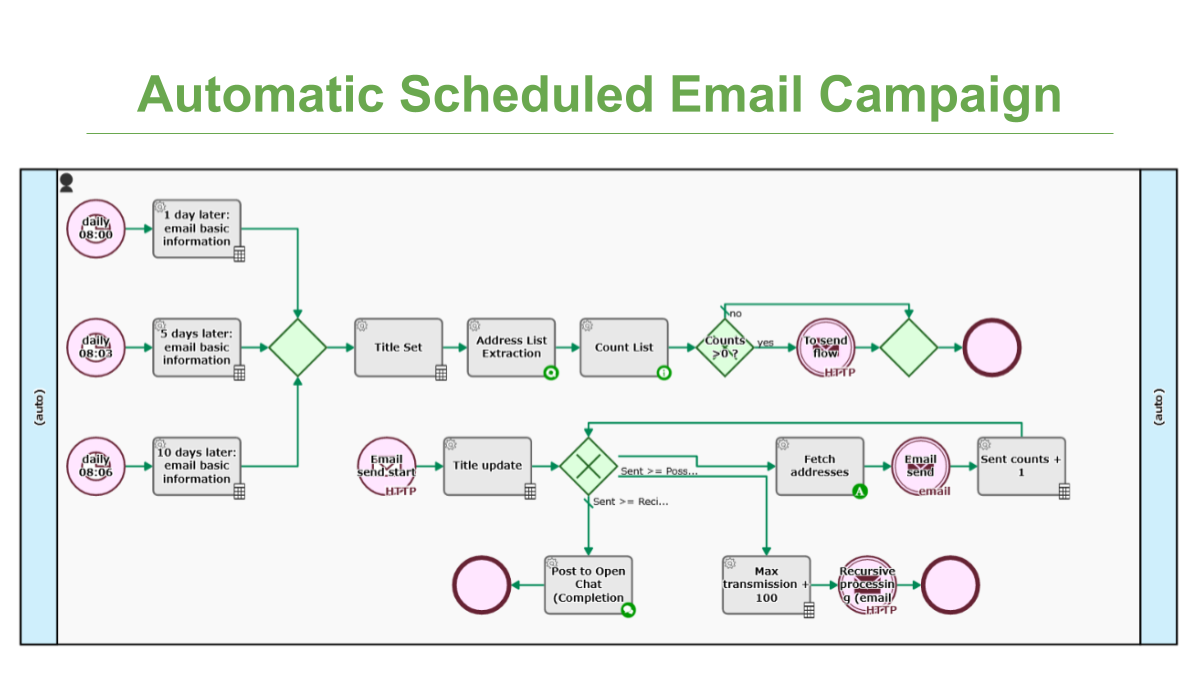
Automatic Scheduled Email Campaign
Every morning at 8:00, campaign emails will be automatically sent to the lead 1 day, 5 days, and 10 days after requesting materials. The administrator sets the subject…
-

Questetra BPMS: Process, Batch Extract as TSV
Extracts process data as a multiline TSV string from local or remote workflow platform via API. Field-Items are specified in CSV format such as “string:0,date:2,select:3”. Range is specified…
-
Downloading Case and Task Lists Using Workflow API (criteria-JSON)
As discussed previously in the article regarding reportId, there is another method that can be used to download Process and Task data which utilizes criteria JSON.
-
Downloading Case and Task Lists Using Workflow API (reportId)
Download Case and Task data from Questetra BPM Suite. Introducing examples of scripts using curl command.
-

Try Using Questetra REST API with Swagger
In this guide I would like to introduce the Questetra REST API. This is a resource with various processes and mechanisms which can be used to execute operations…
-
Questetra BPMS #Process: Batch Extract by Filter as TSV
Extracts process data that match the specified saved filter. Stores the extracted data list as a TSV string. The filter is specified by ReportID which must be saved…
-

Questetra BPMS #Process: Concat All Strings
Concatenates all string type data. Searches and joins string data and title strings stored as workflow data of Questetra BPM Suite. A line break is added between each…
-
Questetra BPMS: Process, Batch Extract as TSV
Extracts process data as a multi-line TSV string from date-filtered processes. Items are specified in CSV format such as “string:0,date:2,select:3”. Tab code and line feed code are deleted.…
-
Questetra BPMS #Process: Extract as TSV
Extracts process data as single-line TSV string. Items are specified in CSV format such as “0,2,3”. Tab code and line feed code are automatically deleted. Discussion type, Table…
-
Questetra BPMS #Process: List All File URLs
Lists the download URLs for the files stored as workflow data in Questetra BPM Suite. If two or more files are attached multiple lines of text will be…
-
Download Case Files Using the Workflow API
Here is a script that searches for a Case that matches the conditions and downloads the file attached to the Case.
-

Starting a Case from Outside of Questetra BPM Suite (Python Chapter)
Introducing how to access Message Start Event (HTTP) API from Python script.
-
Starting a Case from Outside of Questetra BPM Suite (curl Chapter)
Introducing how to access the Message Start Event (HTTP) API from the curl command. This allows Starting a Case from the command shell.
-
Starting a Case from Outside of Questetra BPM Suite (Preparatory Chapter)
Questetra BPM Suite has a feature to Start a Process by an HTTP request from external systems. I will show you how to use this “Message Start Event…