-
●
Adobe PDF Services #Results: Download
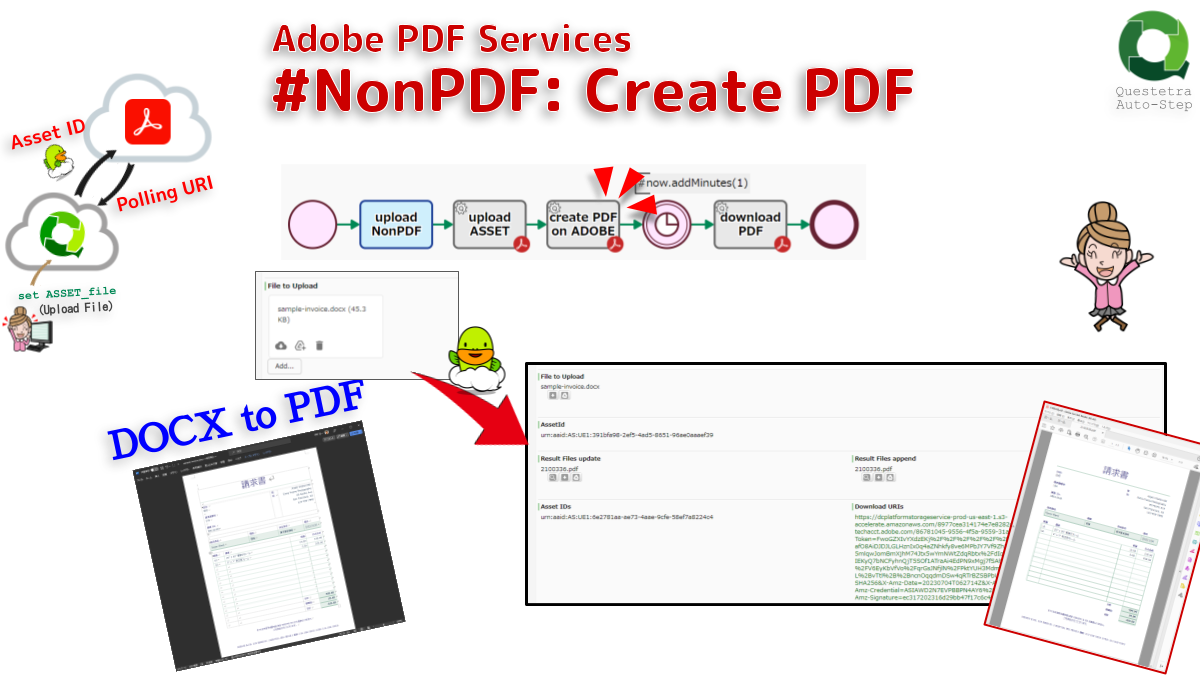
Downloads the files (results of PDF OPERATIONS) from PDF Services storage using Polling-URI; Job status URI for polling the results. Note that if the Job is in progress, the FILE type data will be updated as empty, and errors will not occur.
-
●
OpenAI #FtJob: List Events
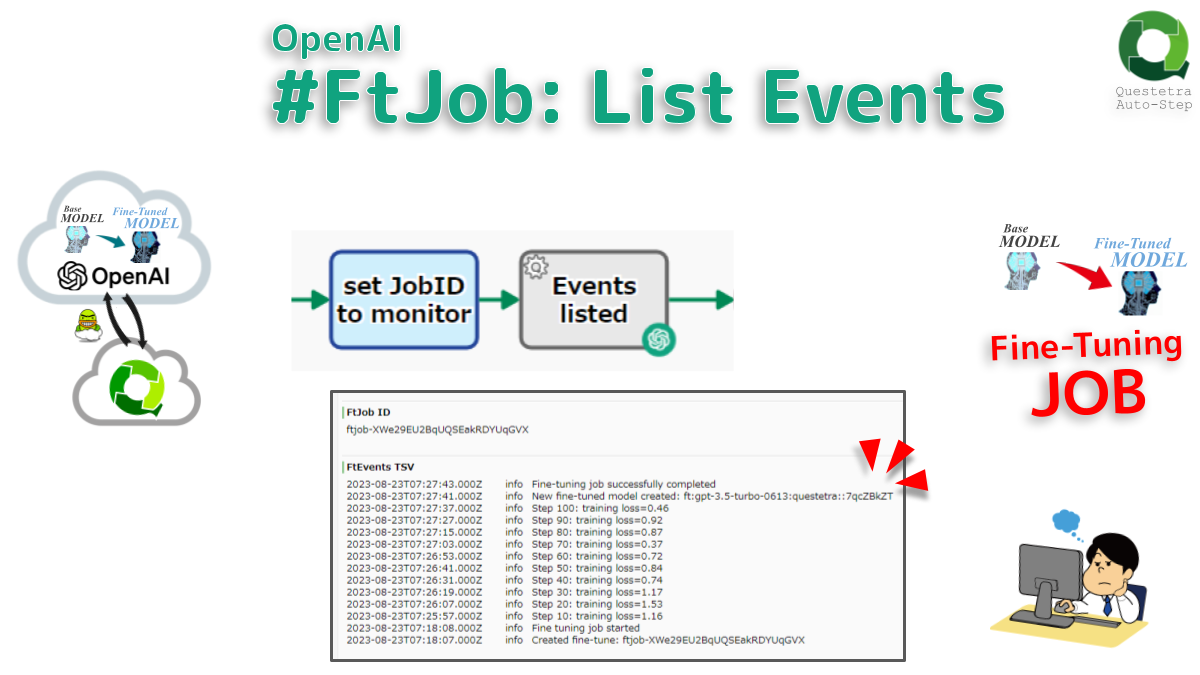
Lists status updates for the fine-tuning job. The number of all events and the TSV of all event details can be obtained; created time, event level, event message. (upto 20)
-
●
OpenAI #FtJob: Cancel
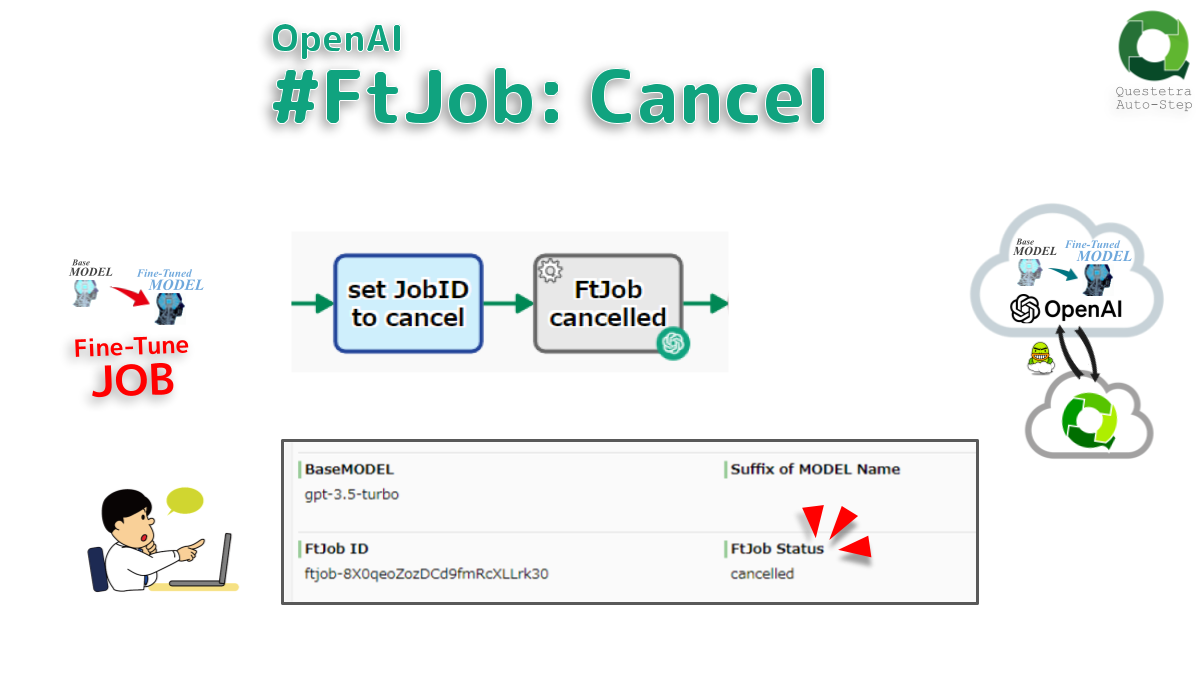
Immediately cancels the Fine Tuning Job (FtJob). FtJob status will be “cancelled”. If logging of fine-tuning events is required, perform a separate operation to obtain a list of events.
-
●

Questetra-Model-XML file, Extract Definitions
Extracts the step names and the data item names (variable names) of the Workflow App. The Model-XML file is parsed to extract information such as whether it is a human task or an automated task, what the type of data item is,…
-
●
OpenAI #FtJob: Retrieve
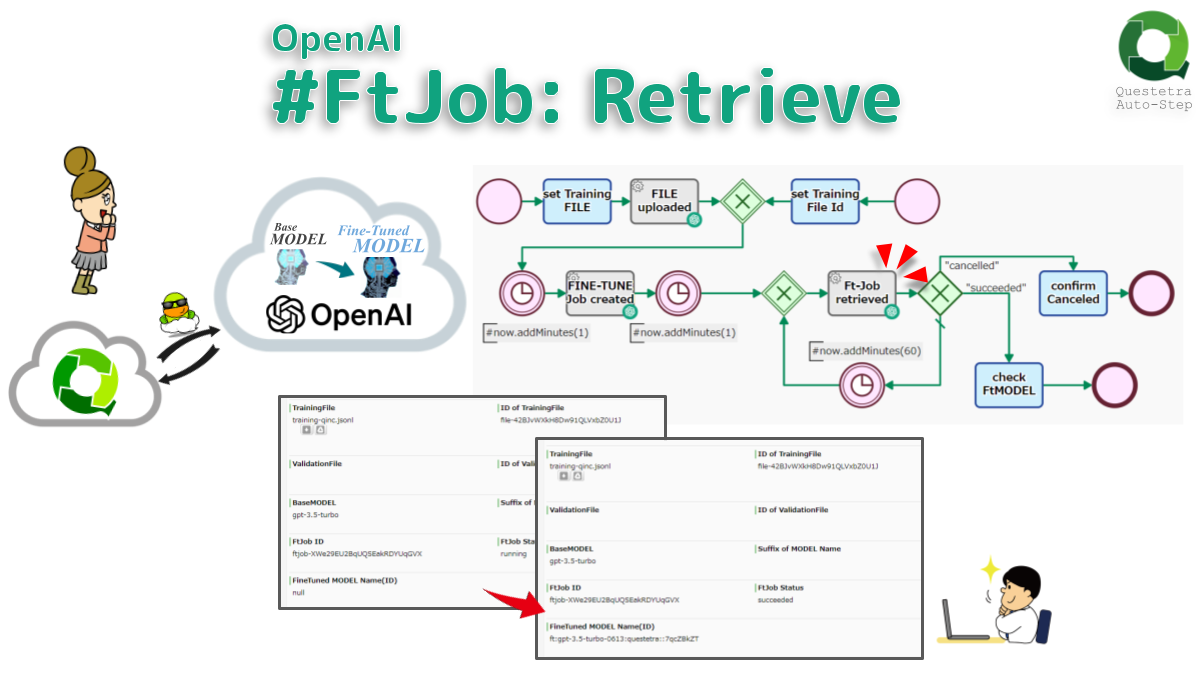
Gets info about the Fine-Tune Job (FtJob). FineTune status can be obtained. If the job status is “succeeded”, the MODEL name (ID) can also be obtained. It is typically placed in a flow that is called repeatedly every hour.
-
●
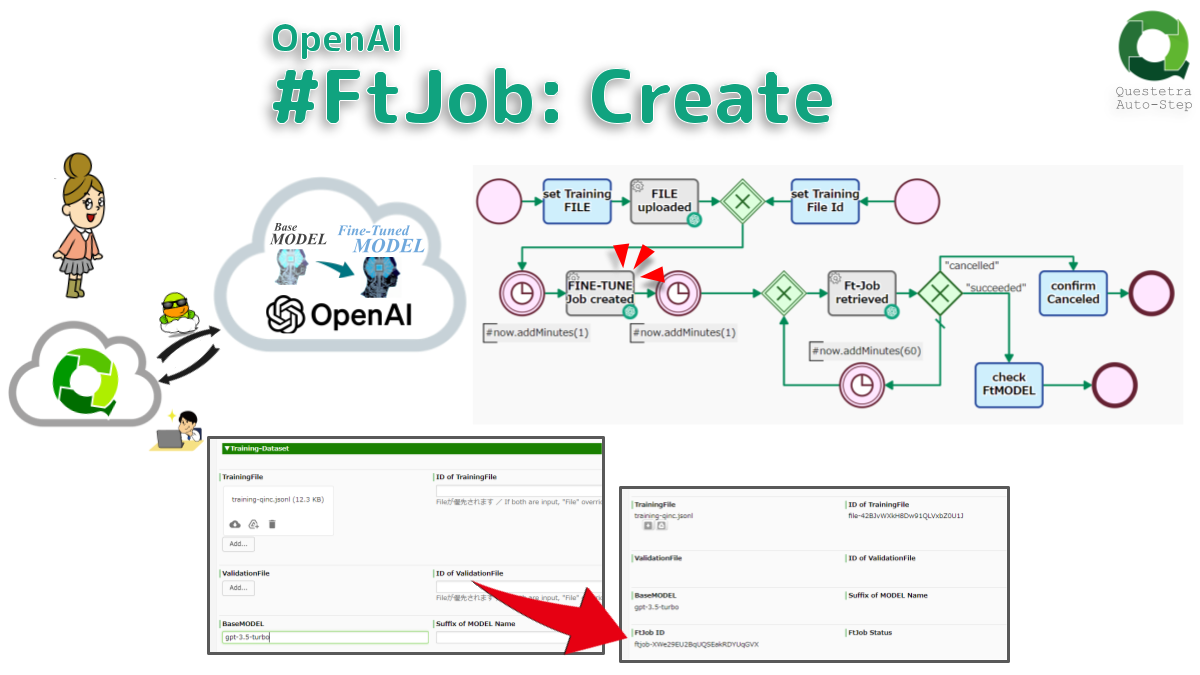
OpenAI #FtJob: Create
Creates a job (FtJob) that fine-tunes a specified MODEL. Stores the job ID. The job will take minutes or hours. The Fine-Tuned MODEL (FtMODEL) will be available after the job is completed. Note that the training file (dataset) must be uploaded in…
-
●

Converter (File to Base64 String)
Converts file type data to Base 64 encoded string type data. If there are multiple files in File-type data, or if the file size exceeds 10 MB the data will not be converted.
-
●

Microsoft 365 Outlook: Post Attachment to Calendar Event
Posts an Attachment to an Outlook Calendar event (1 file only, up to 2.9MB).
-
●
Microsoft 365 Outlook: Add Attendees to Calendar Event
Add attendees to an event in the Outlook Calendar. Specify the target by event ID. Specify attendees by email address. The link URL can be acquired.
-
●

Microsoft 365 Outlook: Insert Calendar Event
Inserts an event in the Outlook Calendar. A maximum of three participants can be specified.
-
●
-
●

Microsoft Teams Chat: Message Post (API)
Posts a message to Microsoft Teams Chat using the API (Microsoft Graph REST API).
-
●
-
●

Microsoft365: Get List (For Paging)
Retrieves a certain listing on the next page in Microsoft365. The acquired data is appended to a String-type multi-line Data Item. (When acquiring a list, there is a limit to the number of items that can be acquired at one time, and…
-
●

Microsoft365: Get Group Member List
Retrieves a list of members of a Microsoft365 group. Up to 999 lists can be retrieved.
-
●

Microsoft365: Delete Group Member
Removes the specified user from membership in the Microsoft365 group.
-
●
-
●
-
●
Microsoft 365 Excel: Update Row
Updates Rows of an Excel sheet. The update range can be specified up to 15 columns.
-
●

Microsoft 365 Excel: Delete Row Range
Deletes data in specified rows of an Excel sheet. You can specify a range of columns to be deleted.
-
●

Microsoft 365 Excel: Get Row
Obtains data from the specified row of an Excel sheet as String-type data. The acquisition range can be specified up to 15 columns.
Add-ons
-
Adobe PDF Services #Results: Download
Downloads the files (results of PDF OPERATIONS) from PDF Services storage using Polling-URI; Job status URI for polling the results. Note that if the Job is in progress,…
-
OpenAI #FtJob: List Events
Lists status updates for the fine-tuning job. The number of all events and the TSV of all event details can be obtained; created time, event level, event message.…
-
OpenAI #FtJob: Cancel
Immediately cancels the Fine Tuning Job (FtJob). FtJob status will be “cancelled”. If logging of fine-tuning events is required, perform a separate operation to obtain a list of…
-
Questetra-Model-XML file, Extract Definitions
Extracts the step names and the data item names (variable names) of the Workflow App. The Model-XML file is parsed to extract information such as whether it is…
-
OpenAI #FtJob: Retrieve
Gets info about the Fine-Tune Job (FtJob). FineTune status can be obtained. If the job status is “succeeded”, the MODEL name (ID) can also be obtained. It is…
-
OpenAI #FtJob: Create
Creates a job (FtJob) that fine-tunes a specified MODEL. Stores the job ID. The job will take minutes or hours. The Fine-Tuned MODEL (FtMODEL) will be available after…
-
Converter (File to Base64 String)
Converts file type data to Base 64 encoded string type data. If there are multiple files in File-type data, or if the file size exceeds 10 MB the…
-
Microsoft 365 Outlook: Post Attachment to Calendar Event
Posts an Attachment to an Outlook Calendar event (1 file only, up to 2.9MB).
-
Microsoft 365 Outlook: Add Attendees to Calendar Event
Add attendees to an event in the Outlook Calendar. Specify the target by event ID. Specify attendees by email address. The link URL can be acquired.
-
Microsoft 365 Outlook: Insert Calendar Event
Inserts an event in the Outlook Calendar. A maximum of three participants can be specified.
-
Microsoft Teams Post Message (Incoming Webhook)
Post a message to Microsoft Teams.
-
Microsoft Teams Chat: Message Post (API)
Posts a message to Microsoft Teams Chat using the API (Microsoft Graph REST API).
-

Microsoft365: Get User ID
Obtains a Microsoft365 user ID by specifying an email address.
-
Microsoft365: Get List (For Paging)
Retrieves a certain listing on the next page in Microsoft365. The acquired data is appended to a String-type multi-line Data Item. (When acquiring a list, there is a…
-
Microsoft365: Get Group Member List
Retrieves a list of members of a Microsoft365 group. Up to 999 lists can be retrieved.
-
Microsoft365: Delete Group Member
Removes the specified user from membership in the Microsoft365 group.
-

Microsoft365: Add Group Member
Adds the specified user as a member of the Microsoft365 group.
-

Microsoft365: Get Group ID
Gets a Microsoft365 group ID by specifying the display name.
-
Microsoft 365 Excel: Update Row
Updates Rows of an Excel sheet. The update range can be specified up to 15 columns.
-
Microsoft 365 Excel: Delete Row Range
Deletes data in specified rows of an Excel sheet. You can specify a range of columns to be deleted.
-
Microsoft 365 Excel: Get Row
Obtains data from the specified row of an Excel sheet as String-type data. The acquisition range can be specified up to 15 columns.