IMAMURA, Genichi
-
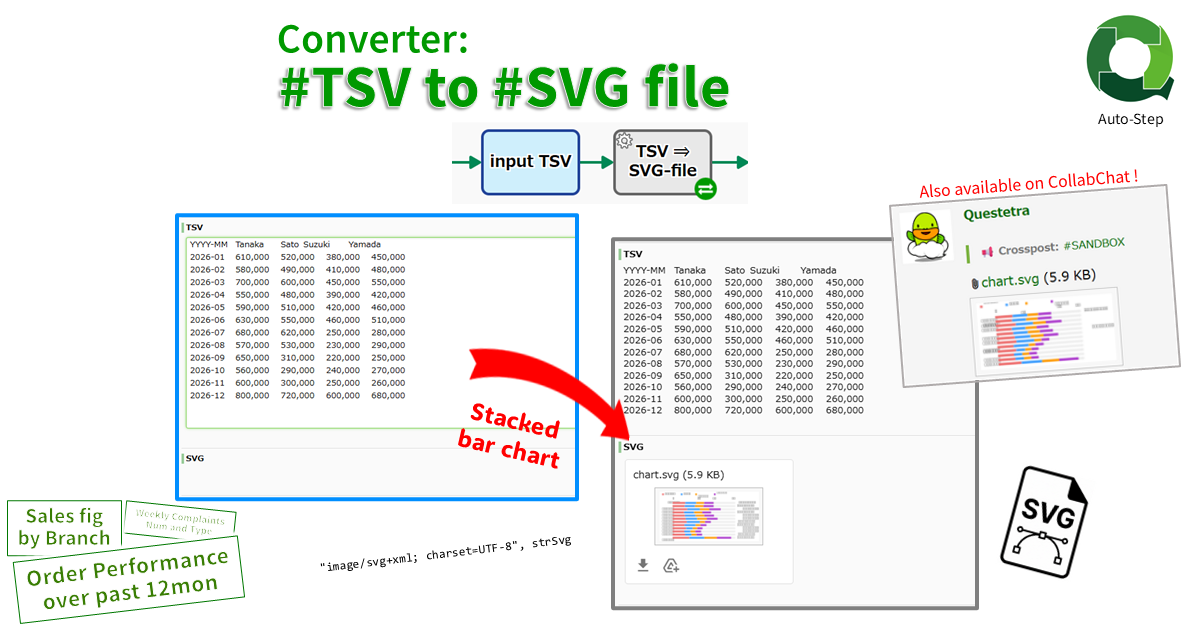
Converter: #TSV String to #SVG File
Converts a numeric TSV string into a stacked bar chart SVG file. The first TSV column is used as the…
-
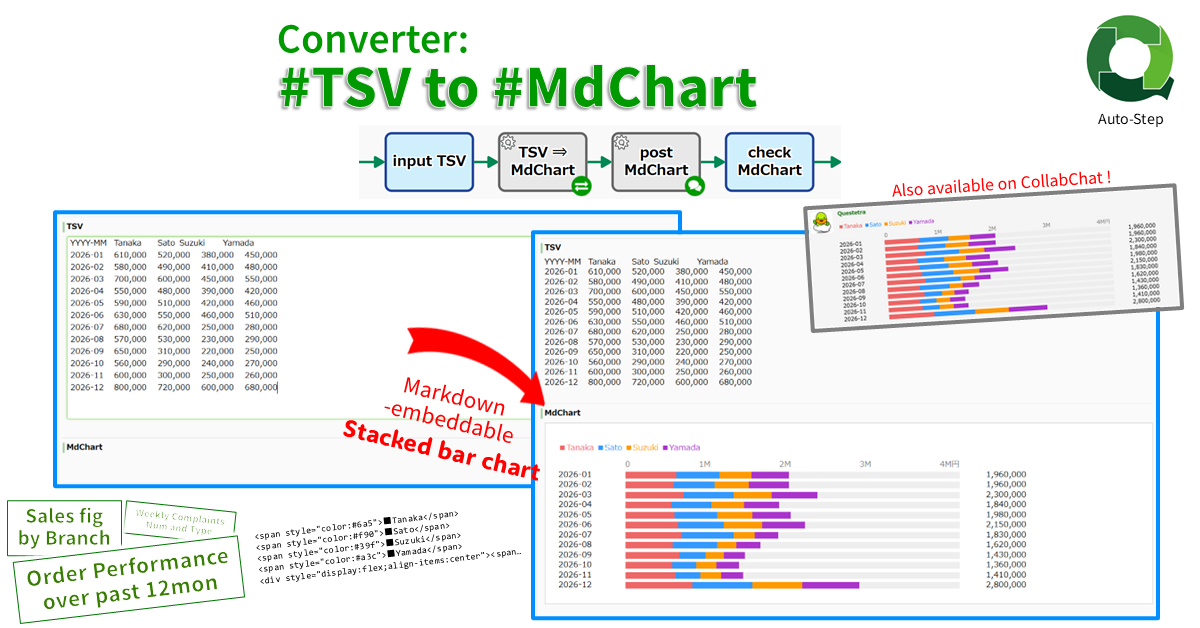
Converter: #TSV String to #MdChart String
Converts a numeric TSV string into a Markdown-embeddable stacked bar chart (MdChart). The first TSV column is used as the…
-
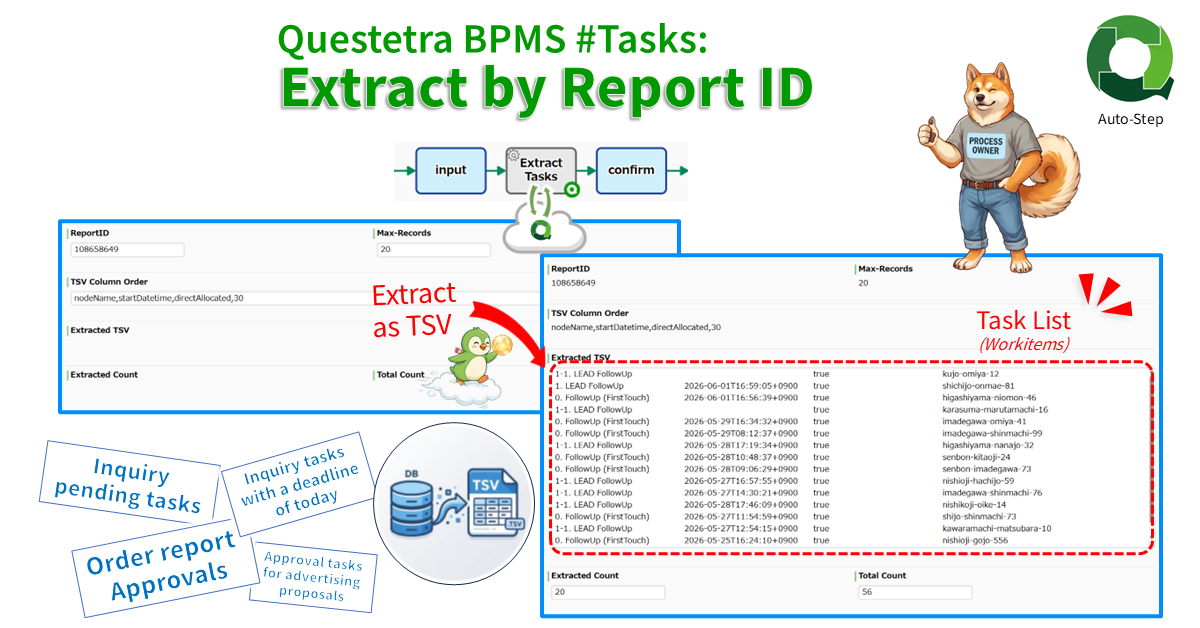
Questetra BPMS #Tasks: Extract by Report ID
Extracts task (workitem) data via API in TSV format. The data is extracted using the ReportID of the filtered list…
-
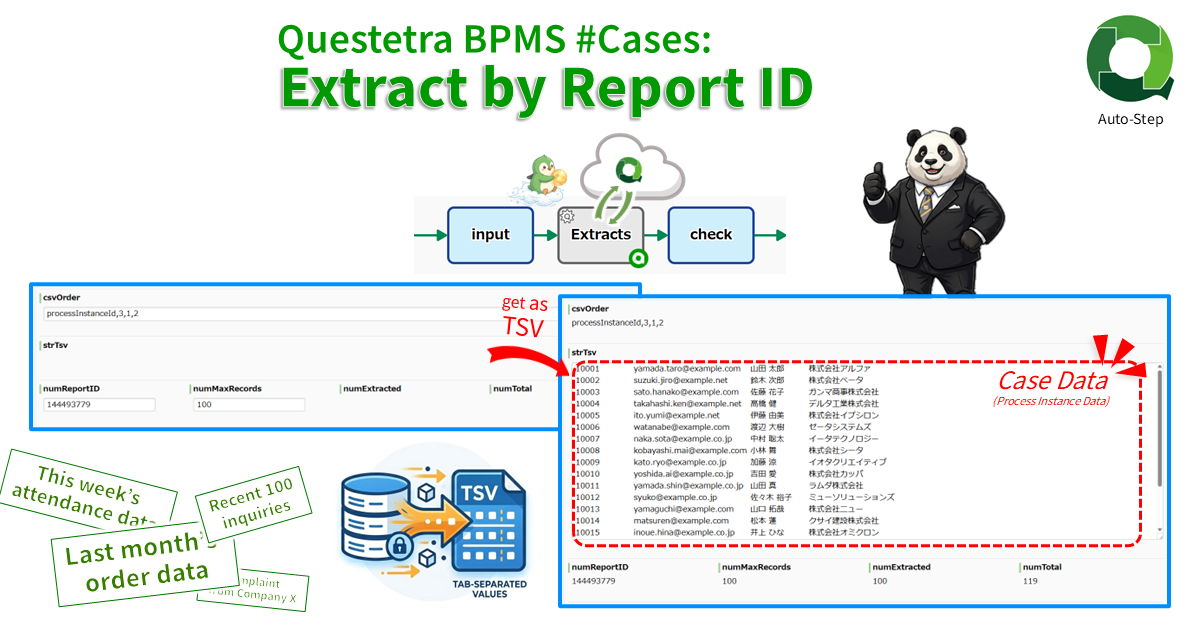
Questetra BPMS #Cases: Extract by Report ID
Extracts case data via API in TSV format. The data is extracted using the ReportID of the filtered list configured…
-
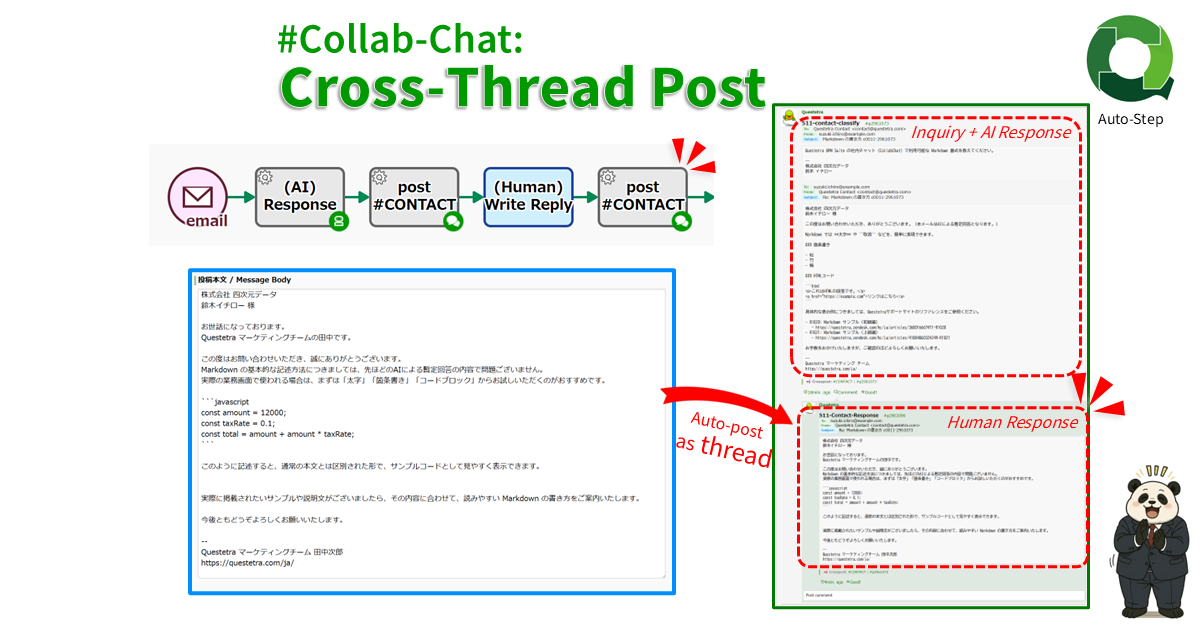
#Collab-Chat: Cross-Thread Post
Cross-posts text to multiple Collab Chat threads in Questetra BPM Suite. Specify an organization, app, or case channel by ID,…
-
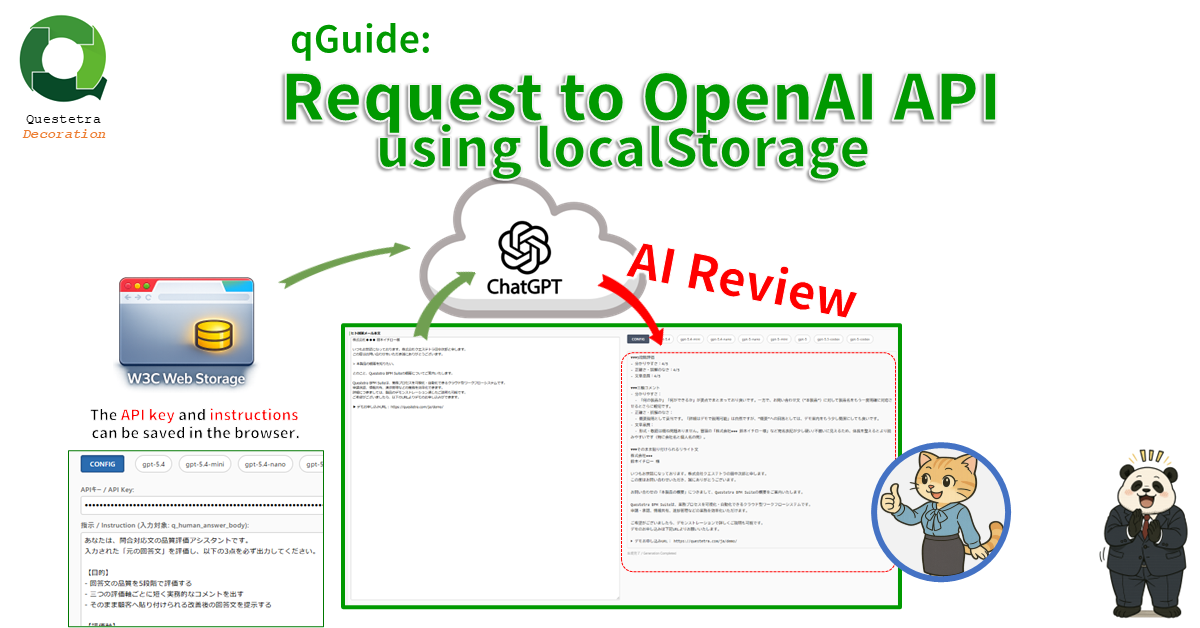
qGuide: Request to OpenAI API using localStorage
Sends the Input-string to the Responses API via CORS. The responses (the sentence generated by the model) will be displayed…
-
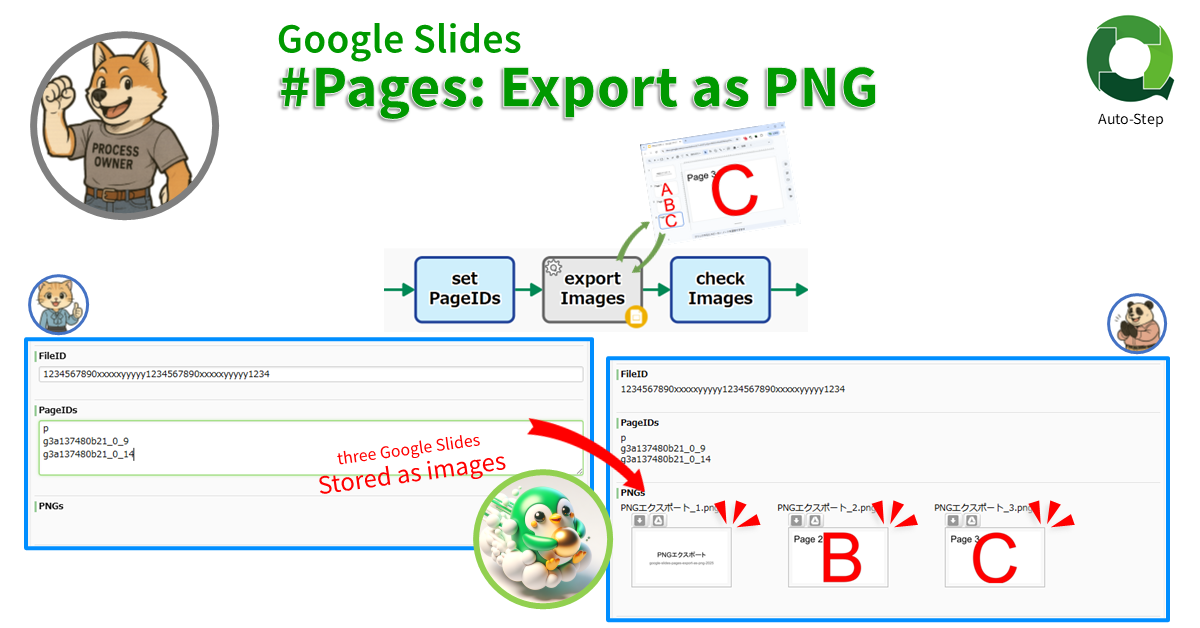
Google Slides #Pages: Export as PNG
Stores one or multiple PNG image files as Workflow data by converting specified slide pages. If not specified, only the…
-
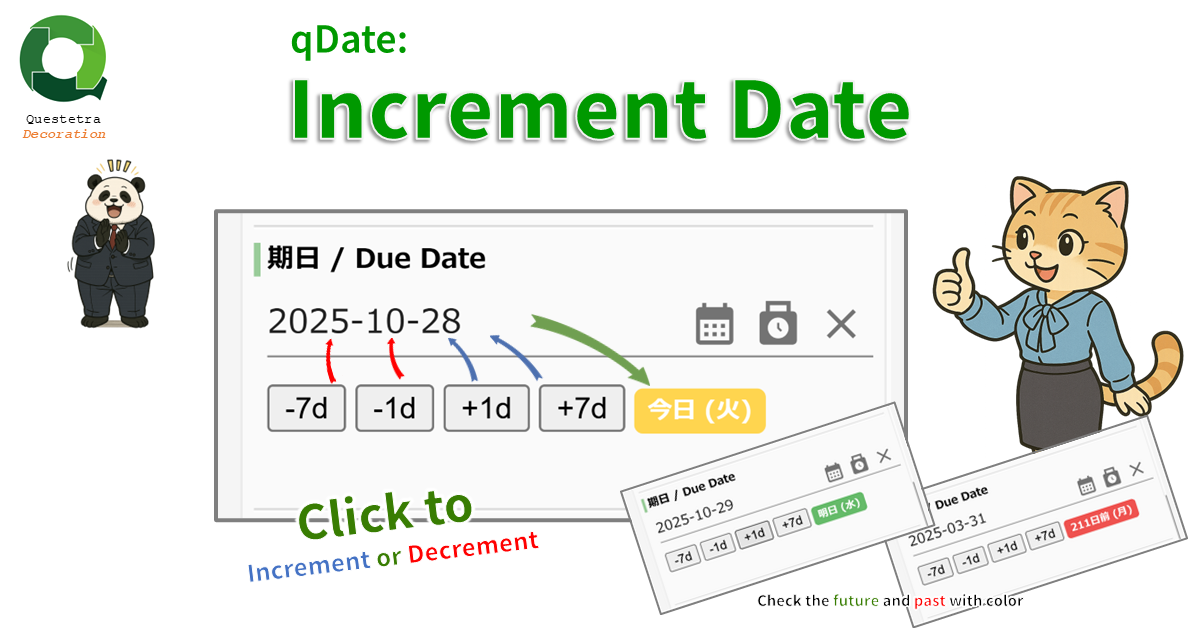
qDate: Increment Date
Assists in inputting Date-type data items. You can increase or decrease the date using buttons such as “+1 day” and…
-
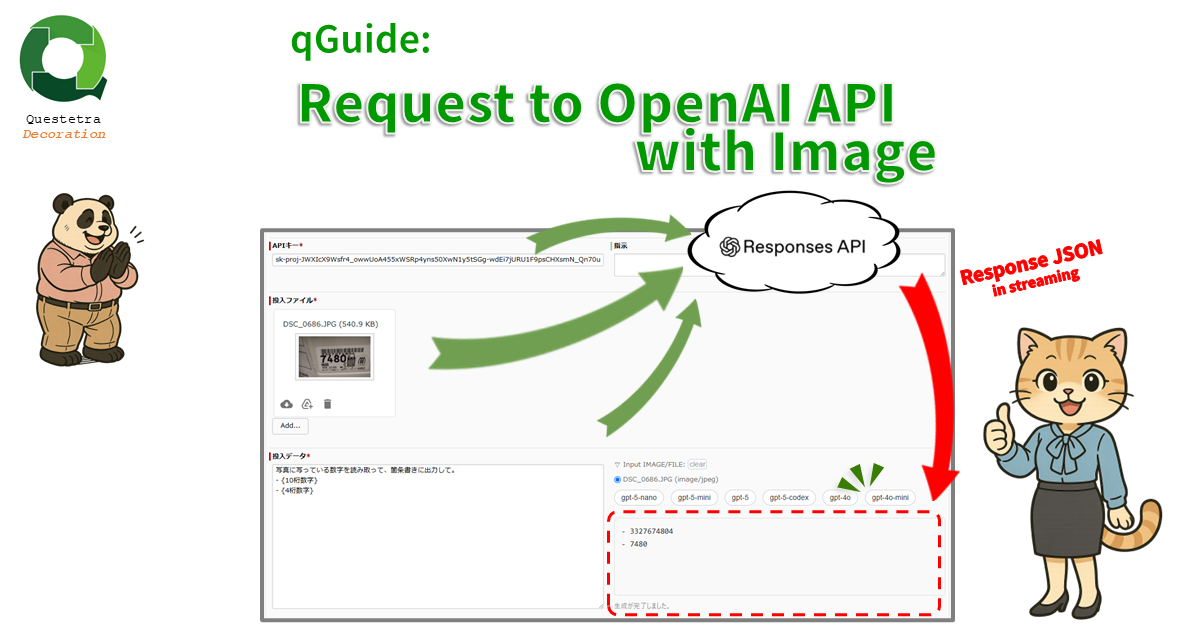
qGuide: Request to OpenAI API with Image
The “input file” (image or pdf), the “input data” string, and the “API key” are sent to the Responses API…
-

qGuide: Request to OpenAI API
Send the Input-string and ApiKey-string to the Responses API via CORS. The responses (the sentence generated by the model) will…
-
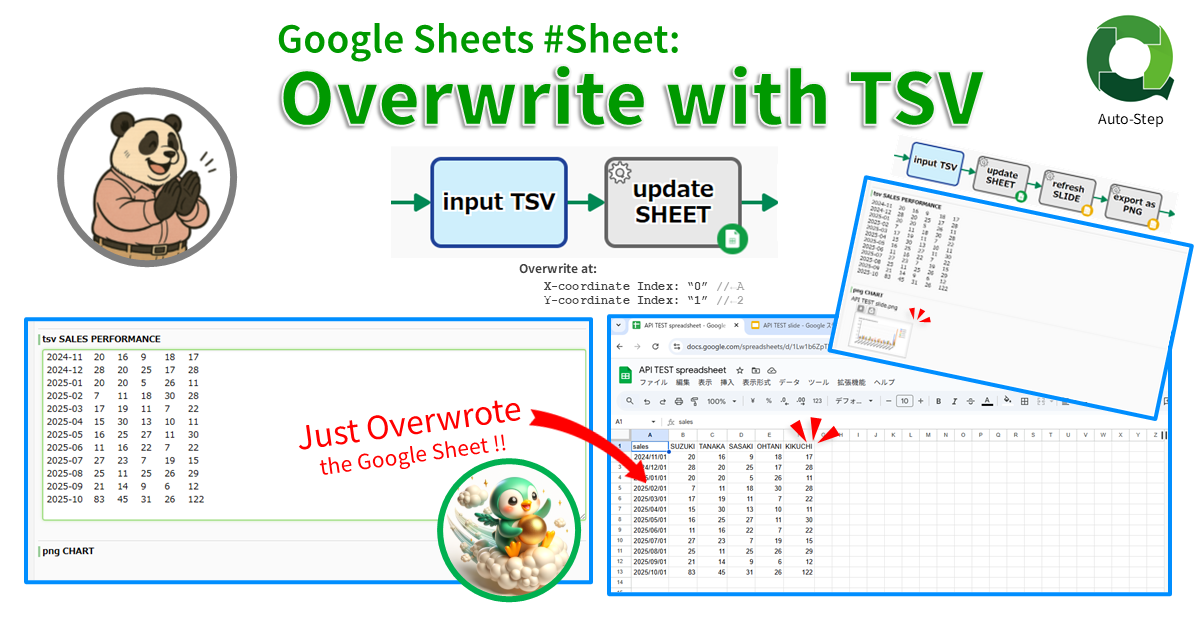
Google Sheets #Sheet: Overwrite with TSV
Pastes TSV data to the specified coordinates in the specified sheet. Only the selected columns can be pasted. Specify the…
-
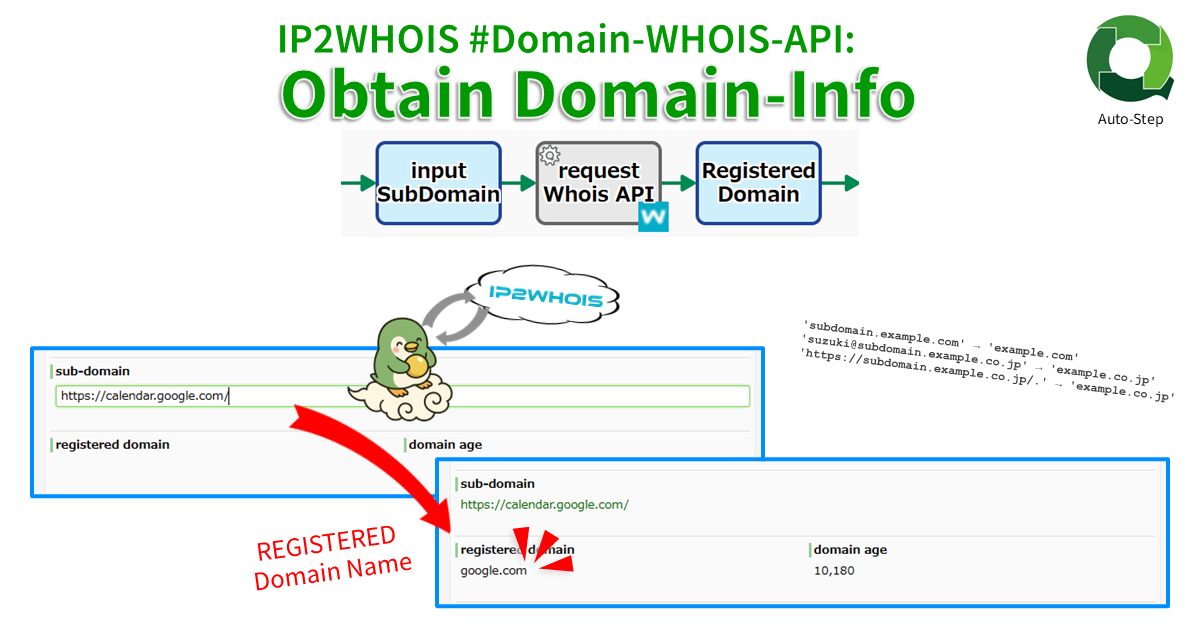
IP2WHOIS #Domain-WHOIS-API: Obtain Domain-Info
Obtains domain information (WHOIS records: “Registered Domain Name” and “Domain Age”) from domain names including subdomains. Returns an error if…
-
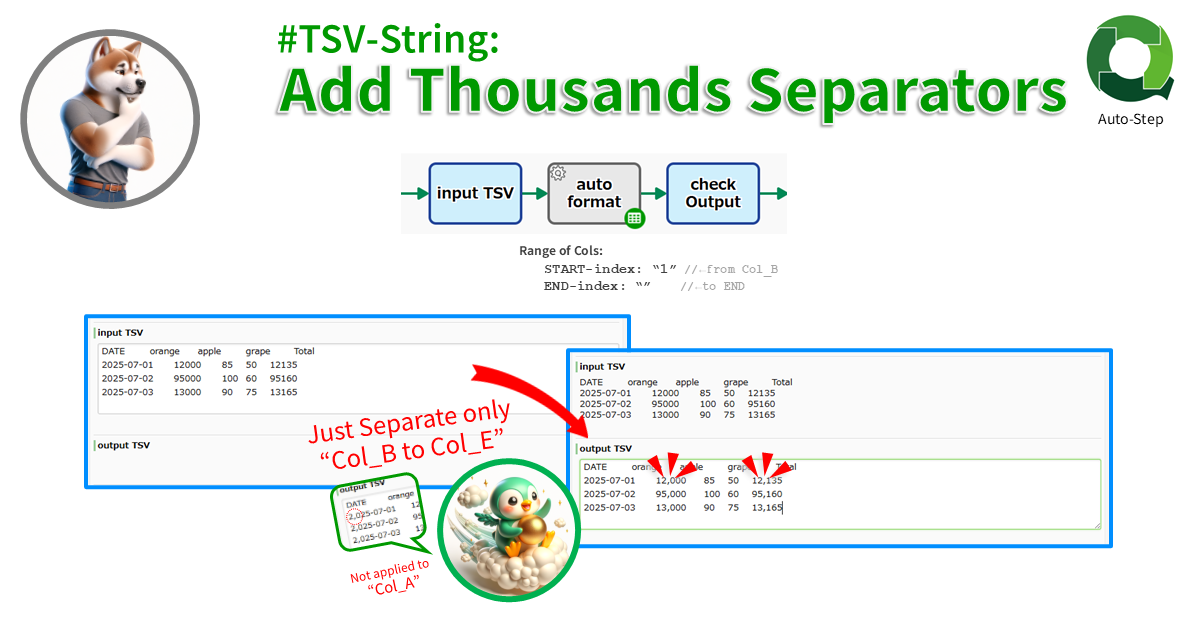
#TSV-String: Add Thousands Separators
Formats the specified range of columns from START index to END index of the TSV (END not included). The index…
-
#TSV-String: Extract Range Columns
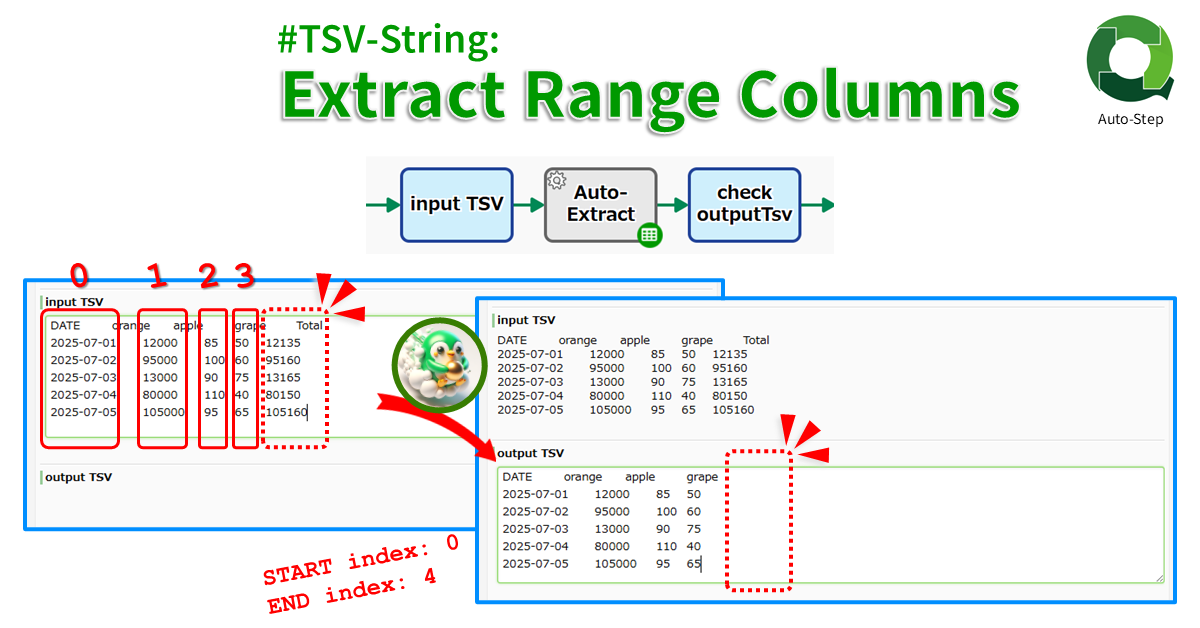
Extracts the specified range of columns from START index to END index of the TSV (END not included). The index…
-
#TSV-String: Basic Math on Numeric Strings
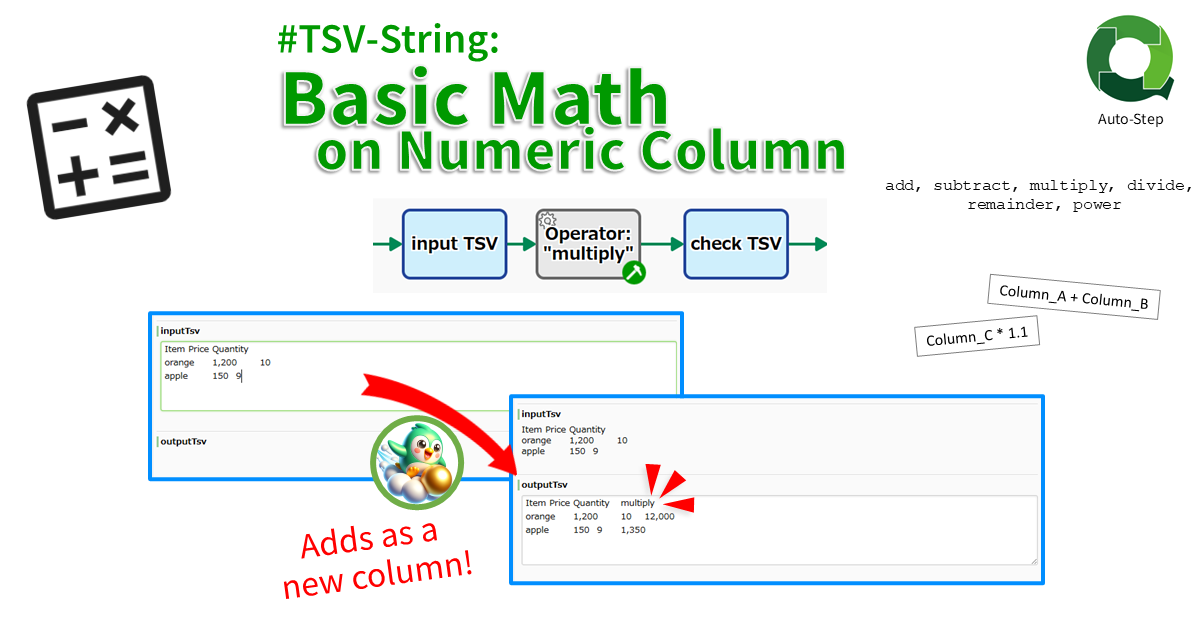
Adds the calc result as a new column. The result of binary calculations such as “adding column A and column…
-

#Files: Filter by FileName
Extract only files to match the conditions from the files stored in FILE type. The conditions can be specified as…
-

#String: Extract Subpattern by RegExp
Extracts one string that matches the regular expression and extracts its subpatterns (Capturing groups). If “(\d{4})-(\d{2})-(\d{2})”, the first YYYY-MM-DD that…
-
#Multiline-String: Remove Blank Lines
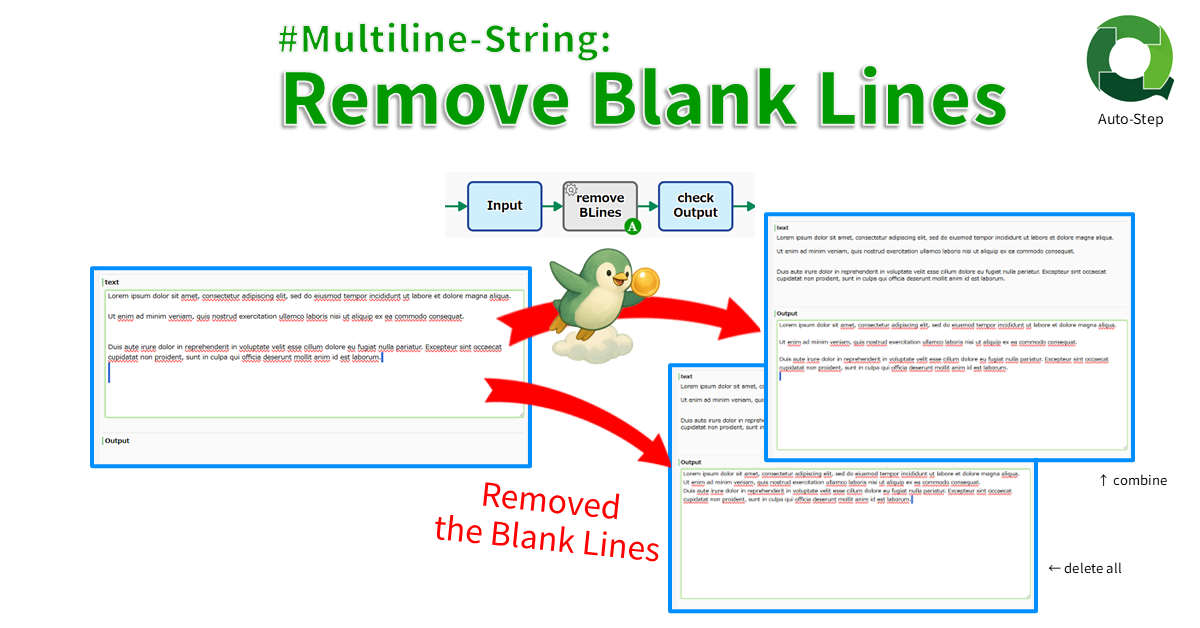
Deletes blank lines. There are two modes: delete all blank lines and combine consecutive blank lines into one line.
-
#Collab-Chat: Post
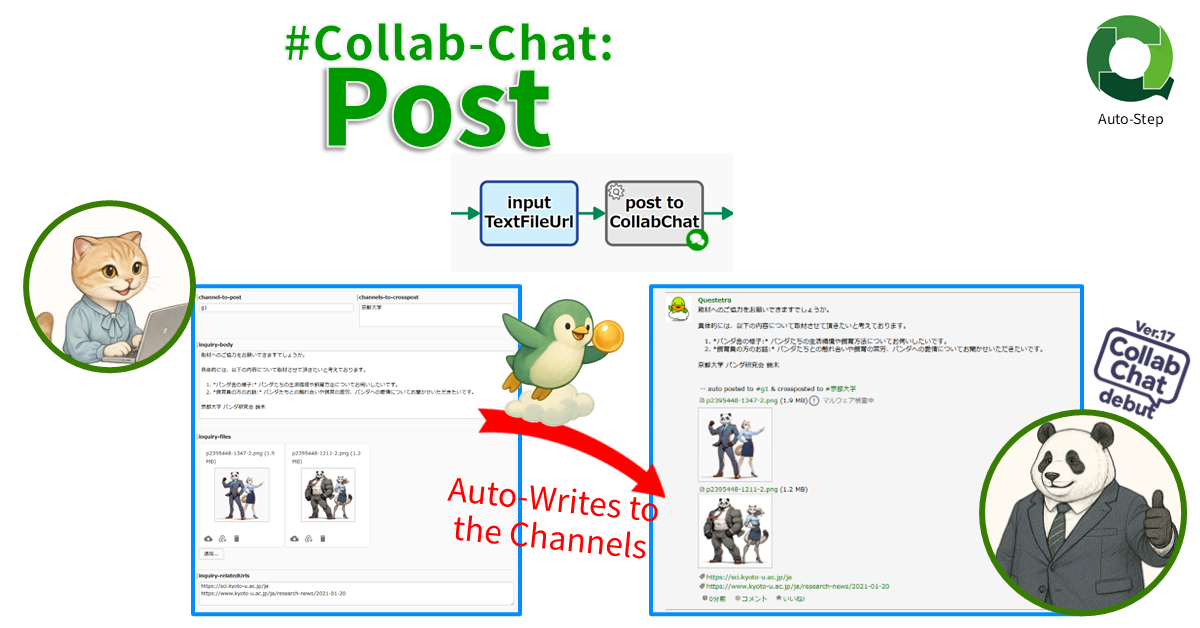
Posts any text to CollabChat in the Questetra Platform by specifying the channel. To post to an organization channel or…
-
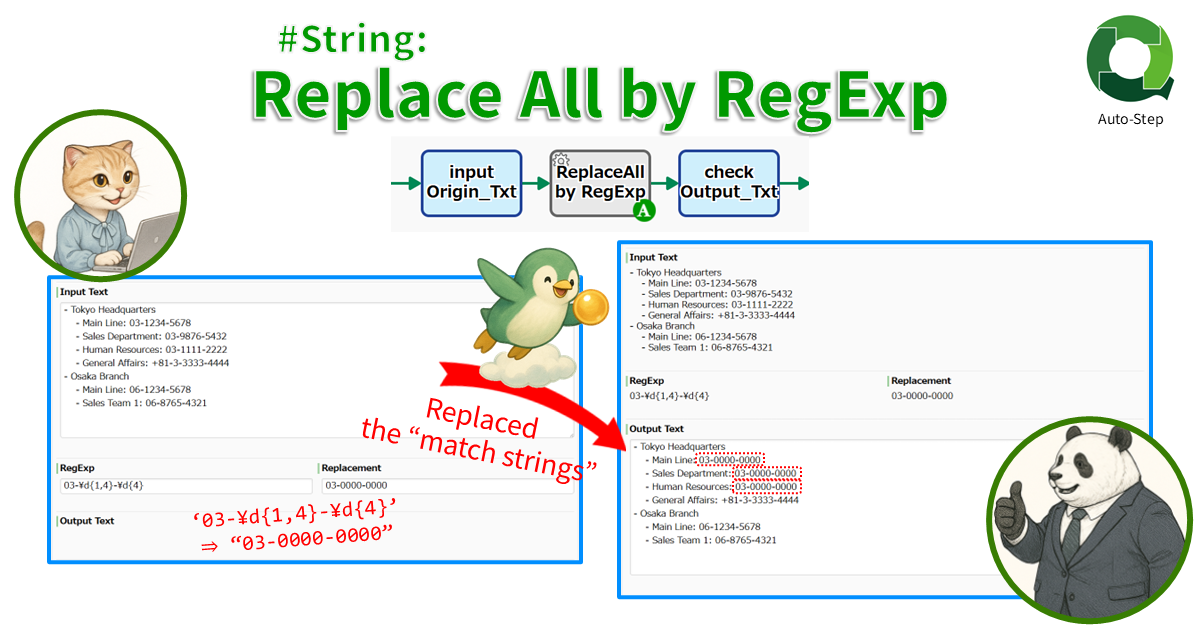
#String: Replace All by RegExp
Replaces all strings that match the regular expression. For example, all Phone Numbers ‘\d{3}-\d{3}-\d{4}’ in a text string can be…
-
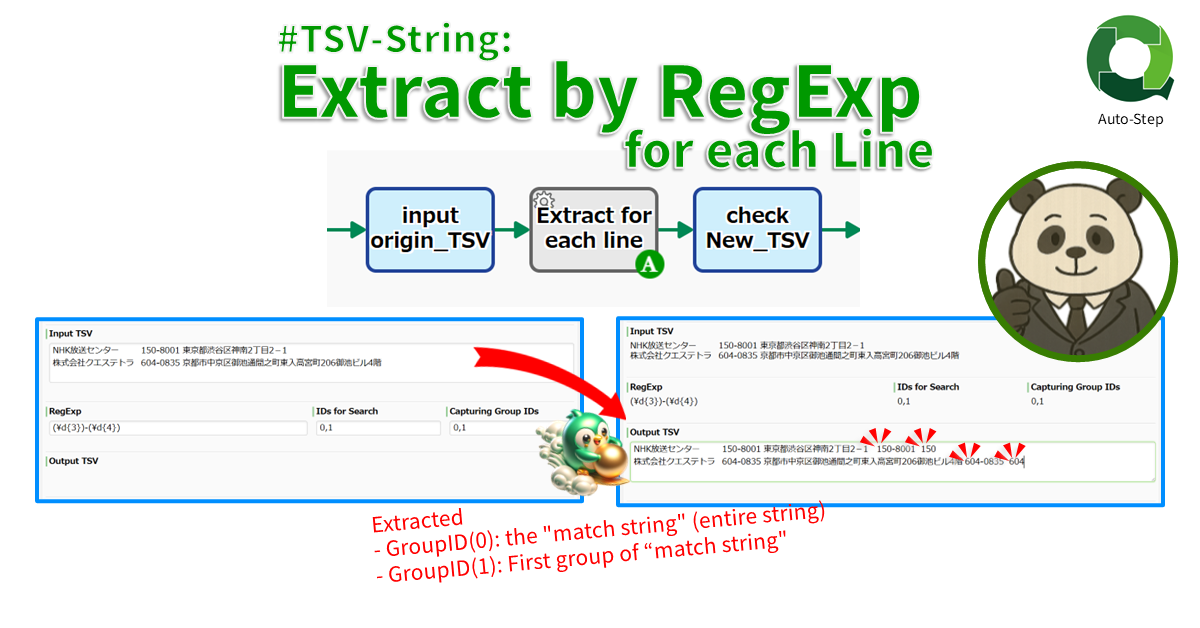
#TSV-String: Extract by RegExp for each Line
Extracts a string that match the RegExp for each line. If set an “Email String”, the email address in the…