

Slack: チャット投稿 (Incoming Webhook)
Slack: Post Chat (Incoming Webhook)
この工程は、Incoming Webhook を使って Slack にメッセージを投稿します。
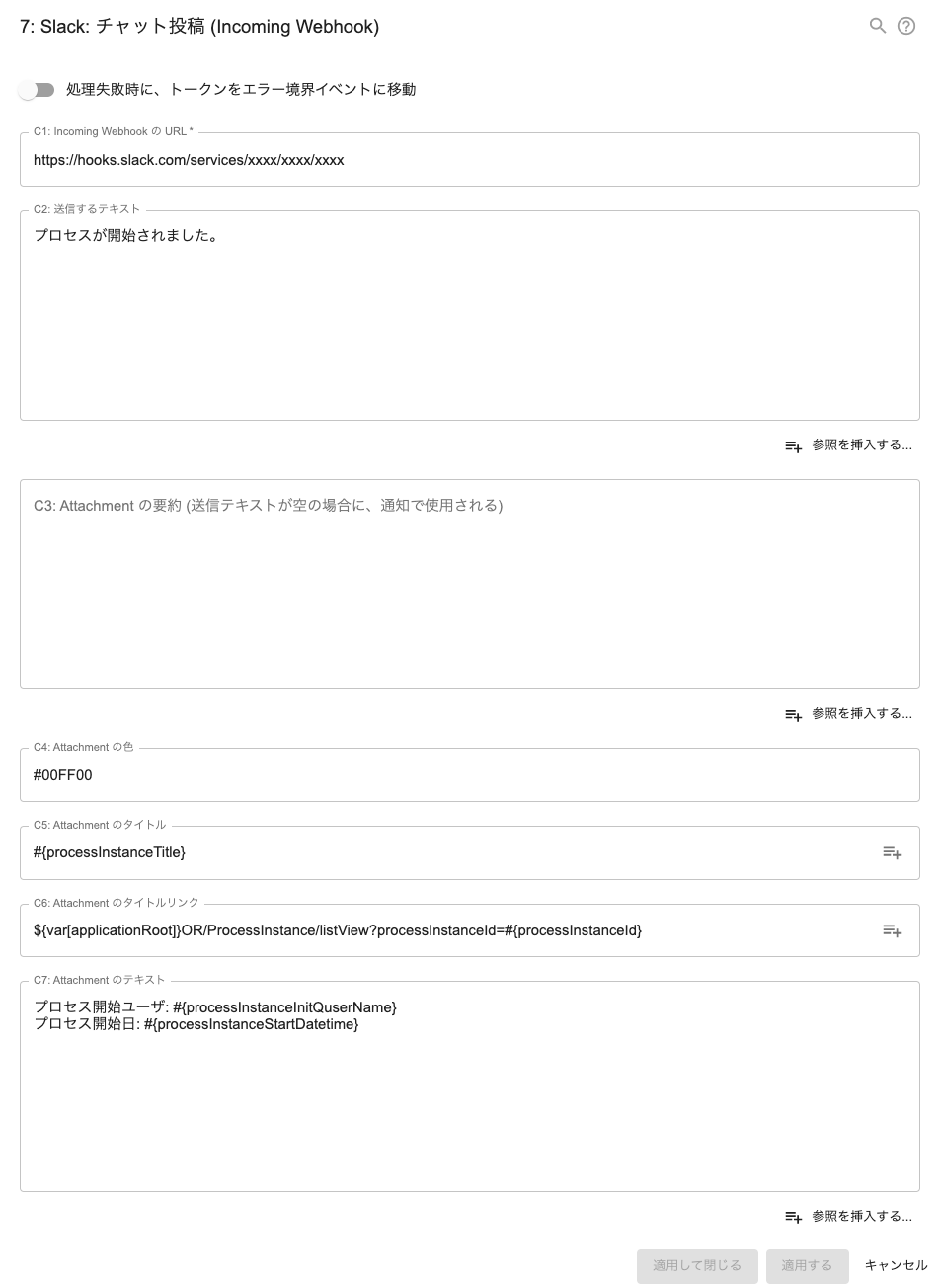
Basic Configs
- 工程名
- メモ
Configs for this Auto Step
- Url
- C1: Incoming Webhook の URL *
- Text
- C2: 送信するテキスト#{EL}
- Fallback
- C3: Attachment の要約 (送信テキストが空の場合に、通知で使用される)#{EL}
- Color
- C4: Attachment の色
- Title
- C5: Attachment のタイトル#{EL}
- TitleLink
- C6: Attachment のタイトルリンク#{EL}
- AttachText
- C7: Attachment のテキスト#{EL}
Capture
See also


Script (click to open)
- 次のスクリプトが記述されている XML ファイルをダウンロードできます
- slack-chat-post-webhook.xml (C) Questetra, Inc. (MIT License)
- Professional のワークフロー基盤では、ファイル内容を改変しオリジナルのアドオン自動工程として活用できます
function main() {
  let jsonReq = {};
if (configs.get("Text") !== "" && configs.get("Text") !== null){
    jsonReq["text"] = configs.get("Text");
  }
  let attachment = {};
  attachAdd(attachment, "Fallback", "fallback");
  attachAdd(attachment, "Color", "color");
  attachAdd(attachment, "Title", "title");
  if (configs.get("Title") !== "" && configs.get("Title") !== null){
    attachAdd(attachment, "TitleLink", "title_link");
  }
  attachAdd(attachment, "AttachText", "text");
  if (attachment !== {}){
    jsonReq["attachments"] = [attachment];
  }
  if (attachment["title"] == null && attachment["text"] == null && jsonReq["text"] == null){
    throw "Message to send isn't set.";
  }
  const url = configs.get("Url");

  let response = httpClient.begin()
    .body(JSON.stringify(jsonReq), "application/json; charset=UTF-8")
    .post(url);

  const status = response.getStatusCode();
  const responseTxt = response.getResponseAsString();
  if (status !== 200) {
  engine.log(`${responseTxt}`);
  throw `Failed to send. status: ${status}`;
    throw error;
  }
}
function attachAdd(attachment, config, attachName){
  const value = configs.get(config);
  if (value !== "" && value !== null){
    attachment[attachName] = value;
  }
}


