Work Request Flow, Microsoft Teams Posts
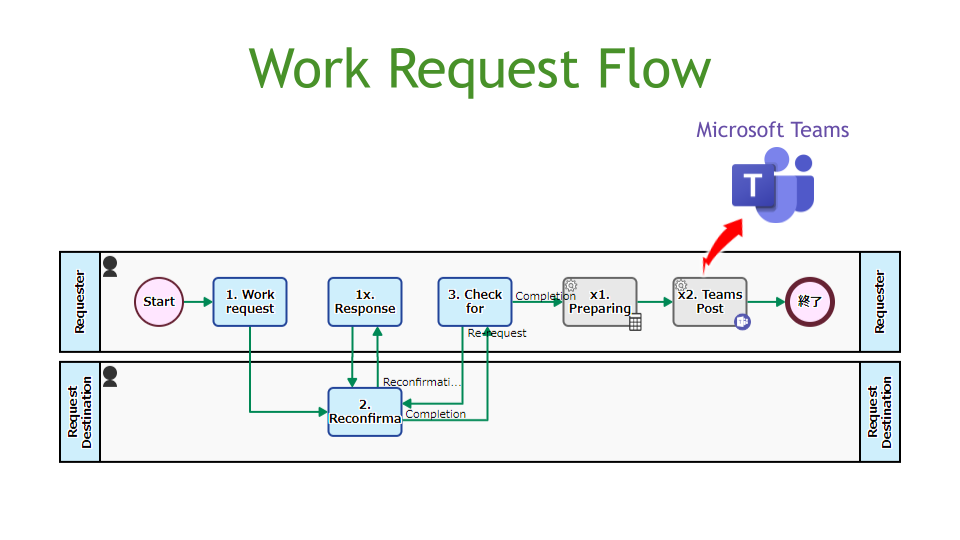
This flow is to appoint a person in charge and make a request. Work requests and completion reports are recorded and managed. Work reports are automatically posted to Microsoft Teams.
Extracts one user from the members of Qorg randomly and sets that user in the Quser data. It is also possible to exclude specific users from the extraction target. If there are no candidates in the population, an error will occur.
Extracts one user from the members of Qorg in order using a round robin method and sets that user in the Quser data. It is also possible to exclude specific users from the extraction target. If there are no candidates in the population, an error will occur.
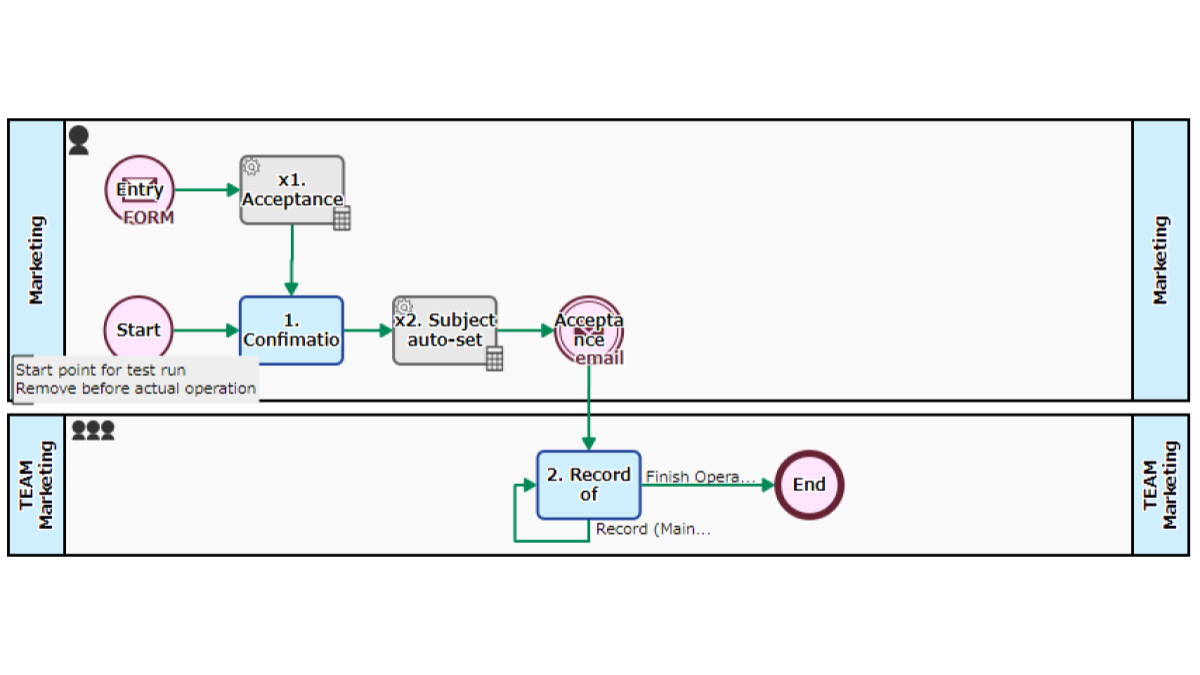
Accepts and responds to event participation applications. Starts automatically when there is an input in a published web form. After confirming the application details at the Step of [1. Confirmation/Acceptance Completion Email], the acceptance completion email will be sent automatically. Subsequent exchanges are input at the Step of [2. Record of Exchanges], but if specific processing is required, define an independent Step.
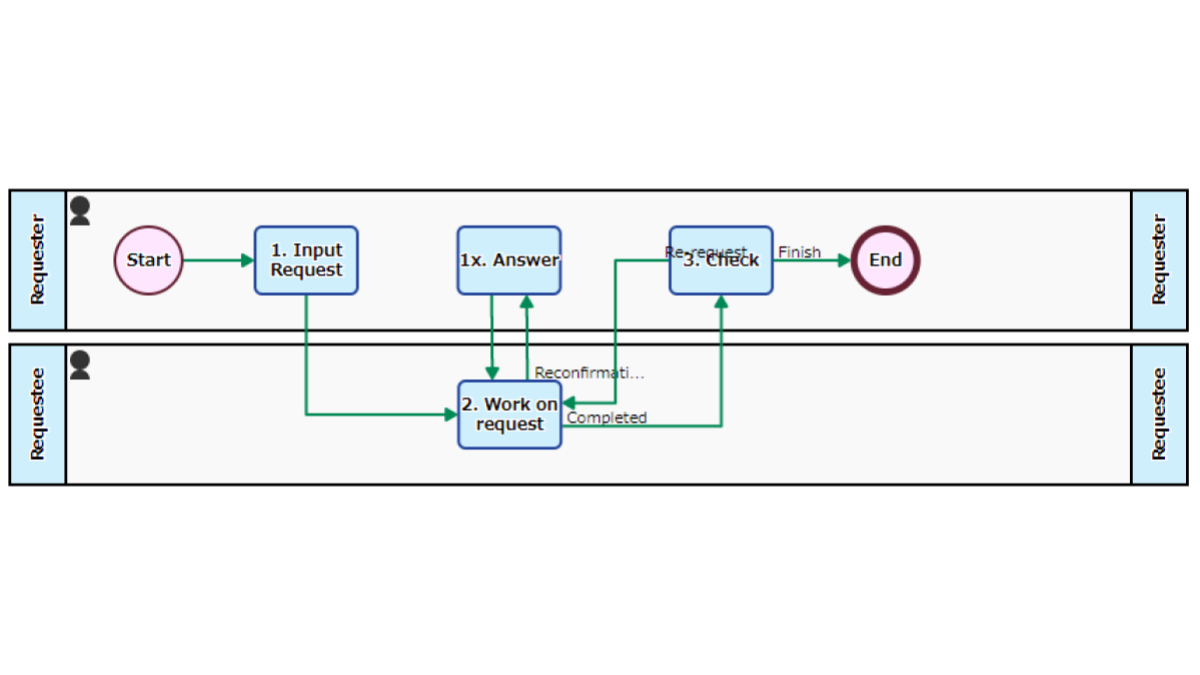
Records and manages work requests and completion reports. The requester appoints the request destination and inputs the work contents and desired completion date at the Step of [1. Input Request]. Employees who have been appointed carry out the requested work and report the completion at the Step of [2. Work on Request]. There are advantages such as status of work can be known, records are preserved, performance can be appraised, requests are visualized.
Requests from within the company are processed. The designer in charge is appointed at [2. Designate], and the output such as jpeg file or ai file is attached at [3. Create]. It is also assumed to be invoked to be a “sub-process”.