Short Questionnaire
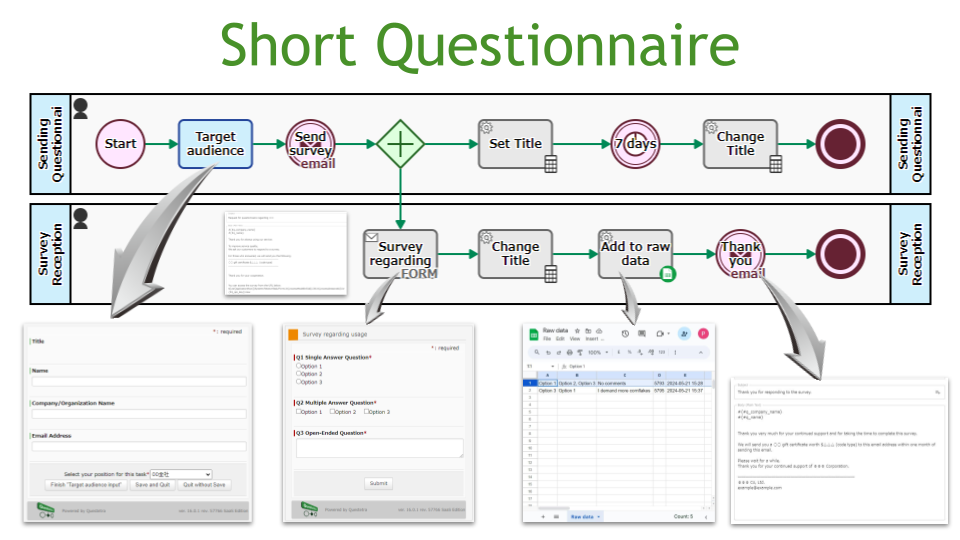
Conduct simple surveys. By simply creating a survey and entering the mailing address, you can automate the process of requesting and collecting survey responses, creating raw data, and sending out thank you emails.
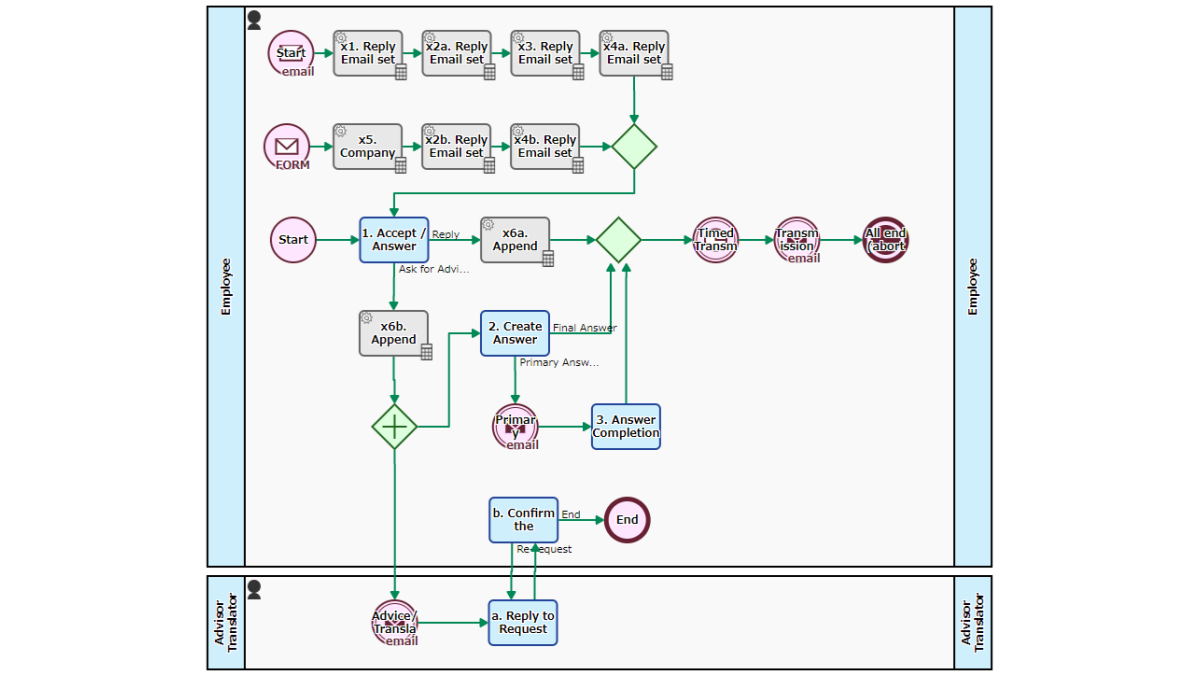
The system accepts and responds to customer enquiries, automatically preparing a response template when an enquiry is received via web form or email. In the process [1. Accept Query/Write Response], the support person can choose to draft a response or, if necessary, request advice or translation. If a final response cannot be prepared in the process [2. Write Response], the primary response is sent and then the process [3. Final Answer] takes place.
Accepts and answers customer inquiries. An answer template is automatically prepared when an inquiry is received via Web form or email. At the Step of [1. Acceptance / Answer], the support person creates answer sentences and replies, or if necessary, chooses to ask an advice or translation request. If the final answer cannot be made at the Step of [2. Create Answer], the process will go to [3. Answer Completion] after sending the primary answer.
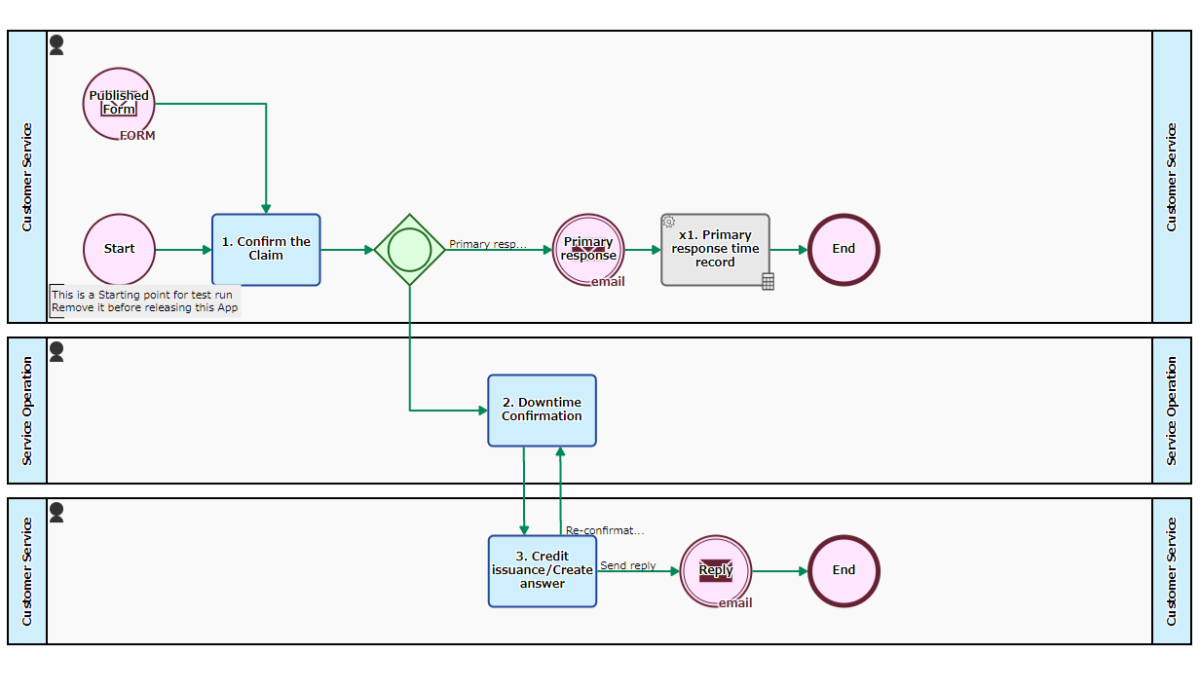
Accepts reduction claims based on SLA (Service Level Agreement) from customers and issues service credits. When there is an application via the Web form, the Workflow is Started, and the Service Operation manager confirms the results at the Step of [2. Downtime Confirmation]. If it does not meet the SLA, a service credit will be issued and automatically sends the response by email.
Requests from within the company are processed. The designer in charge is appointed at [2. Designate], and the output such as jpeg file or ai file is attached at [3. Create]. It is also assumed to be invoked to be a “sub-process”.