Information Control
-
File-Sharing App
This is a workflow application for securely sending files. The file sender uploads the file at the beginning of the…
-
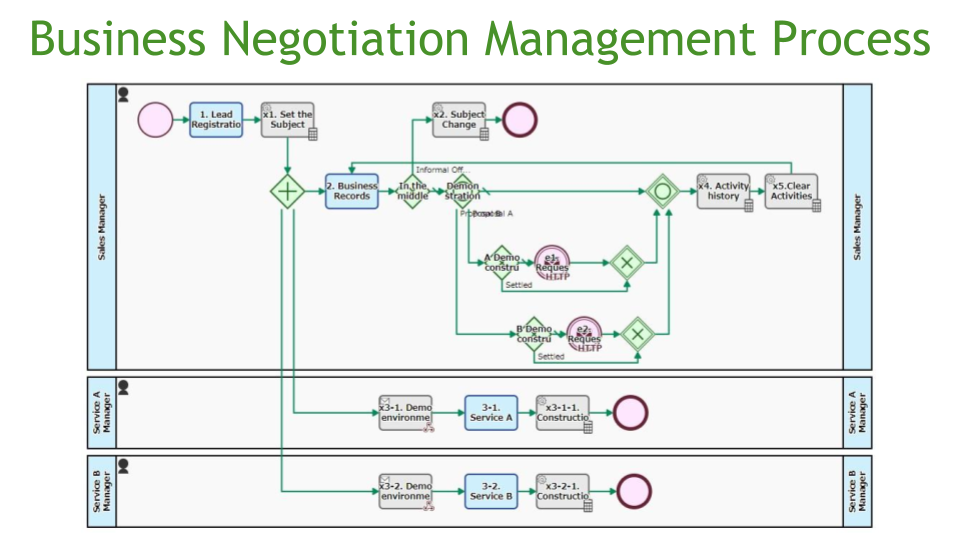
Business Negotiation Management Process
This is the process of creating a user ID for a customer at the time of a business meeting. The…
-
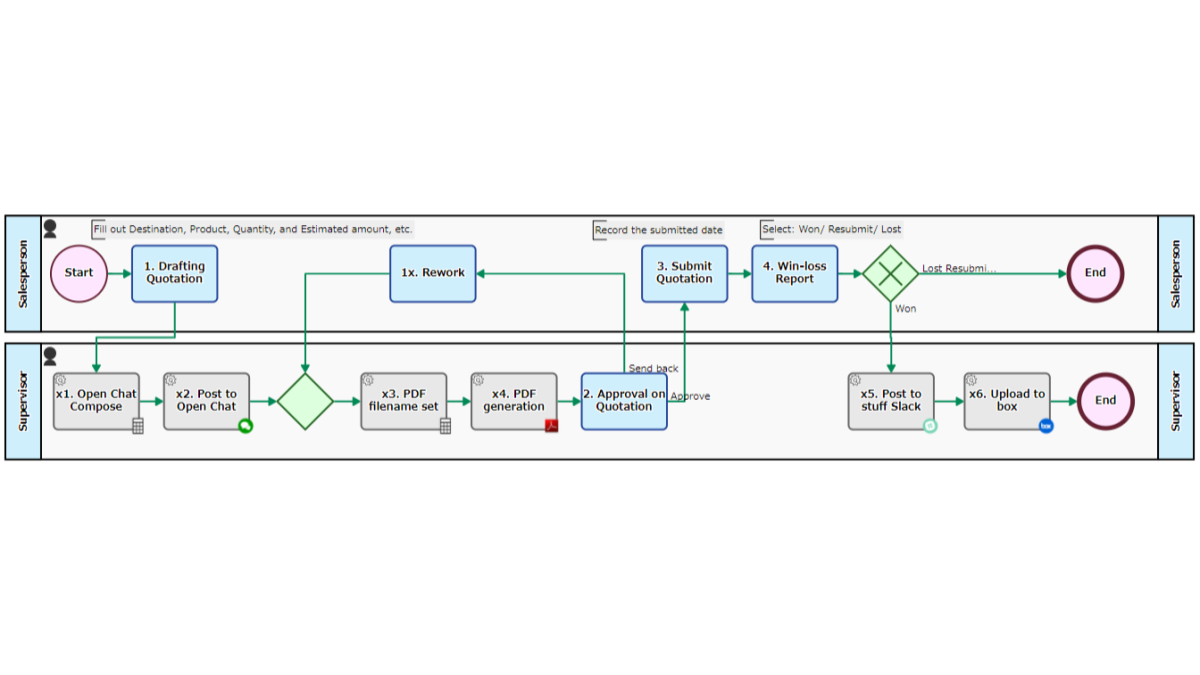
Online Estimate Storage Flow
Stores quotation PDF automatically to share. A quotation PDF is automatically generated after the submittee, details and total amount are…
-
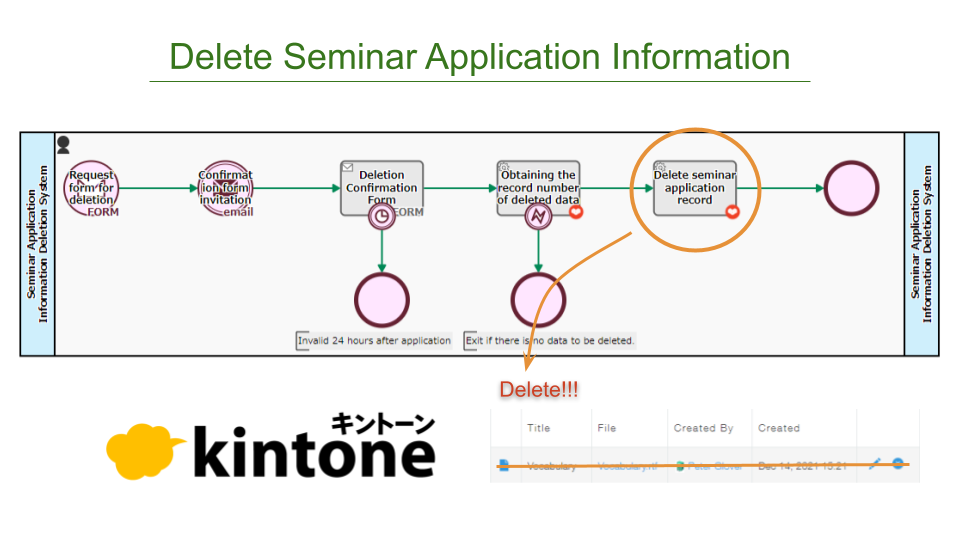
Delete Seminar Application Information
The seminar application information in the kintone application will be automatically deleted. When a request is made to delete seminar…
-

URL String, Extract Parts
Parses the URL/URI string to extract each component, such as Protocol (Scheme), Host, Hostname, Path, Query, Fragment, etc. For components…
-

UrlEncoded String, Decode UriComponent
Decodes a URL-encoded string that is an encoded component of a Uniform Resource Identifier. “5%25off%3F” will be decoded to “5%off?”…
-

Approval Request Flow
Records Processes beginning from the request for approval to the final approval. A director with approval authority can make a…
-
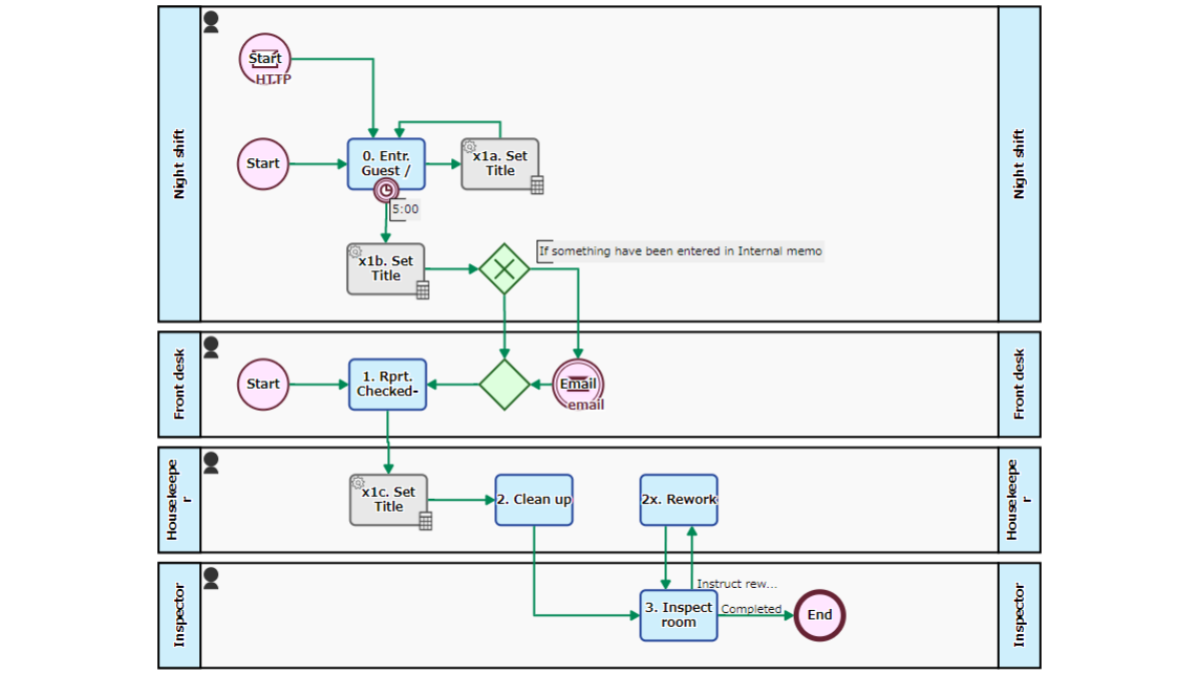
Information sharing under the division of labor/with other departments
Manages customer service at the hotel business. When the front desk staff inputs the customer’s checkout at the Step of…
-
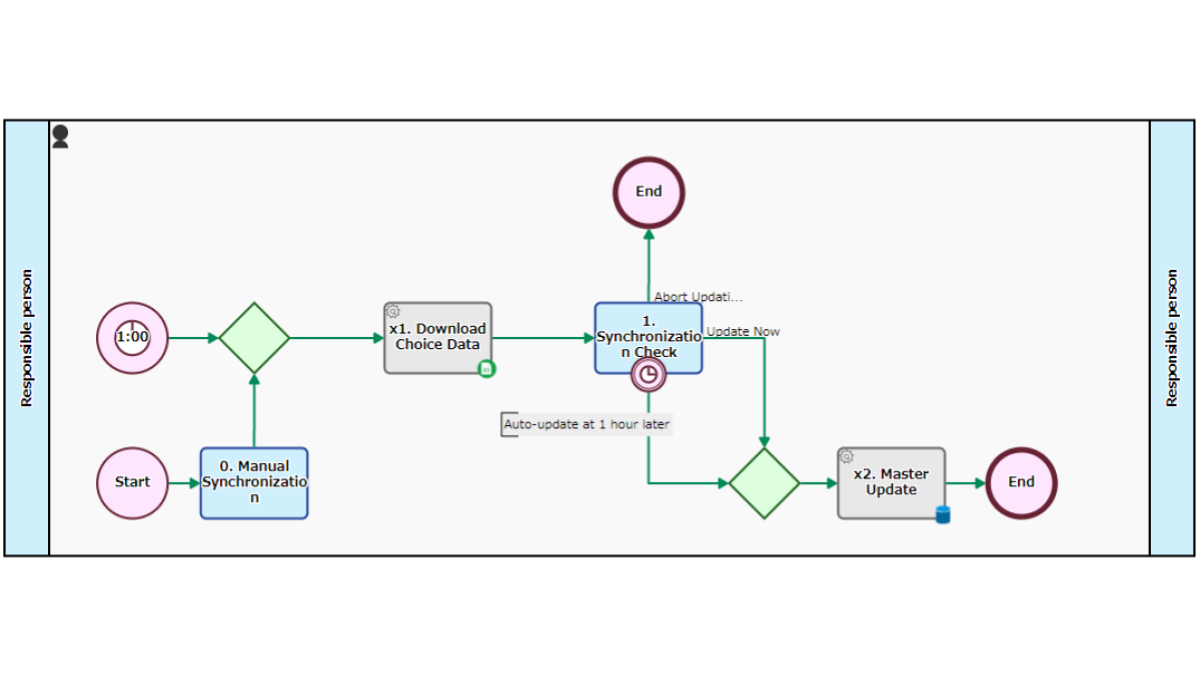
Customer Master Data Sync Process
Synchronizes “Customer Master” managed in Google Spreadsheet, automatically. Automatically Starts 1:00 every night, connects to Google spreadsheet API, and acquires…
-
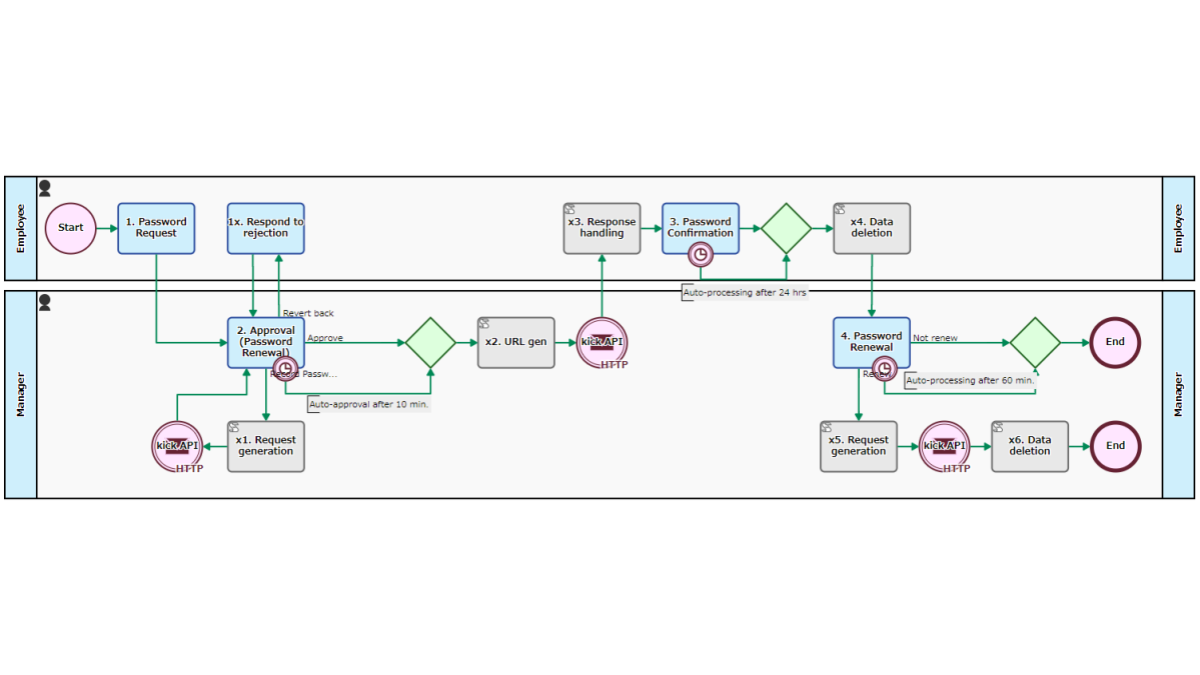
Common Password Request
Manage common passwords. Passwords are recorded in Google Sheets and retrieved/updated via the API. The password user requests disclosure at…
-
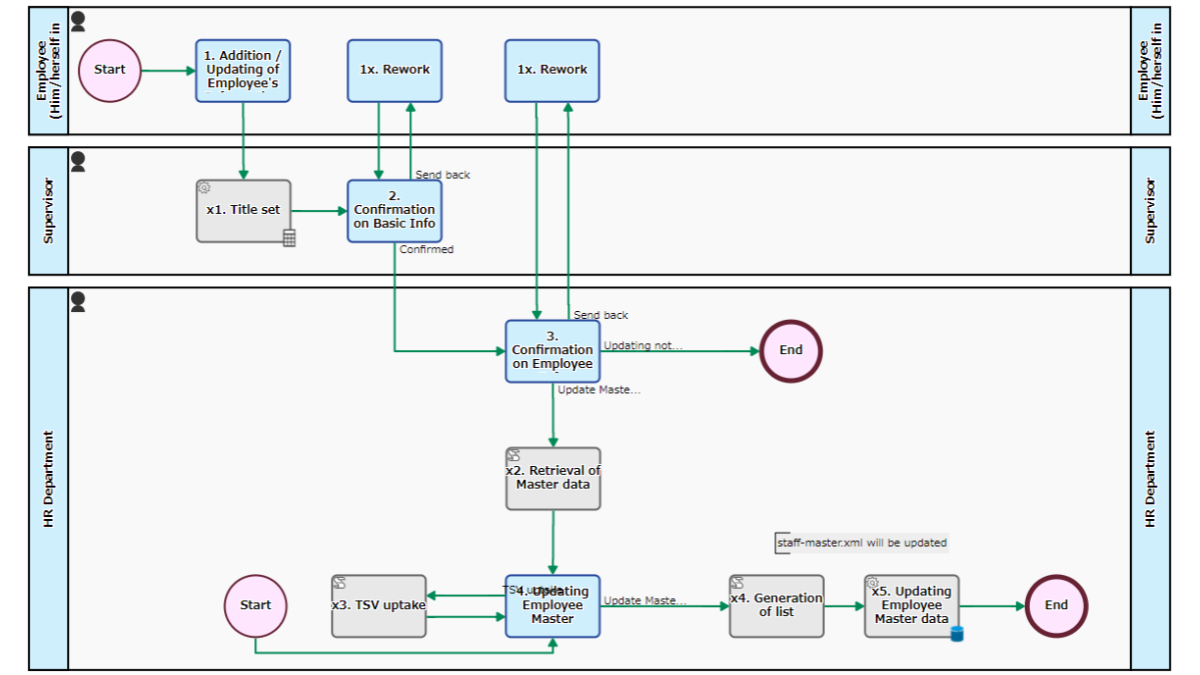
Employee Information Acceptance
Manages additions/updates in employee information and updates employee masters as needed. The data entered in the Step of [1. Addition…
-
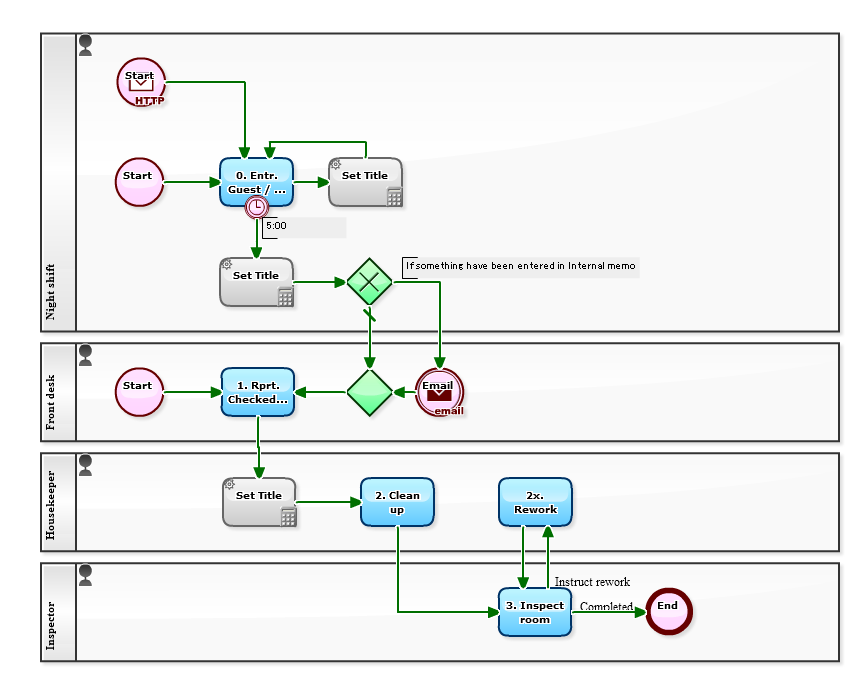
Guest Complaints Sharing Process
If there is a complaint from the guest, it will be recorded in [0. Entr. Guest / Complaint]. The front…
-
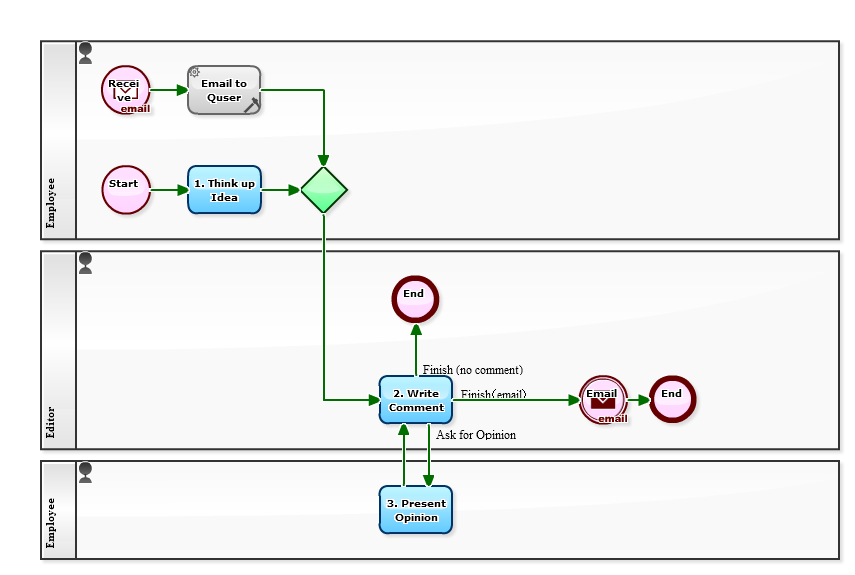
Idea Management Process
An e-mail will be sent to nice ideas. An idea posted in [1. Think up Idea] will be answered in…
-
Event Acceptance Questionnaire (Expiration-v2)
Webforms for Acceptance and Questionnaire